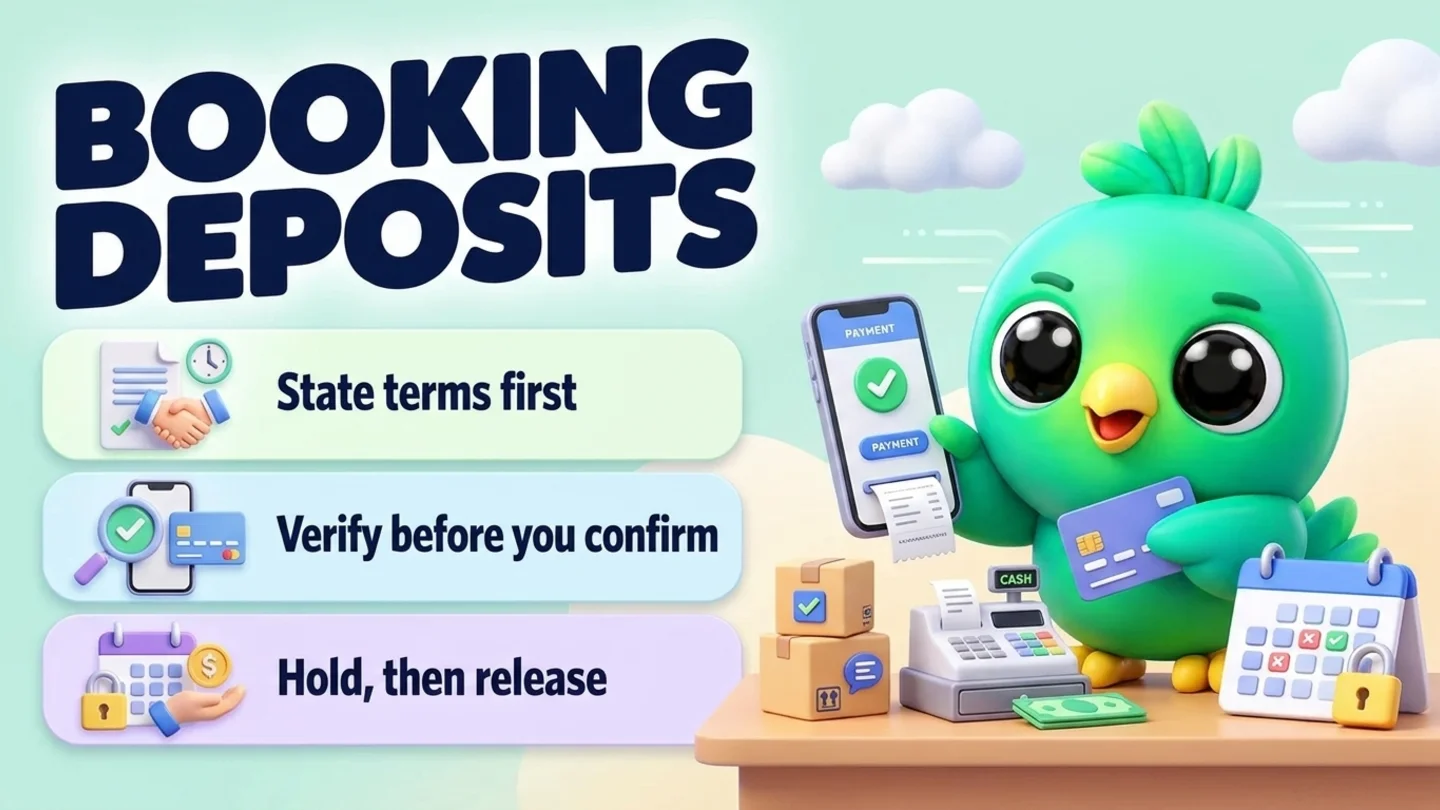
To take a booking deposit on WhatsApp without a booking bot, agree the service, date and time first, then send a short message that states the deposit amount, what it holds, your cancel and refund rules, and a hosted payment link. Hold the slot for a short window while they pay, confirm the booking only after you verify the payment in your bank or payment app (not when they type "paid"), and write the status next to the chat. You do not need the WhatsApp Business API or a calendar chatbot for this. The one rule that protects both of you: never ask for a full card number, bank account number or ID number in the chat.
This post is part of our guide to WhatsApp CRM for small business. It zooms in on the money step that booking appointments on WhatsApp only mentions in one line. After a project deposit lands and work is about to start, switch to onboarding new clients on WhatsApp. For chasing a full invoice that is already due, use WhatsApp payment reminder messages instead.
Last updated 14 October 2026. WhatsApp's Business Messaging Policy, WhatsApp Help Center pages and Meta's template categorization guidance were checked against each organization's own pages on that date. This is practical guidance, not legal or financial advice. Your cancel, refund and no-show terms must also follow the laws where you trade.
A deposit is not a payment reminder
Three money messages get mixed up on WhatsApp. Keep them separate so customers know what you are asking for.
| Booking deposit | Order payment before ship | Invoice payment reminder | |
|---|---|---|---|
| Purpose | Hold a specific slot or date | Take payment before you fulfil | Collect a balance that is already owed |
| When | After they pick a time, before you lock it | After they order, before dispatch | After the work is agreed or done |
| What they get | A held slot plus your cancel rules | The order moving forward | A clear ask to pay what is due |
| Related guide | This post + book appointments | Confirm orders on WhatsApp | Payment reminders |
A deposit message is a booking tool. A reminder is a billing tool. If you paste a late-payment chase into a deposit ask, customers feel pressured and you lose the clean "hold until paid" logic.
When a booking deposit makes sense
You do not need a deposit for every booking. Use one when the cost of a no-show is real and you can explain the rule in one sentence.
| Situation | Deposit idea | Why |
|---|---|---|
| First visit to a salon, barber, clinic or coach | A fixed amount or a share of the service | New customers no-show more often than regulars |
| Long or multi-chair appointments | Enough to cover the blocked time | One missed slot wastes several people |
| Weekend, holiday or peak dates | Deposit or full prepay | Demand is high and reschedules hurt |
| Home visits or on-site jobs | Travel fee or deposit | You leave the workshop for them |
| Events, photo sessions, wedding vendors | Deposit to hold the date | The date cannot be sold twice |
| Short walk-ins and loyal regulars | Often none | The admin costs more than the risk |
State the rule the same way for everyone in that category. Making it up per customer is how arguments start.
The deposit loop in five steps
- Agree the slot (service, day, time, place) the same way you would without a deposit.
- State the terms in writing: amount, what it holds, how long you hold unpaid, cancel notice, and what happens on no-show.
- Send a payment link (or your usual hosted pay method), never a request for card digits in chat.
- Verify the payment, then send the confirmation they can save.
- Record the status and keep the usual day-before reminder.
Step 1: State the terms before you ask for money
People pay more calmly when they already know the rules. Put four things in the message that asks for the deposit:
| Include | Example | Why |
|---|---|---|
| What is held | Saturday 18 Oct at 2:00 PM, colour and cut | They must recognize the booking |
| Deposit amount | $40 toward the service | No guessing |
| Hold window | I can hold it for 2 hours while you pay | Stops endless "I'll pay later" holds |
| Cancel / no-show rule | Free cancel with 24 hours notice; late cancel or no-show keeps the deposit | Said before money moves |
Do not invent a penalty in the reminder the night before. If a fee exists, it belongs in the first deposit message and, ideally, on your website or booking page too.
Note: WhatsApp's Business Messaging Policy says you may only contact people who gave you their number and opted in to hear from you, and that you must respect any request to stop, on or off WhatsApp. A deposit ask fits in the chat where they requested the booking. Do not blast a "pay to keep your slot" message to an old contact list. WhatsApp's help page on complying with the Business Messaging and Commerce policies also notes that a customer messaging you first is not opt-in to future proactive messages.
Step 2: Send a payment link, never a card number
WhatsApp's Business Messaging Policy says businesses must not share or ask people to share full-length payment card numbers, financial account numbers, personal ID card numbers or other sensitive identifiers. The same point appears in WhatsApp's help page on complying with those policies. So:
- Send a Stripe, Square, PayPal, bank pay-by-link, or your invoice link.
- Or send a QR image that opens your payment app, if that is how you already take money.
- Ask them to reply "paid" only as a heads-up, then check the provider yourself.
- Never ask them to type a card number, full account number or ID number into WhatsApp.
Deposit ask (copy and edit)
Hi [name], I can hold [service] on [day, date] at [time] at [place]. To reserve it, the deposit is [amount] (counts toward the total). I can hold the slot for [window, e.g. 2 hours]. Cancel free with [notice, e.g. 24 hours]; a late cancel or no-show keeps the deposit. Pay here: [payment link]. Reply when you've sent it and I'll confirm once it shows on my side.
Keep promotions out of this message. If you later use the WhatsApp Business API, Meta's template categorization guidance treats order and transaction confirms as utility when they stay specific to that booking and do not promote, upsell or attach offers. A deposit ask with a discount code reads like marketing.
Tip: Save the deposit ask as a quick reply. WhatsApp's help page says the WhatsApp Business app stores up to 50 quick replies, and that media files are not supported in quick replies on WhatsApp Web or Desktop, so keep the wording as text and attach a QR image by hand only when you need it. Our free WhatsApp message templates tool is handy for drafting variants.
Step 3: Hold the slot for a short window
A hold without an end time becomes a soft booking that blocks a real customer. Pick a window you can keep: 30 minutes for same-day slots, one to a few hours for normal bookings, or until a stated clock time for next-day peak slots.
| Hold style | Good for | Watch out for |
|---|---|---|
| Timed hold ("2 hours from now") | Most one-to-one services | You must release it when the timer ends |
| Hold until a clock time ("until 6 PM today") | Evening planning | Say the timezone if you serve multiple areas |
| Hold until the deposit clears | Bank transfers that take hours | Tell them the slot can still go if payment is slow |
| No hold until paid | Very scarce dates | Be ready to offer the next open slot instead |
While the hold is open, do not confirm the booking to anyone else for that resource. If the window ends unpaid, send one polite release message and free the slot.
Hold expired
Hi [name], I had to release [day, time] because the deposit did not come through in time. If you still want [service], I can offer [option A] or [option B].
A released slot is also the moment to check your WhatsApp waitlist for someone who asked for that time.
Step 4: Confirm only after you verify payment
"Paid" in chat is not payment. Open your bank, Stripe, Square or payment app, match the amount and the name or reference, then confirm.
Payment received, booking confirmed
Payment received, thank you [name]. You're confirmed for [service] on [day, date] at [time] at [place]. Deposit [amount] is on your account. Reply here if you need to change anything with [notice] notice.
Payment not found
Thanks [name]. I have not seen the deposit yet on my side. Could you resend the link confirmation or the last four digits of the reference? I will confirm as soon as it lands.
If they paid the wrong amount, say so once, clearly, and send the link again. Do not start the service on a promise.
For the wider confirmation and day-before reminder wording (without the money step), stay with booking appointments on WhatsApp.
Step 5: Record it and keep one reminder
Minimum fields for every deposit booking:
| Record | Example | Why |
|---|---|---|
| Service, date, time, place | Colour + cut, Sat 18 Oct, 2:00 PM, studio | What you must deliver |
| Deposit amount | $40 | Matches your bank later |
| Deposit status | Pending / Paid / Refunded / Kept | Stops double asks |
| Hold until | 14 Oct 4:00 PM | When to release if unpaid |
| Cancel rule restated | 24h free cancel | So you apply it the same way |
| Reminder sent | Yes / No | Avoids duplicate nudges |
Where to keep that record:
| Where | Good for | Watch out for |
|---|---|---|
| Calendar event + note | Solo operators | Easy to forget deposit status |
| Sheet column | A few staff sharing one diary | Double entry from chat |
| Labels or lists in WhatsApp Business | A quick "Deposit pending" marker | Cannot hold amount and hold-until cleanly |
| Pipeline stage + Notes | Seeing pending money beside the chat | Needs a short daily glance |
Our free WhatsApp sales pipeline template already has an "Awaiting payment" idea you can adapt, and WhatsApp labels vs a real CRM explains when lists stop being enough. Salons, coaches, pet groomers, cleaners and photographers who live on booked time often outgrow labels first; the industry pages for beauty salons, gym and fitness coaches, pet shops and services, cleaning and pest and photographers show how those trades run the rest of the chat.
Copy-paste deposit messages
Same-day hold
*I can do [service] today at [time]. To hold it for [30 minutes / 1 hour], the deposit is [amount]. Pay here: [link]. I will confirm once I see it.*
Peak-date hold
I can reserve [day, date] at [time] for [service]. Peak dates need a [amount] deposit. Free cancel until [deadline]; after that the deposit is kept. Pay here: [link].
Home visit
For the home visit on [day] at [time], the booking deposit is [amount] (includes / excludes travel). Pay here: [link], and I will confirm the address window once it clears.
Event or photo date
To hold [date] for [session/event], the deposit is [amount] toward the package. The balance is due by [date]. Cancel terms: [short rule]. Pay here: [link].
After they pay (short receipt)
Deposit [amount] received for [date/time]. You're on the book. I will send the usual reminder the day before.
What to do on cancel, no-show or refund
Apply the rule you already stated. Do not renegotiate in anger on the day.
| Event | What you do | Message angle |
|---|---|---|
| Cancel inside the free window | Refund or credit per your terms; free the slot | Thank them for the notice; offer to rebook |
| Late cancel | Keep or partly keep the deposit as stated; free the slot | Restate the rule once; stay calm |
| No-show | Keep the deposit as stated; mark the chat | Brief note; open door to rebook later |
| You had to cancel | Refund the deposit promptly; apologize | Own it; offer a new slot |
| They want a refund exception | Decide once, write it down, stay consistent next time | One clear yes or no |
Cancel inside the window
Thanks for letting me know, [name]. I have released [date/time] and [refunded the deposit / left it as credit on your account]. Message me when you want a new time.
Late cancel / no-show
Hi [name], per the booking terms we shared when you paid the deposit, the [amount] deposit is kept for the missed [date/time]. I have freed the slot. If you want to rebook, reply here and I will show the next openings.
For the fuller same-day recovery loop (kind check-in, specific rebook times, one follow-up, then stop), see handling appointment no-shows on WhatsApp.
You cancelled
I am sorry, [name]. I have to cancel [date/time]. I am refunding your [amount] deposit today, and I can offer [option A] or [option B] instead.
If the relationship continues into a longer project after a large deposit, send the welcome and plan the same day; client onboarding on WhatsApp covers that handoff. When the visit is done, keep private feedback and public review asks separate, as in collecting customer feedback and asking for Google reviews.
Simple stages for deposit bookings
Five or six stages are enough:
| Stage | Meaning | Your next move |
|---|---|---|
| Slot offered | You proposed times | Wait for their pick |
| Deposit pending | Terms and pay link sent; hold clock running | Verify payment or release |
| Confirmed | Deposit verified | Schedule the day-before reminder |
| Done | They showed up | Close notes; rebook if useful |
| No-show | Missed without notice | Apply deposit rule; free the slot |
| Cancelled | Freed on purpose | Refund or keep per terms |
Move the chat as soon as the status changes. A "Confirmed" list full of unpaid holds is how double-bookings happen. For the wider sales board rather than a booking board, see managing WhatsApp leads without the API and the daily WhatsApp Web sales workflow.
Where InboxCRM fits
InboxCRM is a WhatsApp CRM Chrome extension for WhatsApp Web. It is not a payment processor, booking site or multi-staff calendar, and it does not know when money lands in your bank. It helps when you already take deposits in chat and want the hold, the paid status and the reminder beside the conversation, without the WhatsApp Business API.
- Deposit stages on a board. Add stages such as Deposit pending, Confirmed, No-show and Cancelled, then move chats with "Move to stage" in the chat tools panel or right-click "Add to CRM stage…". A stage chip shows next to the chat in your chat list. The CRM pipeline guide shows the setup, or try the interactive pipeline tutorial first (fictional data; nothing is sent).
- Amount on the card. Put the deposit (or the full job value) as a deal value on the contact so it shows on the card and feeds the sales funnel view.
- Hold and terms in Notes. Write "deposit $40, hold until 4 PM, 24h cancel, paid 14 Oct" in the Notes tab, with tags or custom fields if you want status in one place. See the chat tools panel guide.
- Deposit ask as a quick reply. Save each version (same-day, peak-date, home visit) once, then use "Insert into message box" and add the link before sending. See the quick replies guide.
- Release and reminder timing. From an open chat, use "Schedule message" for the hold-expiry note or the day-before reminder. Chrome must be running with WhatsApp Web open at send time. Check the chat before it goes out if they already paid or cancelled. The scheduling guide and scheduling tutorial walk through it.
- A nudge for you, not the customer. Notifications can remind you to "verify deposit for Dana at 3 PM" with a Chrome notification and send nothing to the customer. See the notifications guide.
- Follow-up rule on Deposit pending (optional). A rule with "On funnel entry" can send one hold-expiry message after your window, with "Stop if chat changed stage" so paid chats skip it. Each rule sends to a chat only once. Follow-up rules are not paced by the campaign sending-safety layer, so keep them for real booking chats only. The follow-up guide and follow-up tutorial cover the controls.
Honest limits: InboxCRM does not confirm bank payments, issue refunds or block your calendar for you. Scheduling and follow-up rules only run while Chrome is open with WhatsApp Web. CRM records stay in Chrome on your device (chrome.storage.local), not on an InboxCRM server, and they do not appear in the WhatsApp mobile app. Our post on where WhatsApp CRM data is stored explains the local-first model. InboxCRM is a single-user extension, not a shared team inbox. If that fits how you work, you can add InboxCRM to Chrome.
Mistakes that waste deposits
- Confirming before the money clears. "Paid" in chat is not a receipt.
- Asking for card numbers in WhatsApp. Against WhatsApp policy; use a hosted link.
- Holding forever. An unpaid hold that never expires blocks paying customers.
- Changing the cancel rule after they pay. State it in the deposit message.
- Mixing a deposit ask with a sale offer. Keep the booking message about the booking.
- No record of who paid. You will either double-charge or forget a refund.
- Broadcasting deposit demands. Every deposit belongs in the one-to-one booking chat. See WhatsApp opt-in without the API and WhatsApp broadcast limits if you are tempted to bulk-message.
- Using deposits as a debt-collection tool for old invoices. That is a different workflow; use payment reminders, and keep collection agencies off WhatsApp (WhatsApp lists debt collection among services that may not use WhatsApp for Business).
Frequently asked questions
How do I ask for a booking deposit on WhatsApp?
Agree the service and time, then send one short message with the amount, what the deposit holds, your cancel rule, a hold window and a payment link. Confirm the booking only after you verify the payment yourself.
Can I take WhatsApp booking deposits without the Business API?
Yes. On the WhatsApp Business app or WhatsApp Web you send the terms and a hosted payment link in the existing chat, verify the payment in your usual tool, then send the confirmation. A booking bot helps when volume or staff size outgrows that routine.
Is it allowed to ask for card numbers in a WhatsApp chat?
No. WhatsApp's Business Messaging Policy says businesses must not ask people to share full payment card numbers, financial account numbers, personal ID card numbers or other sensitive identifiers. Send a payment link or QR instead.
How long should I hold a slot while waiting for the deposit?
Long enough for a normal pay link to clear, short enough that a no-pay does not block the day. Many small shops use 30 to 120 minutes for ordinary bookings, and a stated clock time for peak slots. Say the window in the deposit message and release the slot when it ends.
What should I do if the customer no-shows after paying a deposit?
Follow the cancel and no-show terms you already sent when they paid. Keep or refund the deposit as those terms say, mark the chat, free the slot, and offer to rebook later if you still want the customer.
Sources
- WhatsApp Business Messaging Policy (last updated 23 September 2026), WhatsApp, checked 14 October 2026
- How to comply with the WhatsApp Business Messaging and Commerce policies, WhatsApp Help Center, checked 14 October 2026
- How to use quick replies, WhatsApp Help Center, checked 14 October 2026
- How to use labels (labels are now lists), WhatsApp Help Center, checked 14 October 2026
- Template categorization, Meta for Developers, checked 14 October 2026
InboxCRM is a WhatsApp CRM for WhatsApp Web. Pipeline, notes, follow-ups and quick replies beside every chat, with your CRM data kept in your browser.
Add InboxCRM to Chrome