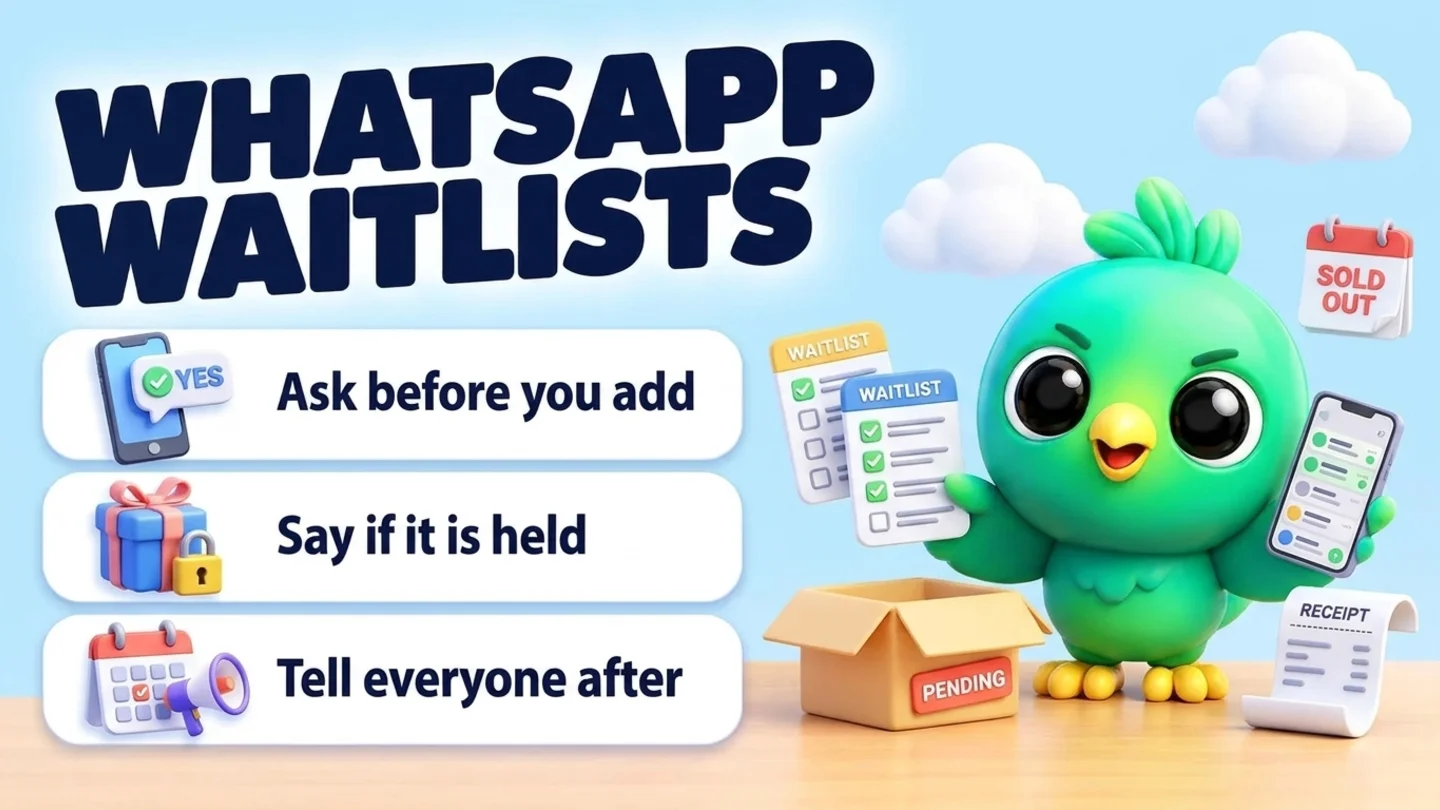
To run a waitlist on WhatsApp without a bot, ask each customer whether they want to hear about an opening or a restock, and add them only if they say yes. Write down exactly what they are waiting for (service, days and times, or item and size) and until when. When a cancellation or new stock arrives, offer it in the existing chat using one rule you decide in advance: one person at a time with a deadline, a small group where the first reply wins, or a link where the first completed booking wins. Say plainly whether anything is held. Then tell everyone who missed out that the spot is gone and whether they are still on the list. You do not need the WhatsApp Business API for this. You only need permission, a short record and a few saved messages.
This post is part of our guide to WhatsApp CRM for small business. It covers the people who asked for something you could not give them yet. For the normal booking loop (offer times, confirm, remind), see booking appointments on WhatsApp. If a freed slot needs money up front, taking a booking deposit on WhatsApp covers holds and payment links. If a customer simply buys the same thing on a cycle, repeat customers on WhatsApp is the better routine.
Last updated 15 October 2026. WhatsApp's Business Messaging Policy, WhatsApp Help Center pages and Meta's template categorization guidance were checked against each organization's own pages on that date. This is practical guidance, not legal advice.
Two kinds of waitlist
Most small businesses on WhatsApp run one of two lists, often without calling it a waitlist.
| Cancellation list | Restock list | |
|---|---|---|
| Who joins | Someone who could not get the time they wanted | Someone who asked for an item that is sold out |
| What you record | Service, days and times that work, notice they need | Item, size or color, quantity, price they saw |
| What triggers a message | A cancellation, reschedule or new slot | Stock arrives for that exact item |
| What they must do | Claim the time before someone else does | Order or pay before it sells out again |
| Typical businesses | Salons, barbers, coaches, groomers, cleaners, tutors | Boutiques, home bakers, phone and gadget shops, gift sellers |
Walk-in queues (the "your table is ready" kind) are a different job that needs live, minute-by-minute updates. This post is about people waiting days or weeks for a specific slot or item.
When a waitlist is worth the effort
A waitlist costs you a few minutes each time something opens. It pays off when demand regularly beats supply.
| Situation | Worth a waitlist? | Why |
|---|---|---|
| Fully booked weeks ahead, with regular cancellations | Yes | Every freed slot has a ready taker |
| Popular items that sell out and come back | Yes | The people who asked are your first buyers |
| One-off or seasonal items that will not return | No | You would be collecting names for nothing |
| Plenty of open slots most days | No | Just offer the next open time |
| Slots that need prep the customer cannot do at short notice | Only with a notice field | Record how much warning each person needs |
The waitlist loop in five steps
- Ask before you add. Offer the waitlist and add only people who say yes.
- Record what they want. Exactly what they are waiting for, until when, and how much notice they need.
- Choose your offer rule. One person with a deadline, a small group, or an open link. Decide before anything opens.
- Send the offer. Name the slot or item, the deadline, and whether it is held.
- Close the loop. Confirm the winner, tell the others, and remove anyone whose request has expired.
Step 1: Ask before you add anyone
The best moment to offer the waitlist is the moment you say no. "I am fully booked" ends the conversation. "I am fully booked, do you want me to message you if something opens?" keeps it.
Note: WhatsApp's Business Messaging Policy says you may only contact people who gave you their number and opted in to hear from you, and that you must respect any request to stop, on or off WhatsApp. WhatsApp's help page on complying with its business policies adds that a customer messaging you first does not count as opt-in to future proactive messages. A clear yes to "message me if a slot opens" covers that kind of message. It does not cover your newsletter or offers.
Offer the cancellation list (copy and edit)
I am fully booked for [service] on [days]. Would you like me to message you here if a slot opens before then? Tell me which days and times could work and how much notice you need.
Offer the restock list
The [item] in [size/color] is sold out right now. Want me to message you here once when it is back? No other messages, just that one.
Confirm they joined
Done, you are on the list for [service or item] until [date]. I will message you only about this. Reply STOP any time and I will take you off.
Put an end date on every request. Someone waiting for a Friday slot before a wedding does not want an offer three weeks later, and a shopper who wanted a winter coat in October may not want it in March.
Step 2: Record what each person is waiting for
A useful waitlist tells you who can actually take an opening. "Wants an appointment" is not enough.
| Record | Example | Why |
|---|---|---|
| Service or item | Color and cut / Linen shirt, M, navy | So the offer matches |
| Days, times or variants that work | Weekday mornings / M or L | Stops offers they cannot take |
| Notice needed | Same day OK / needs 24 hours | Short-notice slots go to the right people |
| Joined on | 15 Oct | Lets you offer in a fair order |
| Waiting until | 31 Oct | When to drop or check in |
| Permission | "Yes, message me if a slot opens" | Shows what they agreed to |
| Offers sent | 1 (20 Oct, passed) | Stops you pestering the same person |
Where to keep it:
| Where | Good for | Watch out for |
|---|---|---|
| A paper list or calendar note | A handful of names | Hard to sort by time or item |
| A sheet | Many items or variants | Copying details from chat by hand |
| Lists (labels) in WhatsApp Business | A quick "Waitlist" marker on chats | Cannot hold the times, item or end date |
| Pipeline stage + Notes | Seeing who is waiting beside each chat | Needs a short daily glance |
WhatsApp's help page on labels says labels are now lists and the WhatsApp Business app allows up to 20 of them. A "Waitlist" list is a fine start. Once you need to know who wants Tuesday mornings or the navy shirt in M, WhatsApp labels vs a real CRM explains when lists stop being enough, and our free WhatsApp sales pipeline template gives you a sheet to adapt.
Keep the record short. Note the slot or item they want and nothing more personal than the job needs. Our post on where WhatsApp CRM data is stored explains why less data is easier to look after.
Step 3: Choose how you will offer an opening
This is where most waitlists cause bad feelings. Two people both think they got the slot, or a regular finds out someone newer was asked first. Pick one rule per list and say it in the offer.
| Offer rule | How it works | Best for | Watch out for |
|---|---|---|---|
| One at a time, with a deadline | Offer to the first matching person; if no answer by the deadline, move to the next | Long or high-value slots, made-to-order items | Slow if people answer late; keep deadlines short for same-day slots |
| Small group, first reply wins | Message a few matching people at once; the first clear yes gets it | Short-notice cancellations | You must send "it is gone" to everyone else quickly |
| Open link, first completed booking wins | Send your booking or product link; nothing is held | Shops with online checkout, booking pages | Do not also promise to hold it in chat |
Rules that keep it fair:
- Only say "held" if it is actually held. Block the time or set the item aside before you write "I am holding it for you until 4 PM".
- Offer in the order people joined, unless you have a stated reason (for example, regulars first). If you choose who gets offered first, do not call it first come, first served.
- Match before you message. Only contact people whose recorded days, times or variants fit the opening.
- Keep any deposit rule the same as for normal bookings. If freed slots need a deposit, say so in the offer and use the same booking deposit routine: a payment link, never a request for card numbers in chat.
Step 4: Send the offer
Every offer should answer five questions: what opened, exactly when (or which item), until when they can claim it, how to claim it, and what happens if someone else claims it first.
One person, held with a deadline
Hi [name], you asked about an earlier [service]. I can offer [day, date] at [time]. I am holding it for you until [deadline]. Reply YES to take it, or NO and I will offer it to the next person. No problem either way.
Small group, first reply wins
Hi [name], a [service] slot just opened [today/tomorrow] at [time]. I am sending this to a few people on the waitlist, and the first YES gets it. If it is gone by the time you reply, I will keep you on the list.
Restock, one-to-one
Hi [name], the [item] in [size/color] you asked about is back. I have [number] in stock. Reply YES and I will set one aside until [deadline], or order here: [link].
Restock, open link
Hi [name], the [item] you asked about is back in stock. It is not reserved, so order here while it lasts: [link]. This is the one message I promised.
Keep offers about the slot or item. If you add a discount, a "while you are here" upsell or a second product, the message stops being what they agreed to. If you ever move to the WhatsApp Business API, Meta's template categorization guidance lists messages that recommend products or services to people who engaged with you as marketing "even if requested by users", with a "we found a car that meets your saved search" example, so plan for a restock alert to be treated as marketing there.
Tip: Save each offer as a quick reply so you are not typing under time pressure. WhatsApp's help page says the WhatsApp Business app stores up to 50 quick replies and that media is not supported in quick replies on WhatsApp Web or Desktop, so keep offers as text and add a product photo by hand when it helps. Our free WhatsApp message templates tool is handy for drafting variants.
Step 5: Close the loop for everyone
The message most businesses skip is the one to the people who did not get the spot. It is also the one that decides whether they stay on your list.
Confirm the winner
Great, [day, date] at [time] is yours, [name]. You are booked for [service]. I will send the usual reminder the day before.
For the full confirmation and reminder wording, use the templates in booking appointments on WhatsApp. For a restock order, confirming orders on WhatsApp covers the order summary and delivery updates.
Slot or item already gone
Thanks for replying, [name]. That slot has just been taken. You are still on the list for [days/times] until [date], and I will message you about the next one.
Deadline passed with no reply
Hi [name], I offered [time] to the next person since I did not hear back. You are still on the list until [date] unless you tell me otherwise.
Request about to expire
Hi [name], your waitlist request for [service or item] ends on [date]. Do you want to stay on it until [new date], or shall I take you off? Either is fine.
They say stop
Done, I have taken you off the waitlist. Message me any time if you want a booking.
Then act on it: remove them from the list, note the date, and do not message them about openings again. The WhatsApp policy above says opt-out requests must be respected whether they come on or off WhatsApp, so a stop said at the counter or on a call counts too.
One-to-one, broadcast list or campaign?
| Option | How it reaches people | Good for | Watch out for |
|---|---|---|---|
| One-to-one chat | Each offer typed or pasted into each chat | Cancellations; small restock lists | Takes a minute per person |
| Broadcast list (WhatsApp Business app) | One message delivered privately to everyone on the list | A restock with many people waiting for the same item | WhatsApp says only contacts who saved your number in their address book receive broadcasts; replies come back as normal chats |
| Paced campaign from WhatsApp Web | One private message per person, spaced out | Larger restock lists of opted-in people | Overkill for a cancellation; every person must have agreed to this message |
For cancellations, one-to-one wins. The list is short, the details differ per person, and speed matters more than reach. For a restock with a long list, a broadcast or a paced send can make sense, as long as everyone on it asked for that item. If you are tempted to message your whole contact list because something came back, read WhatsApp opt-in without the API and WhatsApp broadcast limits first. WhatsApp's policy notes that people can block or report businesses and that its systems may limit how many messages a business can send based on that feedback.
Simple stages for a waitlist board
| Stage | Meaning | Your next move |
|---|---|---|
| Waiting | Agreed to join; details recorded | Check when something opens |
| Offered | Sent an offer; deadline running | Confirm, or move to the next person |
| Booked or bought | Took the slot or item | Move to your normal booking or order flow |
| Passed | Said no or missed this one; still waiting | Keep for the next match |
| Off the list | Expired, said stop, or found another option | Do not message about openings again |
Clothing sellers, salons, coaches and gadget shops tend to run these lists most often; the industry pages for clothing and fashion sellers, beauty salons, gym and fitness coaches, mobile and electronics shops and pet shops and services show how those trades run the rest of the chat. If someone on the list goes quiet for months after their request expired, that is no longer a waitlist; see reactivating cold WhatsApp leads and only message them if they agreed to it.
Where InboxCRM fits
InboxCRM is a WhatsApp CRM Chrome extension for WhatsApp Web. It is not a booking site, a store checkout or a waitlist app, and it does not know when someone cancels in your calendar or when stock lands. It helps when your waitlist already lives in WhatsApp chats and you want who is waiting, for what and until when beside each conversation, without the WhatsApp Business API.
- A waitlist board. Create a board with stages such as Waiting, Offered, Booked, Passed and Off the list, then add chats with right-click "Add to CRM stage…" or "Move to stage" in the chat tools panel. A stage chip shows next to the chat in your chat list, and "Search cards by name or phone…" finds people fast. The CRM pipeline guide shows the setup, or try the interactive pipeline tutorial first (fictional data; nothing is sent).
- What they want in Notes. Write "color + cut, weekday mornings, 24h notice, until 31 Oct, said yes 15 Oct" in the Notes tab, and use tags or custom fields if you want to sort by service or item. See the chat tools panel guide.
- Offers as quick replies. Save the held, first-reply, restock and slot-gone messages once, then use "Insert into message box" to add the time and send. See the quick replies guide.
- A nudge for you, not the customer. Notifications can remind you to "check waitlist requests ending this week" or "offer the held slot to the next person at 4 PM" with a Chrome notification, and they send nothing to customers. See the notifications guide.
- Restock lists as campaigns. For many opted-in people waiting for the same item, Campaigns can send one private message per person from your WhatsApp Web. You can pick people now and save the selection as a list, send a test to your own number first, and pacing, hourly and daily caps, quiet hours and a per-contact cooldown are on by default. Those limits reduce risk; they cannot remove it. Note that the default cooldown skips anyone you messaged in the last 24 hours. See the campaigns guide.
- Stock you sell from chat. The Stock manager keeps a product list with quantities that go down as you sell from a chat and flags items that need reordering, which tells you what is about to sell out. It does not message your waitlist for you. Try it in the stock manager tutorial.
Honest limits: InboxCRM does not watch your calendar or store for cancellations or restocks, does not pick a winner for you and does not block a slot in your booking system. Campaigns need Chrome running with WhatsApp Web open while messages go out. CRM records stay in Chrome on your device (chrome.storage.local), not on an InboxCRM server, and they do not appear in the WhatsApp mobile app. InboxCRM is a single-user extension, not a shared team inbox, so a front desk with several people on one diary needs a different tool. If that fits how you work, you can add InboxCRM to Chrome.
Mistakes that empty a waitlist
- Adding people who never asked. A past customer is not a waitlist member. Ask first.
- No end date. Offers that arrive weeks after someone stopped caring feel like spam.
- Saying "held" when it is not. Two people turn up for one slot, and you lose both.
- Messaging everyone for every opening. Match the opening to the people it actually suits.
- Never telling the others. Silence after "first reply wins" makes people stop replying next time.
- Turning the offer into a promotion. Keep it about the slot or item they asked for.
- Ignoring stop requests. Remove them and note it the same day.
Frequently asked questions
How do I make a waitlist on WhatsApp?
Offer it when you have to say no, add only people who say yes, and record what each person wants, until when and how much notice they need. When something opens, message matching people in their existing chats using one stated rule, then tell everyone else where they stand.
Can I run a WhatsApp waitlist without the Business API?
Yes. With the WhatsApp Business app or WhatsApp Web you can offer the list, keep a short record, send offers one-to-one and close the loop by hand. Many automated waitlist tools run on the API, and they make more sense once you have several staff or high volume.
Should the first person to reply get the cancelled slot?
It depends on the rule you choose. First reply wins is fast for short-notice slots. One person at a time with a deadline is fairer for long or valuable slots. Whatever you pick, say it in the offer and apply it the same way every time.
Can I send back-in-stock messages on WhatsApp to everyone who bought before?
Only to people who agreed to hear about it. WhatsApp's Business Messaging Policy requires opt-in, and a customer who messaged you or bought once has not automatically agreed to restock alerts. Ask "do you want a message when it is back?" and keep that answer.
How long should someone stay on a waitlist?
Until the date they gave you. Ask for an end date when they join, check in once shortly before it, and take them off if they do not answer or no longer need it.
Sources
- WhatsApp Business Messaging Policy (last updated 23 September 2026), WhatsApp, checked 15 October 2026
- How to comply with the WhatsApp Business Messaging and Commerce policies, WhatsApp Help Center, checked 15 October 2026
- How to use quick replies, WhatsApp Help Center, checked 15 October 2026
- How to use labels (labels are now lists), WhatsApp Help Center, checked 15 October 2026
- How to use broadcast lists on the WhatsApp Business app, WhatsApp Help Center, checked 15 October 2026
- Template categorization, Meta for Developers, checked 15 October 2026
InboxCRM is a WhatsApp CRM for WhatsApp Web. Pipeline, notes, follow-ups and quick replies beside every chat, with your CRM data kept in your browser.
Add InboxCRM to Chrome