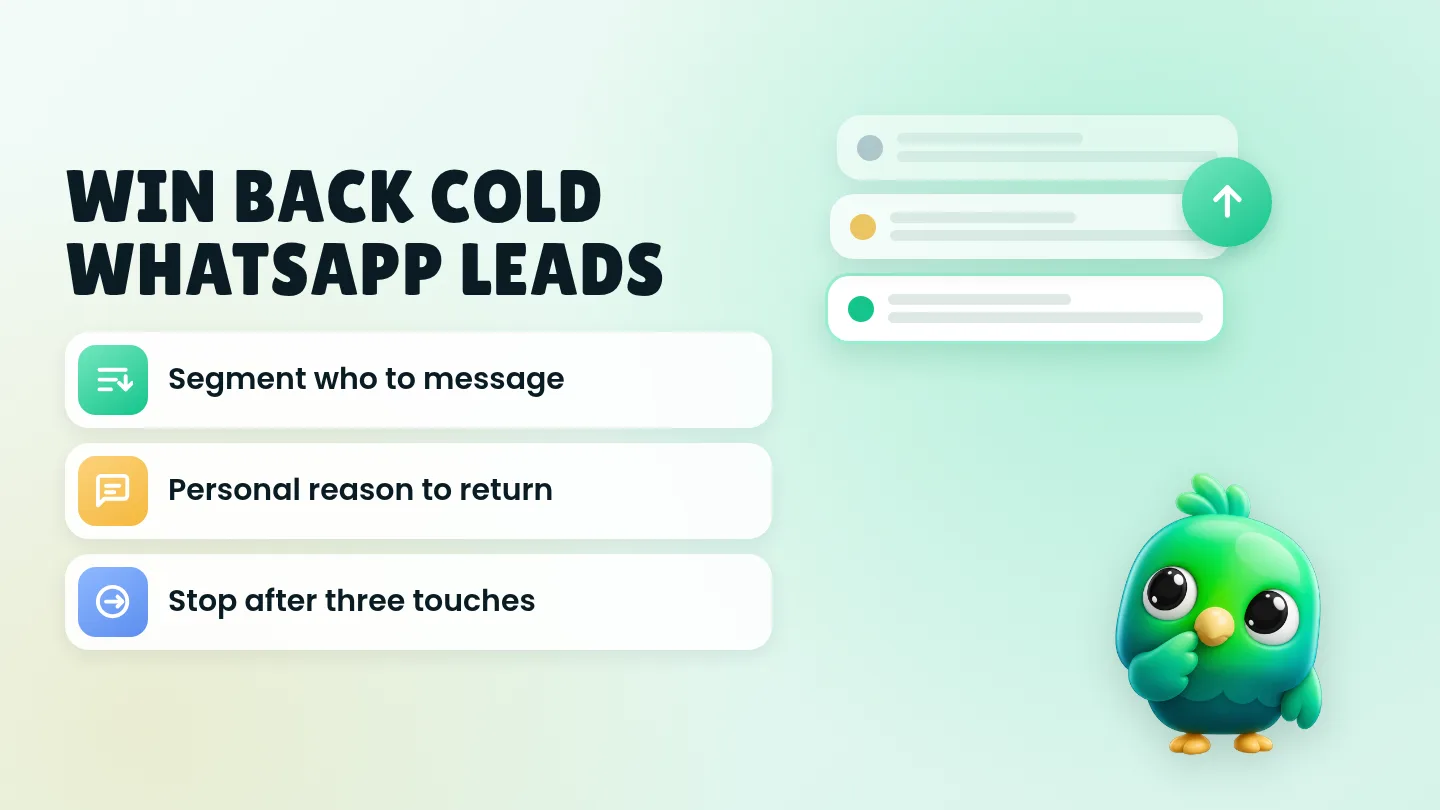
To reactivate a cold WhatsApp lead without a bot or the API, only message people who already opted in or clearly asked to hear from you again, open with a personal reason tied to their last chat, run a short three-touch sequence over a few weeks, and stop after silence or any opt-out. That loop works in the free WhatsApp Business app and on WhatsApp Web. You do not need a marketing automation platform for a solo seller or a two-person shop.
This post is part of our guide to WhatsApp CRM for small business. It sits after quote follow-ups: once a chat is truly quiet or marked Lost, this is how you decide whether to reopen it. If the person never got past "hi, price?", start with how to qualify leads on WhatsApp instead.
Last updated 2 October 2026. WhatsApp features and policy points mentioned here were checked against the WhatsApp Help Center and WhatsApp Business Messaging Policy on that date.
What "cold" means (and what it does not)
A cold WhatsApp lead is someone who showed interest, then went quiet for long enough that your normal quote follow-ups are finished. Typical cases:
- You sent a price, ran your follow-ups, and they never replied.
- They said "not right now" or "maybe next season".
- They bought once months ago and have not messaged since.
- They booked, cancelled or no-showed, and the chat went quiet.
It is not:
- A stranger whose number you bought or scraped.
- Someone who only asked one price question and never agreed to offers.
- Anyone who already said stop, unsubscribe or "don't message me".
WhatsApp's Business Messaging Policy says you may only contact people who have given you their mobile number and opted in to receive subsequent messages, and that you must respect requests to stop. WhatsApp's policy compliance help page also notes that a customer messaging you does not count as opt-in to future proactive messages. Reply to what they asked; ask separately before you put them on a win-back list. Our guide to collecting WhatsApp opt-in without the API covers how to ask and how to keep proof.
The four-step win-back loop
Use the same four steps every time you reopen a quiet list. Keep each message short.
| Step | What you do | Done when |
|---|---|---|
| 1. Segment | Decide who is fair to message and why | You have a short list with a reason per person |
| 2. Open | Send one personal check-in with a real reason | They reply, or a week passes with no reply |
| 3. Value, then invite | If quiet, send value; then one concrete invitation | They re-engage, say no, or stay silent |
| 4. Stop | Close the loop and record the outcome | The chat is Won, Lost again, or opted out |
That is the whole system. Broadcasts and bots are optional extras, not the starting point.
Step 1: Segment before you type a word
Sending the same "we miss you" note to every quiet chat is how people report you. Build a small list by hand first.
Include only if:
- They contacted you before, or you have a clear opt-in note with a date and source.
- You still remember (or wrote down) what they asked about.
- Enough time has passed that a new message is not just another quote chase. For most shops that means weeks after your last follow-up, not the next morning.
- They have not asked you to stop.
Exclude:
- Anyone with an opt-out tag or an angry last reply.
- Chats where you have no idea what they wanted (re-qualify first, or leave them alone).
- People who never saved your number if you plan to use a broadcast list. WhatsApp's help pages say only contacts who saved your number receive broadcasts; a one-to-one chat still reaches them, but a list blast will not.
Split the keepers into a few buckets so the wording can change:
| Bucket | Example | Angle |
|---|---|---|
| Quiet after a quote | Asked for a price, then silence | Check if the need is still open; offer a simple next step |
| "Not now" | Timing was wrong | Ask if timing has changed; no hard sell |
| Past customer, gone quiet | Bought or booked before | Service due, new stock, or a check-in |
| Cancelled / no-show | Had a slot, did not complete | Soft rebook offer, easy out |
Write one line in your notes for each person: last need, last date, bucket, and whether they opted in to offers. Labels alone rarely hold that. A sheet or pipeline stages with notes work better. Our WhatsApp sales pipeline template has columns you can reuse for "Lost reason" and "Next win-back date". For the difference between a label and a stage, see WhatsApp labels vs a real CRM.
Step 2: Open with a personal reason (not an offer)
The first message should reopen the conversation. Save the discount for later, if you use one at all.
Quiet after a quote
Hi [name], you asked about [product/service] on [rough timing]. Is that still something you need, or should I leave it?
"Not now"
Hi [name], last time you said [product] wasn't the right timing. Has that changed at all, or shall I leave you in peace?
Past customer
Hi [name], hope you're well. It's been a while since [last order / last visit]. Anything you need help with, or shall I check back another time?
Cancelled / no-show
Hi [name], just checking in after [date]. Happy to hold a new slot if you still want [service], or tell me if you'd rather I don't follow up.
Rules for the opener:
- Use their name and one detail from the old chat.
- End with an easy yes / no / "not now".
- Do not stack three questions in one message.
- Do not invent urgency ("last chance today") unless it is true.
Save the lines as quick replies. WhatsApp's help page on quick replies says the WhatsApp Business app can store up to 50, and you insert one with a shortcut. Media files are not supported in quick replies on WhatsApp Web or Desktop, so keep win-back openers as text if you work from the computer. You can also draft wording with the free WhatsApp message templates tool.
Step 3: Value, then one invitation
If they reply, answer them like a normal sales chat: qualify again if needed, send an updated price, or book a slot. If they stay silent for about a week, you may send a second message with useful context, still without a hard pitch.
Value reminder (week later, only if silent)
Hi [name], quick update in case it helps: [new stock / new date / clearer price range / tip related to what they asked]. No pressure either way.
About a week after that, one invitation is enough.
Invitation (third touch)
Hi [name], I can hold [option A] or [option B] for you this week if useful. Reply with A, B, or "no thanks" and I'll close this off.
Then stop. Three touches is enough for a win-back. More starts to feel like spam, which raises report risk. Our post on whether a WhatsApp Web extension can get your number banned explains why unexpected bulk messages matter. For the earlier quote-chase scripts (same day through about a month), use our 20 WhatsApp follow-up message templates. This post is for the quieter period after that sequence is finished.
Step 4: Close, record, and do not drip forever
After the third touch, or sooner if they say no:
- Move the chat to Lost (or keep it Lost) with a fresh reason: no reply to win-back, not interested, bad timing, wrong fit.
- Add a one-line note and the date.
- If they asked to stop, tag opted out, remove offer tags, and take them off every list.
- If they re-engage, move them back to Qualified or Proposal and treat them as a live lead again.
A quarterly pass through Lost chats is usually enough for a small shop. Weekly win-back blasts train people to ignore you.
Should you use a broadcast list?
One-to-one messages are the default for win-back. A broadcast list can work only when:
- Every recipient saved your number (WhatsApp's rule for who receives broadcasts).
- Every recipient opted in to that kind of message.
- The text is still personal enough that it does not read like a flyer.
- You keep the list small and pace yourself. See WhatsApp broadcast limits for what WhatsApp actually publishes about list size and monthly limits.
If half the people on your "cold" list never saved your number, send individual messages or skip them.
Copy-paste set for common win-back moments
Swap the brackets. Keep each message under a few lines.
| Moment | Message |
|---|---|
| Soft reopen | Hi [name], you asked about [thing] a while back. Still useful, or shall I leave it? |
| Timing check | Hi [name], last time the timing wasn't right for [thing]. Has that changed? |
| Past customer check-in | Hi [name], hope [last purchase] is still working well. Anything you need next? |
| Service due | Hi [name], [service] is usually due around now. Want me to suggest a couple of times? |
| New relevant option | Hi [name], we now have [option] that matches what you asked about. Happy to send details, or say "no thanks". |
| Close the loop | Hi [name], I'll close this for now so I don't keep messaging. Reply any time if you want to pick it up. |
| Opt-out confirm | Understood, I won't message you about offers. Thanks for letting me know. |
Mistakes that turn win-back into spam
- No segment. Messaging every Lost chat the same way.
- No opt-in. Treating "they texted once" as permission for offers.
- Offer first. Leading with a discount before you know the need is still real.
- Endless drips. Five "just checking" messages after the quote follow-ups already ran.
- Ignoring stop. Any clear opt-out ends the sequence immediately, including requests made off WhatsApp, per WhatsApp's policy.
- Asking for sensitive details in chat. WhatsApp's Business Messaging Policy says not to ask people to share full payment card numbers, financial account numbers, personal ID card numbers or other sensitive identifiers. Send a proper payment link instead.
Where InboxCRM fits
InboxCRM is a WhatsApp CRM Chrome extension for WhatsApp Web. It does not replace a marketing platform, and it is not a shared team inbox. It helps when your cold leads already live beside the chat and you want stages, notes and paced follow-ups without moving to the WhatsApp Business API.
- Lost (and win-back) stages. The starter board includes Lead, Qualified, Proposal, Won and Lost. Add a temporary stage such as Win-back if you want those chats visible during a quarterly pass. Move chats with "Move to stage" or right-click "Add to CRM stage…". The CRM pipeline guide shows the setup, or try the interactive pipeline tutorial in your browser first.
- Notes for the reason. Store last need, Lost reason, opt-in date and win-back bucket in the Notes tab so you are not scrolling old threads. See the chat tools panel guide.
- Follow-up rules with an exit. Rules can message a chat after it has sat in a stage for the time you set, with "Stop if chat replied" and "Stop if chat changed stage". Each rule sends to a chat once. Details are in the follow-up guide. Chrome must be running with WhatsApp Web open.
- Personal reminders for you. Notifications can alert you with a Chrome notification and send nothing to the customer, which is useful for "review Lost list on Friday". See the notifications guide.
- Campaigns only to opted-in lists. Campaigns send to lists you supply, with personalisation and a sending-safety layer (randomised delays, batch cooldowns, default caps of 40 per hour and 250 per day, quiet hours, per-contact cooldown, warm-up mode, failure-streak stop). Follow-up rules and scheduled messages are not paced by that layer, so keep win-back sequences personal and low volume. Only include people who opted in.
- Saved win-back replies. Quick replies can hold the openers and close-the-loop lines. The quick replies guide covers it.
Honest limits: CRM records stay in Chrome on your device (chrome.storage.local), not on an InboxCRM server. Scheduled messages and follow-up rules only send while Chrome and WhatsApp Web are open. InboxCRM is a single-user extension, not a shared team inbox, and it does not run inside the WhatsApp mobile app. No tool can guarantee your number will not be restricted. If that matches how you work, you can add InboxCRM to Chrome.
Frequently asked questions
Can I reactivate cold WhatsApp leads without the Business API?
Yes. Most solo sellers and small shops do it with one-to-one messages, clear notes, and a short sequence. The API and automation platforms help when volume or team size outgrows that routine, and when you need approved templates outside a customer service window.
How many win-back messages should I send on WhatsApp?
Three is enough for most quiet leads: a personal reopen, one value note if they stay silent, then one invitation with an easy way out. After that, stop and record the outcome.
Does a past WhatsApp enquiry count as opt-in for offers?
Not by itself. WhatsApp's policy compliance help says a user reaching out does not count as opt-in to future proactive messages. Reply about what they asked, then collect separate opt-in before you put them on a win-back or offers list.
What if someone says "not now" again?
Thank them, ask if a later check-in is okay, and write a future date if they agree. If they say no or stop, mark opted out and leave them alone.
Sources
- WhatsApp Business Messaging Policy, WhatsApp, checked 2 October 2026
- Policy compliance, WhatsApp Help Center, checked 2 October 2026
- How to use quick replies, WhatsApp Help Center, checked 2 October 2026
- How to use greeting messages, WhatsApp Help Center, checked 2 October 2026
- How to use click to chat, WhatsApp Help Center, checked 2 October 2026
InboxCRM is a WhatsApp CRM for WhatsApp Web. Pipeline, notes, follow-ups and quick replies beside every chat, with your CRM data kept in your browser.
Add InboxCRM to Chrome