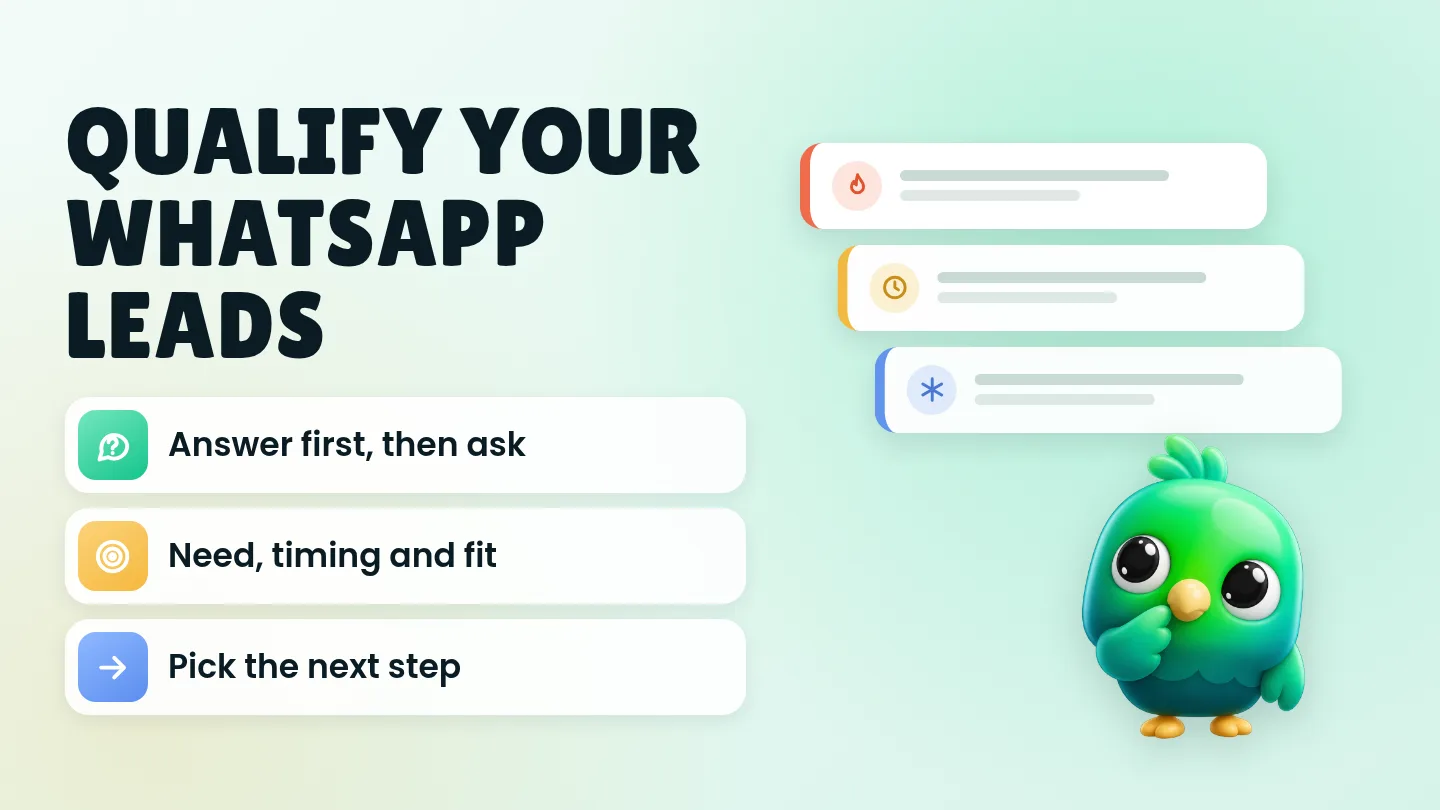
To qualify a lead on WhatsApp, answer their question first, then ask two or three short questions, one per message, about what they need, when they need it and whether it fits your price range or area. Then pick one next step: send a quote today, set a follow-up date, or close politely. Write the answers down somewhere you will see them the next time the chat opens.
That is the whole method. The rest of this post gives you the questions, the wording and a simple rule for deciding who gets your time first. It is written for owners and solo sellers who reply to enquiries themselves in the WhatsApp Business app or WhatsApp Web, without a chatbot or the WhatsApp Business API.
This post is part of our guide to WhatsApp CRM for small business. If you haven't set up stages for your leads yet, start with how to manage leads on WhatsApp without the Business API.
Last updated 30 September 2026. WhatsApp features mentioned here were checked against the WhatsApp Help Center and WhatsApp Business Messaging Policy on that date.
What does qualifying a lead mean on WhatsApp?
Qualifying a lead means finding out, early in the chat, whether this person has a real need you can meet, on a timeline and budget that work for both of you. A qualified lead is one where you know three things: what they want, roughly when, and that it fits what you offer.
It is not about turning people away. It is about deciding the right next step for each chat. Someone who needs a cake for Saturday gets a quote now. Someone planning a kitchen renovation next spring gets a friendly note and a follow-up date. Someone outside your delivery area gets a polite answer instead of a long back-and-forth.
On a busy day, that decision is what keeps the serious buyers from sinking under a pile of "hi, price?" messages.
Why WhatsApp needs a lighter touch than a sales form
A web form can ask eight questions at once. A WhatsApp chat can't. It is a conversation, and a list of questions in one message reads like paperwork. People answer the first one, skip the rest, or stop replying.
Three habits make qualification feel like normal conversation:
- Answer first, then ask. If someone asks the price, give a price or a range before you ask anything. People share details more readily once they have something useful from you.
- One question per message. Short questions get short answers, and short answers keep the chat moving.
- Ask only what changes your next step. If the answer wouldn't change what you do next, don't ask it yet.
The WhatsApp Business app can send an automatic greeting message when someone messages you for the first time, or after 14 days without messages, according to WhatsApp's help page on greeting messages. Use it to say hello and set expectations ("We usually reply within the hour"). Don't put your questionnaire in it. Nobody has told you what they want yet.
The four things worth finding out
Most small businesses can qualify an enquiry with some mix of these four. You rarely need all of them.
| What to find out | Why it matters | Friendly way to ask | You can often skip it when |
|---|---|---|---|
| Need | Frames every other question and tells you which product or service to quote | "What are you looking for, and what's it for?" | Their first message already says it clearly |
| Timing | The clearest sign of a real, near-term purchase versus early research | "When would you need it by?" | You sell stock items with same-week delivery |
| Fit (budget, size, quantity or area) | Stops you quoting for something they can't afford or you can't deliver | "Is there a price range you'd like me to stay within?" | Your prices are fixed and already public |
| Decision | Tells you whether someone else must approve before they can say yes | "Is anyone else involved in choosing?" | It's a small personal purchase |
Timing usually tells you more than budget. People often don't know what something should cost, so a stated budget can be a guess. A precise date ("before the 12th") is hard to fake and tells you how soon to act.
How many questions should you ask?
Usually two or three before you quote. That is enough to decide the next step without making the chat feel like an interview.
A useful way to think about it is in layers:
- One question in your first reply. The single fact you need to give a useful answer, such as a size, a date or a model.
- One or two follow-up questions. Asked naturally, based on what they said, usually timing and fit.
- Everything else later. Delivery address, exact specifications and payment details come after they've decided to buy, not before.
If you find you need six questions before you can quote, your offer may be too open. Try giving two or three packages with prices instead, and ask which one is closest.
Qualifying questions by business type
Here are starting points for common small businesses. Change the wording to sound like you.
| Business | First question | Follow-up questions | Qualified when you know |
|---|---|---|---|
| Online clothing store | "Which size and colour are you after?" | "Where should we deliver to?" | Item, size, delivery area |
| Cakes and catering | "What's the date, and roughly how many people?" | "Any flavour, theme or dietary needs?" | Date, headcount, rough budget |
| Real estate agent | "Are you looking to buy or rent, and in which area?" | "What price range and move-in month do you have in mind?" | Area, budget, timeline |
| Tutor or class | "Which subject and level is it for?" | "Which days suit you, online or in person?" | Subject, level, schedule |
| Repair shop | "Which model is it, and what's happening?" | "When would you like it back?" | Model, fault, urgency |
| Freelancer or agency | "What's the project, in a sentence or two?" | "When do you want to start, and is there a budget range?" | Scope, start date, budget range |
| Salon or clinic | "Which service would you like?" | "Which day and time suits you?" | Service, preferred slot |
Once the slot is clear, move from qualifying into booking. Our guide to booking appointments on WhatsApp without a booking bot has confirmation and reminder wording.
Copy-paste messages for each step
Swap the parts in brackets. Keep each message short.
First reply to "Hi, price?"
Hi [name], thanks for getting in touch! Our [product/service] starts from [price] and depends on [size/date/quantity]. What are you looking for, so I can give you an exact price?
Asking about timing
Great choice. When would you need it by? That helps me check availability for you.
Asking about budget without sounding pushy
So I can suggest the right option: are you thinking closer to [lower range] or [higher range]?
Offering two ranges is easier to answer than an open "What's your budget?", and it shows the customer what things actually cost.
When they won't share a budget
No problem! Here are two options: [option A] at [price] and [option B] at [price]. Which one sounds closer to what you want?
When it's not a fit
Thanks for asking! We don't [deliver to that area / offer that service] at the moment, so I don't want to waste your time. [Optional: A local option you could try is ...]. All the best!
When they're interested but not ready yet
That makes sense. Would it be OK if I check back with you around [date]? No pressure at all.
Only check back if they say yes. When they are ready for a price, how to send a quote on WhatsApp covers what to include and how to record it. For more wording after you send a price, see our 20 WhatsApp follow-up messages after a quote. You can also polish your own wording with the free WhatsApp message templates tool.
Save them as quick replies. In the WhatsApp Business app you can store up to 50 quick replies and insert one by typing "/" in a chat, according to WhatsApp's help page on quick replies. The same page notes that media files aren't supported in quick replies on WhatsApp Web or Desktop. WhatsApp's own small-business guide suggests a simple structure for each one: a greeting with the customer's name, one clear answer, and one next step such as a specific question.
A simple hot, warm and cold rule
Once you have two or three answers, sort the chat. This takes seconds and tells you who to reply to first tomorrow morning.
| Rating | What you know | Next step |
|---|---|---|
| Hot | Clear need, timing within about two weeks, and it fits your range | Send a quote or book them in today |
| Warm | Clear need, but timing is later or budget is unclear | Answer fully, agree a follow-up date, write it down |
| Cold | No fit (area, budget or service), or just browsing with no timing | Close politely, don't chase |
A few notes on using it:
- "Warm" is not "lost". A customer planning for next month is a good lead on the wrong date. The only mistake is forgetting to come back.
- Don't move people to your marketing list by accident. WhatsApp's Business Messaging Policy says you may only contact people who have given you their number and opted in to hear from you, and that you must respect requests to stop. A cold lead who asked one question hasn't agreed to receive your offers. Our guide to collecting WhatsApp opt-in without the API shows how to ask properly.
- Revisit the rule monthly. If most "warm" leads never buy, tighten what counts as warm.
Where to record the answers
Qualification only saves time if you don't have to ask twice. For every qualified lead, write down:
- What they want, in their words
- When they need it
- Budget range or the price you quoted
- Who decides, if it isn't them
- Your next step and its date
You have four main places to keep this:
| Where | Good for | Watch out for |
|---|---|---|
| Labels or lists in the WhatsApp Business app | A quick Hot, Warm or Cold marker on each chat | Up to 20 labels, and a label can't hold details or a date |
| Notes app or notebook | Getting started today | Separate from the chat, easy to lose |
| A spreadsheet | Dates, values and simple counts | Double entry, so it drifts out of date |
| A CRM | Stages, notes, follow-up dates and reports in one place | Takes a little setup |
WhatsApp's help page on labels says you can create up to 20, and that labels are gradually becoming lists. If you're weighing labels against something more structured, read WhatsApp labels vs a real CRM. If you want a free structured option first, our WhatsApp sales pipeline template has columns for stage, next follow-up date and notes.
Mistakes that make leads go quiet
- The questionnaire wall. Five questions in one message before you've answered anything.
- Budget before price. Asking "What's your budget?" when the customer asked what something costs. Give a range first.
- Asking for sensitive details. WhatsApp's Business Messaging Policy says not to ask people to share full payment card numbers, financial account numbers, personal ID card numbers or other sensitive identifiers. Qualification never needs them.
- Asking the same thing twice. If you asked their size on Monday and ask again on Thursday, it shows you weren't keeping track.
- Treating "not now" as "no". Without a follow-up date, warm leads quietly go cold.
- Chasing cold leads. Repeated messages to people who didn't ask for them are how numbers get reported. Our guide to whether a WhatsApp Web extension can get your number banned explains what raises that risk.
Where InboxCRM fits
InboxCRM is a WhatsApp CRM that runs as a Chrome extension inside WhatsApp Web. It's useful for exactly this routine: you ask the questions yourself, and it keeps the answers, the stage and the next step beside the chat. There's no bot, no API account and no phone-number migration.
- Save your qualifying questions as quick replies. Quick replies can hold text, images, video, audio and documents. For text-only replies, "Insert into message box" drops the wording into WhatsApp's message box so you can add the customer's name before you send. The quick replies guide shows how.
- Record the answers next to the chat. The chat tools panel has a Notes tab for per-contact notes, and contacts can also carry tags and custom fields, such as budget range or area. See the chat tools panel guide.
- Give every qualified chat a stage. The starter board comes with Lead, Qualified, Proposal, Won and Lost. Move a chat with "Move to stage" in the panel, or right-click it in your chat list and choose "Add to CRM stage…". The CRM pipeline guide walks through it, or you can try the interactive pipeline tutorial in your browser before installing anything.
- Don't forget warm leads. Notifications lets you set a personal reminder linked to a phone number. It alerts you and sends nothing to the customer. For automatic follow-ups, follow-up rules can message a chat after it has sat in a stage for the time you set, with an option to stop if the customer has already replied. See the follow-up guide.
- See where leads drop off. Add deal values to cards, and the funnel dashboard shows how many chats reach each stage. Our post on the five WhatsApp sales funnel numbers explains what to look for.
A few honest limits. CRM records are stored locally in Chrome on your device, not on an InboxCRM server. Follow-up rules only send while Chrome is running with WhatsApp Web open. InboxCRM is a single-user tool, not a shared team inbox, and it doesn't work in the WhatsApp mobile app. If that fits how you work, you can add InboxCRM to Chrome.
Frequently asked questions
What are good lead qualification questions for WhatsApp?
Ask about need ("What are you looking for?"), timing ("When would you need it by?") and fit ("Is there a price range you'd like me to stay within?"). Add a decision question ("Is anyone else involved in choosing?") only for larger purchases. Send them one at a time, after answering the customer's own question.
Do I need a chatbot to qualify WhatsApp leads?
No. For a small business handling its own chats, two or three questions asked by a person work well and feel more natural. Chatbots and API platforms make more sense when enquiry volume is too high for one person to answer.
How do I ask for a budget without putting people off?
Give a price or range first, then offer two options to choose between, such as "closer to [lower] or [higher]?". If they still don't want to say, show two packages with prices and ask which is closer.
What should I do with leads who aren't ready to buy?
Answer their questions fully, ask if you can check back on a specific date, and write that date down. Only follow up if they agreed, and don't add them to promotional messages unless they've opted in.
Sources
- How to use greeting messages, WhatsApp Help Center, checked 30 September 2026
- How to use quick replies, WhatsApp Help Center, checked 30 September 2026
- How to use labels, WhatsApp Help Center, checked 30 September 2026
- Staying organized as a small business using Lists and quick replies on WhatsApp, WhatsApp Business, checked 30 September 2026
- WhatsApp Business Messaging Policy, WhatsApp, checked 30 September 2026
InboxCRM is a WhatsApp CRM for WhatsApp Web. Pipeline, notes, follow-ups and quick replies beside every chat, with your CRM data kept in your browser.
Add InboxCRM to Chrome