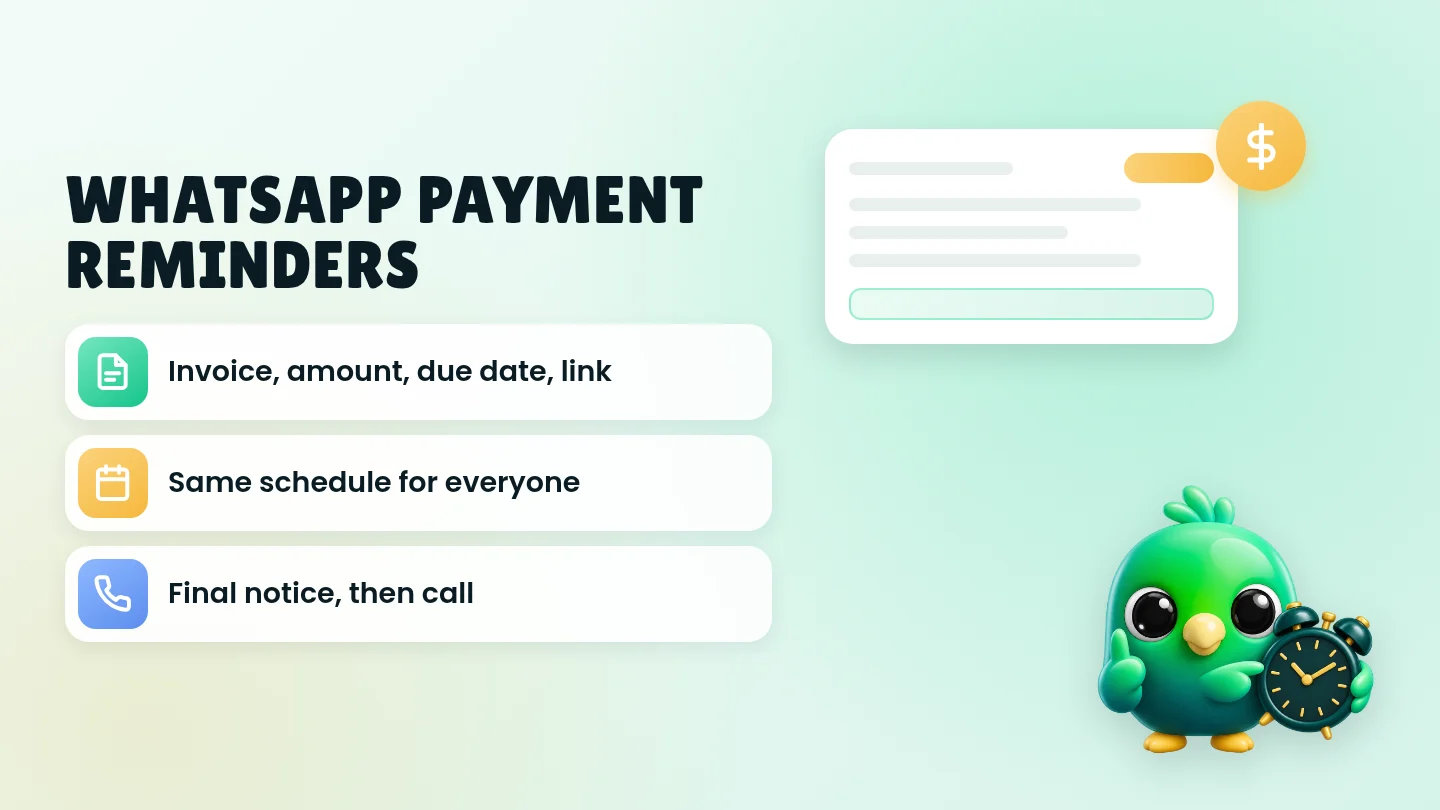
To send a payment reminder on WhatsApp, reply in the chat you already have with the customer and put four things in the first lines: the invoice or order number, the exact amount, the due date and how to pay. Ask one clear question, such as "Could you confirm when this will be paid?" Then follow the same schedule for everyone: a friendly note on the due date, a check-in a few days later, a request for a payment date after a week, and one final reminder before you move the conversation to a phone call or email. You do not need the WhatsApp Business API or a billing bot to do this well for a small business.
This post is part of our guide to WhatsApp CRM for small business. It covers the step after the work is agreed: you have sent the quote, the customer said yes, and now an invoice or balance is waiting. If you are taking payment before an order ships, start with confirming orders on WhatsApp; for deposits on bookings, see booking appointments on WhatsApp.
Last updated 6 October 2026. WhatsApp policy and Help Center points, Meta's template guidelines, and the FTC and CFPB pages cited here were checked on that date. This is practical guidance, not legal or financial advice.
What every payment reminder needs
Most reminders fail because they are vague. "Hi, just following up on the payment" makes the customer scroll back, find the invoice and work out the amount. Every reminder should carry everything they need to pay without searching.
| Include | Example | Why it matters |
|---|---|---|
| Their name | Hi Dana | Shows it comes from you, not a system |
| What it is for | for the bathroom repair on 28 Sept | People pay faster when they recognize the job |
| Invoice or order number | INV-0142 | Lets them match it to their records or forward it to whoever pays |
| Exact amount | $480 | No guessing, no "how much was it again?" |
| Due date | due Friday 10 Oct | Sets the expectation in plain words |
| How to pay | the payment link on the invoice, or a check | Removes the last excuse to wait |
| One question or next step | Could you confirm when it'll be paid? | Gives them something easy to reply to |
| Your name or business name | Sam, Brightline Repairs | Helps if the chat is forwarded to a partner or bookkeeper |
Tip: Bold the amount and the due date so they stand out on a phone screen. Our free WhatsApp text formatter shows how bold and italics work in WhatsApp.
A reminder schedule that stays polite
Decide the schedule once and use it for every customer. A fixed routine feels fair, it is easier to defend if anyone complains, and you stop agonizing over "is it too soon to ask?" The timings below are a common starting point, not a rule. Adjust them to your payment terms.
| When | Tone | What the message does |
|---|---|---|
| When you send the invoice | Friendly | Confirms the amount, due date and how to pay |
| A few days before the due date (larger invoices or longer terms only) | Helpful | A heads-up, not a chase |
| On the due date | Neutral | States that it is due today and resends the link |
| About 3 days overdue | Warm | Assumes it was missed and asks if anything is holding it up |
| About 7 days overdue | Direct | Asks for a specific payment date |
| About 14 days overdue | Firm | Final WhatsApp reminder; offers a call to sort it out |
| After that | Off WhatsApp | Phone call, email or letter, and your own decision about next steps |
Two rules keep this from turning into nagging. First, stop the sequence the moment the customer replies with a date or a question, and answer them like a person. Second, never send two reminders about the same invoice in one day.
Send reminders during normal waking hours in the customer's time zone. The Consumer Financial Protection Bureau (CFPB) explains that debt collectors are generally prohibited from contacting people before 8 a.m. or after 9 p.m. That rule is written for collectors, not for a business reminding its own customer, but it is a sensible window for your reminders too.
Copy-paste payment reminder templates
Replace the brackets, keep each message short, and send it in the existing chat with that customer. If you would rather start from a broader set, the free WhatsApp message templates tool includes payment messages you can edit and copy. Save the ones you use as quick replies; WhatsApp's help page says the WhatsApp Business app can store up to 50 of them.
When you send the invoice
*Hi [name], here's the invoice for [job/order]: [invoice number], [amount], due [date]. You can pay with [payment link / method]. Any questions about it, just reply here. Thanks, [your name]*
Heads-up before the due date
*Hi [name], quick heads-up that invoice [number] for [amount] is due on [date]. Here's the payment link again in case it's handy: [link]. Thanks!*
On the due date
Hi [name], invoice [number] for [amount] is due today. You can pay here: [link]. If it's already on its way, thank you, and please ignore this.
About 3 days overdue
*Hi [name], just checking in on invoice [number] for [amount], which was due on [date]. It may have slipped through, so here's the link again: [link]. Is anything holding it up on your side?*
About 7 days overdue (ask for a date)
Hi [name], invoice [number] for [amount] is now a week past due. Could you let me know the date I can expect payment? If there's a problem with the invoice or the work, tell me and I'll sort it out.
About 14 days overdue (final WhatsApp reminder)
*Hi [name], this is my last reminder here about invoice [number] for [amount], due on [date]. Please arrange payment by [new date], or reply and we can set up a quick call to agree a plan. Thanks, [your name], [business]*
When they ask to pay in parts
Thanks for telling me, [name]. I can do [amount] by [date] and the remaining [amount] by [date]. Does that work? I'll note it on your invoice.
When they say they already paid
Thanks, [name]. I can't see it yet on my side. Could you send the date and the method you used, and I'll check again? Sorry for the extra step.
Payment received
Payment received for invoice [number]. Thank you, [name]! [Your receipt is attached / A receipt is on its way.]
Only mention a late fee if it was already in your written terms or on the invoice. Adding new penalties in a reminder surprises people and rarely gets you paid sooner.
Make your reminders easy to trust
Your customers get fake invoices and payment texts too. The FTC's consumer advice lists the usual signs: scammers pretend to be a business you know, pressure you to act immediately, and insist you pay in a specific way, such as cryptocurrency, a wire transfer, a payment app or a gift card. Its phishing guidance adds that legitimate companies won't email or text a link to update payment information. A good reminder should look like the opposite of all that.
| Do | Why |
|---|---|
| Send it in the same chat where you agreed the work | They can scroll up and see the whole history |
| Use an invoice number and amount they already have | Fake invoices rely on people paying something they don't recognize |
| Offer at least one standard way to pay, such as a card payment link or your invoice | The FTC tells people never to pay someone who insists they can only pay by payment app, wire transfer, gift card or cryptocurrency |
| Give a reasonable date, not "within the hour" | The FTC notes honest businesses give people time |
| Keep your payment details the same | If your bank details really change, call the customer to confirm instead of only messaging new numbers |
| Never ask them to "update" card details through a link | That is a classic phishing pattern |
Warning: WhatsApp's Business Messaging Policy says not to share or ask people to share full payment card numbers, financial account numbers, personal ID card numbers or other sensitive identifiers. Use a payment link or your invoicing tool instead of asking for card numbers in chat.
The rules that apply
Three sets of rules are worth knowing before you send reminders on WhatsApp.
WhatsApp's policy. The Business Messaging Policy says you may only contact people who gave you their number and opted in to messages from you, that you must respect requests to stop, and that you must not "confuse, deceive, defraud, mislead, spam, or surprise" people. A reminder about an invoice for work the customer asked for, sent in their own chat, fits that. A blast to everyone who owes you money does not. The policy also says you may not forward or share information from one customer's chat with another customer, so never mention someone's balance in a group.
The same policy lists debt collection among the businesses and services that may not use WhatsApp for Business. In practice: remind your own customers about your own invoices in a normal, polite way, and if an account ever goes to a collection agency or reaches that kind of escalation, take it off WhatsApp.
Meta's template guidelines. Even if you never use the API, its rules are a useful benchmark. Meta's Template Library lists payment due reminders and overdue payment messages among its standard utility templates, and its categorization guide says utility messages must be non-promotional and tied to the customer's order, account, services or transactions. So keep promotions out of payment reminders. "Your invoice is due, and check out our fall sale" would fail that test, because it is no longer purely about the customer's transaction.
US collection law. The CFPB explains that the federal Fair Debt Collection Practices Act covers consumer debts and generally does not cover collection by the original creditor, the business the money is owed to. It also says many states have their own debt collection laws, and some of those do cover original creditors. If you are unsure what applies in your state, ask a local attorney before you escalate. Polite, factual reminders like the templates above are the safest habit everywhere.
Wording to avoid (and what to say instead)
| Avoid | Why | Say instead |
|---|---|---|
| "URGENT: pay now" | Reads like a scam and creates the pressure the FTC warns about | "Could you confirm when it'll be paid?" |
| "Final notice" on the first reminder | Escalates before you know what happened | Start friendly, follow the schedule |
| Threats you don't intend to follow through | Damages trust and may cause legal trouble | State the agreed terms and offer a call |
| Messages at 10 p.m. | Feels intrusive | Send during normal waking hours |
| A sale or offer in the same message | Turns a billing note into marketing | Keep the reminder about the invoice |
| A screenshot of the balance in a group chat | Shares one customer's information with others | Keep it in the one-to-one chat |
| "Just following up :)" with no details | Forces them to search | Invoice number, amount, due date, link |
Keep track of who owes what
You cannot follow a fair schedule if you don't know who is due, who is late and who you already reminded. For each open invoice, track the number, amount, due date, last reminder sent and any promised payment date.
| Where | Good for | Watch out for |
|---|---|---|
| Your invoicing or accounting tool | The official record and the payment link | Its email reminders may not match what you said on WhatsApp |
| A column in your sales sheet | Few invoices a month | Easy to forget to update after a chat |
| A WhatsApp Business label such as "Awaiting payment" | Seeing at a glance who is waiting | A label cannot hold the amount, due date or promised date |
| A pipeline stage plus a note on the chat | Seeing status, amount and history beside the conversation | Needs a quick daily check |
A simple stage set covers most service businesses: Invoiced → Overdue → Paid, with a note for any agreed payment plan. Our free WhatsApp sales pipeline template already includes an "Awaiting payment" stage and a formula that adds up the value waiting to be paid. If you're deciding whether labels are enough, read WhatsApp labels vs a real CRM. The wider system is in managing WhatsApp leads without the API, and the sales funnel numbers worth tracking show where unpaid work fits in your monthly picture.
Where InboxCRM fits
InboxCRM is a WhatsApp CRM Chrome extension for WhatsApp Web. It is not an invoicing or accounting tool, it does not process payments, and it does not know when a payment lands in your bank. It helps when you already talk to customers in WhatsApp Web and want the invoice status, the amount and the reminders beside the chat, without the WhatsApp Business API.
- Invoiced, Overdue and Paid stages. Add them to a pipeline board and move chats with "Move to stage" or right-click "Add to CRM stage…". A stage chip then shows next to the chat in your chat list. The CRM pipeline guide shows the setup, or try the interactive pipeline tutorial first (fictional data; nothing is sent).
- The amount on the card. Add the invoice total as a deal value on the contact so it shows on the card and feeds the sales funnel view.
- Invoice details in Notes. Keep the invoice number, due date, promised date and "reminded 3 days late" in the Notes tab. See the chat tools panel guide.
- Each template as a quick reply. Save the messages above once and insert them in any chat. See the quick replies guide.
- A due-date message, scheduled. From an open chat, choose "Schedule message" and set the date and time, or use the Scheduling Center. Check before the send time that the invoice is still unpaid, and edit or delete the message if it is. The scheduling guide and scheduling tutorial walk through it.
- Overdue nudges on a timer. A follow-up rule can watch your Overdue stage and send the 3-day check-in after a delay you choose with "On funnel entry". Tick "Stop if chat changed stage" so nothing goes out once you move the chat to Paid, and "Stop if chat replied" so a customer who already gave you a date isn't nudged again. Each rule sends to a chat only once, so use a second rule for the 7-day message. The delay counts from when the rule first sees the chat in the stage, so move chats to Overdue on the due date. See the follow-up guide or the follow-up tutorial.
- Personal reminders. Notifications show a Chrome notification for you and send nothing to the customer, which suits "check payments every Friday" or "call Dana if not paid by the 24th". See the notifications guide.
Honest limits: CRM records stay in Chrome on your device (chrome.storage.local), not on an InboxCRM server. Scheduled messages and follow-up rules only send while Chrome is running with WhatsApp Web open, and a scheduled message that could not go out is marked "Missed". They are not paced by the campaign sending-safety layer, so keep reminders to customers who actually owe you for work they asked for. InboxCRM is a single-user extension, not a shared team inbox, and it doesn't run inside the WhatsApp mobile app. If that fits how you work, you can add InboxCRM to Chrome.
Mistakes that slow down payment
- Waiting too long to send the first reminder. A due-date note is normal business, not pushy. The awkwardness grows the longer you wait.
- Different wording and timing for different customers. Use the same schedule for everyone so nobody feels singled out.
- Reminding people who already paid. Check your bank or invoicing tool before each reminder, and move chats to Paid the same day.
- Using a broadcast for overdue invoices. Every reminder belongs in a one-to-one chat. Our posts on WhatsApp broadcast limits and WhatsApp opt-in without the API explain why bulk messages are a different matter.
- Chasing forever on WhatsApp. After the final reminder, switch to a call or email. Repeated unwanted messages are what get numbers reported; see whether a WhatsApp Web extension can get your number banned.
- Mixing payment chasing with sales follow-ups. A quote that hasn't been accepted needs the follow-up messages after a quote, not a payment reminder.
Frequently asked questions
Is it OK to send payment reminders on WhatsApp?
Yes, for customers who gave you their number and are already talking to you about the work. Keep each reminder in their chat, about their invoice, with no promotion attached. WhatsApp's Business Messaging Policy does list debt collection among the services that may not use WhatsApp for Business, so if an account reaches a collection agency, handle it off WhatsApp.
What should a WhatsApp payment reminder include?
The customer's name, what the invoice is for, the invoice or order number, the exact amount, the due date, how to pay, and one clear question or next step. Bold the amount and date so they stand out.
How many payment reminders should I send on WhatsApp?
A common routine is one note when you send the invoice, one on the due date, a check-in about three days later, a request for a payment date after a week, and a final reminder around two weeks. After that, call or email instead of messaging again. Stop as soon as the customer replies with a date or a question.
Can I ask for card details on WhatsApp to take payment?
No. WhatsApp's Business Messaging Policy says not to share or ask people to share full payment card numbers, financial account numbers or other sensitive identifiers. Send a payment link from your card processor or invoicing tool instead.
Can I automate payment reminders on WhatsApp without the API?
Partly. The WhatsApp Business app gives you quick replies to send reminders faster, but no stage-based timing. A CRM extension on WhatsApp Web can schedule a message or send one after a chat has sat in an Overdue stage, as long as your computer is on with WhatsApp Web open. If reminders must go out automatically from your billing software while no computer is on, that is a job for the WhatsApp Business API.
Sources
- WhatsApp Business Messaging Policy, WhatsApp (last updated 23 September 2026), checked 6 October 2026
- How to use quick replies, WhatsApp Help Center, checked 6 October 2026
- Template Library, Meta for Developers, checked 6 October 2026
- Template categorization, Meta for Developers, checked 6 October 2026
- What laws limit what debt collectors can say or do?, Consumer Financial Protection Bureau, checked 6 October 2026
- How To Avoid a Scam, Federal Trade Commission Consumer Advice, checked 6 October 2026
- How To Recognize and Avoid Phishing Scams, Federal Trade Commission Consumer Advice, checked 6 October 2026
- Scams and Your Small Business: A Guide for Business, Federal Trade Commission, checked 6 October 2026
InboxCRM is a WhatsApp CRM for WhatsApp Web. Pipeline, notes, follow-ups and quick replies beside every chat, with your CRM data kept in your browser.
Add InboxCRM to Chrome