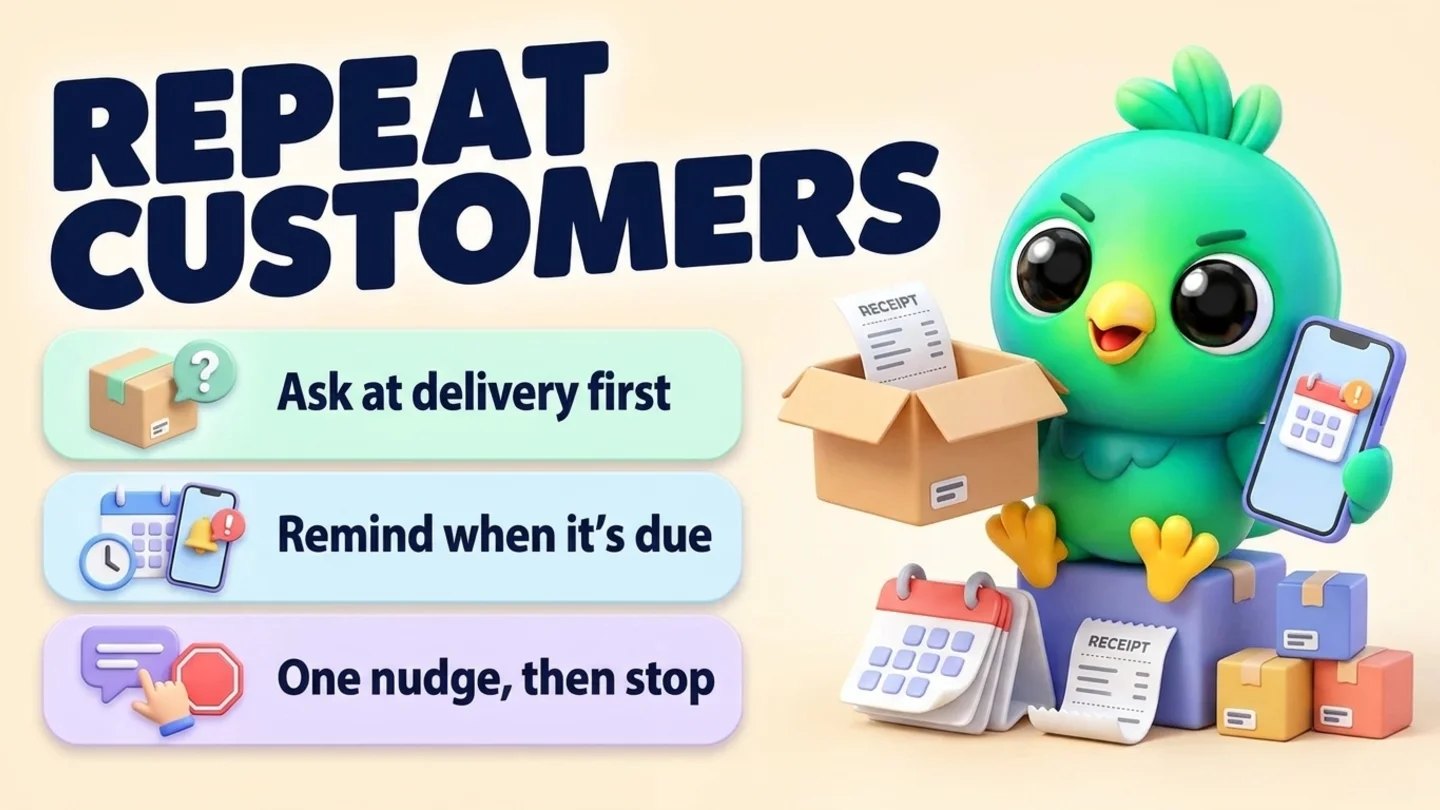
To get repeat customers on WhatsApp, ask each customer at delivery whether they'd like a reminder when they're likely to need you again. Write down what they bought and how long it usually lasts them. When that date comes, send one short, personal message in your existing chat that names the item or service and makes reordering a one-word reply. If they don't answer, send at most one more message, then stop. That routine works in the free WhatsApp Business app or on WhatsApp Web, and it doesn't need the WhatsApp Business API. The part most businesses skip is the permission: WhatsApp's Business Messaging Policy says you may only message people who opted in to hear from you, and a customer who once messaged you hasn't automatically agreed to reminders.
This post is part of our guide to WhatsApp CRM for small business. It covers the customers who are happy and simply due again: refills, consumables, regular services and seasonal jobs. If someone has already gone quiet well past their usual cycle, reactivating cold WhatsApp leads is the better fit. If you're still delivering the first order, start with confirming orders on WhatsApp. If the customer has a membership, session pack or plan that ends or renews on a date, use renewal reminders on WhatsApp instead.
Last updated 11 October 2026. WhatsApp's Business Messaging Policy, WhatsApp Help Center pages, the WhatsApp Business page on business broadcasts, Meta's template categorization guidance and 15 U.S.C. 8403 were checked against each organization's own pages on that date. This is practical guidance, not legal or compliance advice.
Reminders, win-backs and promotions are different messages
Repeat business on WhatsApp usually breaks because three different messages get treated as one. A reorder reminder is personal and expected. A promotion is general. A win-back is for people who drifted away. Each needs a different kind of permission and a different tone.
| Message | Who gets it | When | What it says |
|---|---|---|---|
| Reorder or service-due reminder | One customer who asked for it | When their item is running low or their service is due | "Your [item] is probably running low. Same again?" |
| Promotion or new stock | Customers who agreed to offers | When you have something worth announcing | "New flavors are in this week" |
| Win-back | Past customers who went quiet, and only if they opted in | Well after their usual cycle has passed | "It's been a while. Is [service] still something you need?" |
This post is about the first row. It's the easiest repeat sale you'll ever make, because the customer already likes what they bought and you're only saving them the effort of remembering.
The repeat-customer routine in five steps
- Ask at delivery. Offer a reminder for this specific item or service, and record the yes.
- Write down the cycle. What they bought, the size or service level, the date, and how long it usually lasts them.
- Send one reminder when it's due. Name the item, keep it short, and give them an easy way out.
- Make the reorder one reply. "Same as last time?" with the details, and confirm any changes before you charge.
- Record the outcome and reset the clock. Reordered, paused, or stopped. Then set the next due date, or remove them.
Step 1: Ask for permission at the moment of delivery
The best time to ask is right after the customer receives what they bought, or right after you finish the job. They're happy, the item is in front of them, and the question sounds like service, not marketing.
WhatsApp's Business Messaging Policy says you may only contact people on WhatsApp if they gave you their number and you received opt-in permission confirming they want to receive messages from you. You must respect any request to stop, made on WhatsApp or anywhere else. The policy's best practices go further: get an opt-in that covers the kinds of messages you'll send, such as order updates, relevant offers or product recommendations. WhatsApp's policy compliance help page adds that a customer reaching out to a business doesn't count as opt-in to future proactive messages.
In practice, that means one clear question, asked separately from the delivery update:
Products (refills, consumables, supplies)
Glad it arrived, [name]! Would you like a quick reminder here when you're likely to be running low? Just reply YES. If not, no problem at all.
Regular services (cleaning, lawn care, pest control, HVAC servicing)
All done for today, [name]. Want me to message you when your next [service] is due? Reply YES and I'll send one reminder, nothing else.
Appointments that repeat (salons, barbers, groomers, tutors)
Thanks for coming in, [name]. Should I send you a reminder in [number] weeks to book the next one?
When they say yes, write down the date and what they agreed to. "Reminder for [item], said yes on [date]" is enough. That one line answers the question "did they ask for this?" months later. Our post on WhatsApp opt-in without the API covers how to collect and keep opt-in records in more detail.
Note: A yes to reorder reminders is not a yes to promotions. If you also want to send new stock or offers, ask for that separately, and keep the two lists apart.
Step 2: Write down what they bought and how long it lasts
A reminder only works if it arrives at the right moment. Too early and it reads like a sales push. Too late and they've already bought somewhere else. The only reliable source for the right moment is your own records, and the easiest way to get them is to ask.
Quick question so I can time the reminder: how long does a [bag / bottle / box] usually last you?
Customers know their own habits better than any average. Write down their answer and use it.
| Record | Example | Why it matters |
|---|---|---|
| Item or service | Large bag of grain-free dog food; quarterly pest treatment | The reminder names it, so it doesn't feel generic |
| Size, variant or level | 12 kg; front and back yard; two bedrooms | "Same again" only works if you know what "same" is |
| Date delivered or done | Delivery date or job date | Starts the clock |
| Usual gap | Their own answer, or the gap between their last two orders | Sets the next due date |
| Next due date | Delivery date plus the usual gap, minus a few days | When the reminder goes out |
| Permission | "Reminder for dog food, yes on [date]" | Proof they asked for it |
| Last outcome | Reordered, paused, said stop | Tells you what to do next time |
If a customer orders more than once, the real gap between their orders beats any guess. After two or three orders, update the "usual gap" to match what they actually do.
Keep this somewhere you'll actually look. In a spreadsheet it's one row per customer; on WhatsApp Business it's a list called something like "Reorder due" plus a note on each contact. Lists (WhatsApp's replacement for labels) show who is in the group, but they can't hold a due date, which is why most people add a sheet or a CRM. Our free WhatsApp sales pipeline template can be copied into a "Repeat customers" tab, and WhatsApp labels vs CRM explains where lists stop being enough.
Step 3: Send one reminder on the due date
Send the reminder a few days before you expect them to run out, or a week or two before a service is due, so they have time to reply. Keep it short and specific. A good reminder does three things:
- Names what they bought, so they know it's about them and not a broadcast.
- Says why now, in one phrase ("it's been about six weeks", "spring treatment is due").
- Makes the next step one word, such as YES, a day, or "not yet".
Reminder templates
Product refills and consumables
Hi [name], it's been about [number] weeks since your [item] arrived, so you might be running low. Want the same again? Reply YES and I'll get it ready, or "not yet" and I'll check back later.
Pet food and pet supplies
Hi [name], [pet's name]'s [item] should be getting low around now. Shall I put one aside for you this week?
Cleaning, lawn care and pest control
Hi [name], your next [service] is due around [week or month]. I have openings on [day] or [day]. Does either work, or should I check back next month?
HVAC and equipment servicing
Hi [name], it's nearly time for your [system]'s [seasonal / annual] service, before [the hot / cold] season starts. Want me to book you in? I can do [day] morning or [day] afternoon.
Salons, barbers and groomers
Hi [name], it's been [number] weeks since your last [service]. Want me to hold a spot for you? I have [day] at [time] or [day] at [time].
Business supplies (printing, office, ingredients)
Hi [name], last time you ordered [quantity] of [item] on [date]. If you're getting close to the end, I can have the same order ready by [day]. Any changes this time?
Seasonal or yearly orders
Hi [name], last year you ordered [item] for [occasion] around this time. Would you like the same again this year? Reply and I'll send this year's options.
The free WhatsApp message templates tool has more starting points, and if your business is in one of these trades, our pages for skincare and cosmetics sellers, pet shops and pet services and cleaning, pest control and AC servicing show the full setup for each.
Tip: If you have more than a handful of saved reminder texts, store them as quick replies. The WhatsApp Business app allows up to 50 quick replies, and you can insert one by typing "/" in the chat. Keep a copy outside WhatsApp, because WhatsApp's help page says a deleted quick reply can't be recovered.
Step 4: Make reordering a one-word reply
The reminder gets the reply. The reorder message gets the sale. When they say yes, don't make them repeat anything you already know:
Great! Here's what I have from last time:
- [Item, size, quantity]
- Delivery to [street name or "the usual address"]
- Total: [price]
Reply OK to confirm, or tell me what to change. I'll send the payment link once you confirm.
Three habits make this step work:
- Confirm price changes before you charge. If the price went up since their last order, say so in this message, not on the invoice.
- Confirm the address every time. People move. A wrong delivery costs more than one extra line of text.
- Ask, don't auto-charge. Some customers will say "just send it every month". That's great, but turning reorders into an automatic recurring charge is a subscription, and subscriptions come with rules. For online sales with a negative option feature, US federal law (15 U.S.C. 8403, part of the Restore Online Shoppers' Confidence Act) requires you to clearly disclose all material terms before taking billing information, get the customer's express informed consent before charging, and give them a simple way to stop the recurring charges. If you want to offer standing orders, set them up through your payment provider's subscription tools and check the rules where you sell. Confirming each reorder in the chat keeps things simple.
Once it's confirmed, the normal order flow takes over: payment, then delivery or a booking. Our posts on confirming orders on WhatsApp, sending payment reminders and booking appointments cover those steps.
Step 5: Record the outcome, then reset or stop
Every reminder should end in one of three places. A few stages make that visible, so nobody gets a second reminder they didn't need or falls through the cracks:
| Stage | Means | Next move |
|---|---|---|
| Delivered | Order arrived or job done, reminder offered | If they said yes, set the next due date |
| Waiting until due | Opted in, due date set | Nothing until the date |
| Reminder sent | Reminder went out | Wait a few days for a reply |
| Reordered | They said yes | Back to Delivered once it arrives, with a new due date |
| Paused | "Not yet" or "I still have some" | Set a new date, usually a couple of weeks later |
| Stopped | Said no, stop, or didn't reply twice | Remove from reminders and note why |
The rule that keeps repeat reminders welcome: one reminder, at most one follow-up, then stop for this cycle. If they say "not yet", ask when you should check back and use their answer. If they ignore two reminders in a row, take them off the reminder list. They may come back on their own, and if they don't, reactivating cold leads covers whether and how to reach out much later.
The same stages also tell you how repeat business is going. Count how many customers reach "Reordered" out of everyone who got a reminder, and look at which items get the most "not yet" replies. That usually means your cycle guess is too short. Our post on WhatsApp sales funnel metrics shows how to read stage counts without overcomplicating it.
Happy repeat customers are also your best people to ask for a review or a referral. Ask after a reorder arrives, not in the reminder itself: see asking for Google reviews on WhatsApp and asking for referrals on WhatsApp. For a once-a-year personal touch that isn't a sales reminder, see birthday messages for customers on WhatsApp.
One-to-one chat, broadcast or business broadcast?
Reorder reminders are personal by nature: every customer is due on a different date, for a different item. That makes the one-to-one chat the right tool. The bulk options in WhatsApp are built for messages that go to many people at once.
| Option | How it reaches people | Good for | Watch out for |
|---|---|---|---|
| One-to-one chat | A message in the chat you already have | Reorder and service-due reminders | Takes discipline to send on the right day |
| Broadcast list (WhatsApp Business app) | Each person gets it as a private message | Restock news to opted-in customers | WhatsApp says only contacts who saved your number in their address book receive broadcasts |
| Marketing messages / business broadcasts (WhatsApp Business app) | Private 1:1 messages to people you select, even if they haven't saved your number | Larger promotions with buttons and scheduling | You pay for each message delivered, and the feature is only available in some countries |
| WhatsApp Business API | Template messages from a provider | High volume, automated sequences | A "time to reorder" message that recommends a product is a marketing template under Meta's categorization rules, not a utility one |
If you want to tell everyone about new stock as well, that's a promotion, not a reminder. Send it only to customers who agreed to offers, and read WhatsApp broadcast limits before you do. If the item sold out and people asked to hear when it returns, that is a restock list; running a waitlist on WhatsApp covers how to offer it fairly.
Products to keep out of reorder reminders
Some of the most "reorderable" products are exactly the ones WhatsApp restricts. The Business Messaging Policy prohibits using WhatsApp for Business to buy, sell or promote certain regulated goods, including:
- Drugs, whether prescription, recreational or otherwise
- Medical and healthcare products
- Alcohol and tobacco
The policy allows limited messaging about some regulated categories on the WhatsApp Business Platform in specific countries, but it says you're prohibited from messaging about any of them on the WhatsApp Business app.
WhatsApp's policy compliance help page adds two details that matter for refills. Pharmacies can't promote or sell pharmaceuticals, including over-the-counter drugs and medical devices, in any conversation, although they can send things like appointment updates and bill-pay reminders. Supplements can't be sold with WhatsApp's commerce features, such as catalogs and payments, and the page says supplement businesses can onboard for non-sales use cases. Treat refill pushes for supplements as off-limits unless you've confirmed otherwise.
If what you sell is anywhere near health, check the policy before you set up refill reminders. The policy also says not to send or request health-related information on WhatsApp where your regulations prohibit sending it to systems that don't meet the heightened requirements for it. For a clinic or practice, a reminder that says "your next visit is due" is very different from one that names a treatment.
Wording to avoid (and what to say instead)
| Avoid | Why | Say instead |
|---|---|---|
| "Time to stock up! 20% off this week only!" in a reminder | Turns an expected reminder into a promotion they didn't ask for | "Your [item] is probably running low. Same again?" |
| "We miss you!" to someone who ordered last month | They haven't gone anywhere | Save win-back wording for people who actually drifted away |
| "Your order will ship automatically unless you reply" | They didn't agree to that, and it's a charge they didn't confirm | "Reply OK to confirm and I'll send the payment link" |
| Three reminders in a week | Feels like pressure, and customers can block or report your business | One reminder, one follow-up at most, then stop |
| "Dear valued customer" | Reads like a broadcast | Their name and the item they bought |
| A reminder that lists a medical treatment or condition | Others may see the phone, and health details may be restricted | "Your next visit is due. Want to book a time?" |
Where InboxCRM fits
InboxCRM is a WhatsApp CRM Chrome extension for WhatsApp Web. It isn't a subscription billing tool or an ecommerce platform. It helps when you already talk to customers in WhatsApp Web and want each customer's last order, cycle and next reminder next to the chat, without the WhatsApp Business API.
- A repeat-customers board. Create a separate board and name the stages after the table above: Delivered, Waiting until due, Reminder sent, Reordered, Paused. Add a chat with right-click "Add to CRM stage…" or "Move to stage" in the chat tools panel, and a stage chip shows next to it in your WhatsApp chat list. See the CRM pipeline guide.
- The cycle on the contact. Notes, tags and custom fields sit beside the open chat, so "12 kg grain-free, lasts about 6 weeks, reminders yes on 3 Oct" is one glance away. See the chat tools panel guide.
- The reminder, scheduled on delivery day. In the open chat, choose "Schedule message" from the InboxCRM tools button, write the reminder and pick the due date. It sends from your own WhatsApp Web at that time. A recurring schedule ("Monthly" or "Every N days…") suits a customer who explicitly asked for a standing reminder, but it keeps repeating until you edit or delete it, so use one-off schedules for everyone else. See the scheduling guide or try the scheduling tutorial.
- A follow-up rule for one nudge. A follow-up rule can watch the "Reminder sent" stage and send one short follow-up after the delay you set. Tick "Stop if chat replied" and "Stop if chat changed stage" so it never reaches someone who already answered. Each rule sends to a chat only once, even if the chat leaves the stage and comes back, so for the next cycle rely on the scheduled reminder, not the rule. See the follow-up guide.
- Reminders only you see. If you'd rather check a customer's history before messaging, a Notification gives you a Chrome alert on the due date ("Dana: dog food due") and sends nothing to the customer. See the notifications guide.
- Saved wording and past orders. Save each reminder and reorder message as a quick reply, and record orders and delivery status next to the chat so "same as last time" is easy to check. See the quick replies guide and the orders tutorial.
- Restock news to the right list. For customers who agreed to offers, Campaigns sends one message per person from your own WhatsApp Web, with pacing and daily caps on by default. Those limits reduce risk; they can't remove it. See the campaigns guide.
Honest limits: scheduled messages and follow-up rules only send while Chrome is running with WhatsApp Web open, so a reminder that falls due while your computer is off can't go out on time. Check the Scheduling Center for anything marked "Missed". Follow-up rules and scheduled messages aren't paced by the campaign sending limits. CRM records are stored in Chrome on your device (chrome.storage.local), not on an InboxCRM server, and they don't show in the WhatsApp mobile app. InboxCRM is a single-user extension, not a shared team inbox. Our post on where WhatsApp CRM data is stored explains the local-first model. If that fits how you work, you can add InboxCRM to Chrome.
Mistakes that cost repeat business
- Never asking. Most customers won't remember to reorder from you. The question at delivery is the whole system.
- Guessing the cycle. A reminder two weeks early reads as a sales push. Ask the customer, then learn from their real orders.
- Sending reminders as a broadcast. Everyone is due on a different day. A blast to all past buyers is a promotion, with all the rules that come with it.
- Mixing in discounts. If every reminder comes with a coupon, customers learn to wait for the coupon.
- Forgetting who said stop. One "no thanks" should remove them from reminders for good, and the note should say so.
- Letting the computer decide. Scheduled reminders still need a quick check. If a customer complained last week, a cheerful "same again?" can wait.
Frequently asked questions
How do I get repeat customers on WhatsApp without the Business API?
Ask each customer at delivery whether they'd like a reminder, write down what they bought and how long it lasts, and send one personal message in your existing chat when they're due. The free WhatsApp Business app or WhatsApp Web is enough for a small business. The API makes sense when you send high volumes of automated messages, which then need Meta-approved templates.
Do I need permission to send a reorder reminder on WhatsApp?
Yes. WhatsApp's Business Messaging Policy says you may only message people who gave you their number and opted in to receive messages from you, and WhatsApp's help pages note that a customer messaging you first doesn't count as opt-in to future proactive messages. Ask a simple yes-or-no question at delivery and note the date of the yes.
When should I send a reorder reminder?
A few days before the customer is likely to run out, or a week or two before a service is due. Base it on what the customer tells you or on the gap between their past orders, not on a general average. If they say "not yet", ask when to check back.
How many reminders should I send if the customer doesn't reply?
One reminder and at most one follow-up per cycle. If they ignore both, stop. If they ignore two cycles in a row, take them off your reminder list and note why.
Can I use a WhatsApp broadcast list for reorder reminders?
You can, but it's rarely the right tool. Reminders work because they're timed to each customer, and broadcast lists send the same message to everyone at once. WhatsApp also says broadcast messages reach only contacts who saved your number in their address book. Use broadcasts for restock news to customers who agreed to offers, and one-to-one messages for reminders.
Sources
- WhatsApp Business Messaging Policy (last updated 23 September 2026), WhatsApp, checked 11 October 2026
- How to comply with the WhatsApp Business Messaging and Commerce policies, WhatsApp Help Center, checked 11 October 2026
- How to use broadcast lists on the WhatsApp Business app, WhatsApp Help Center, checked 11 October 2026
- About marketing messages, WhatsApp Help Center, checked 11 October 2026
- Turn your contacts into conversations with business broadcasts, WhatsApp Business, checked 11 October 2026
- How to use quick replies, WhatsApp Help Center, checked 11 October 2026
- How to use labels (labels are now lists), WhatsApp Help Center, checked 11 October 2026
- Template categorization, Meta for Developers, checked 11 October 2026
- 15 U.S.C. 8403, Negative option marketing on the Internet, U.S. Government Publishing Office, checked 11 October 2026
InboxCRM is a WhatsApp CRM for WhatsApp Web. Pipeline, notes, follow-ups and quick replies beside every chat, with your CRM data kept in your browser.
Add InboxCRM to Chrome