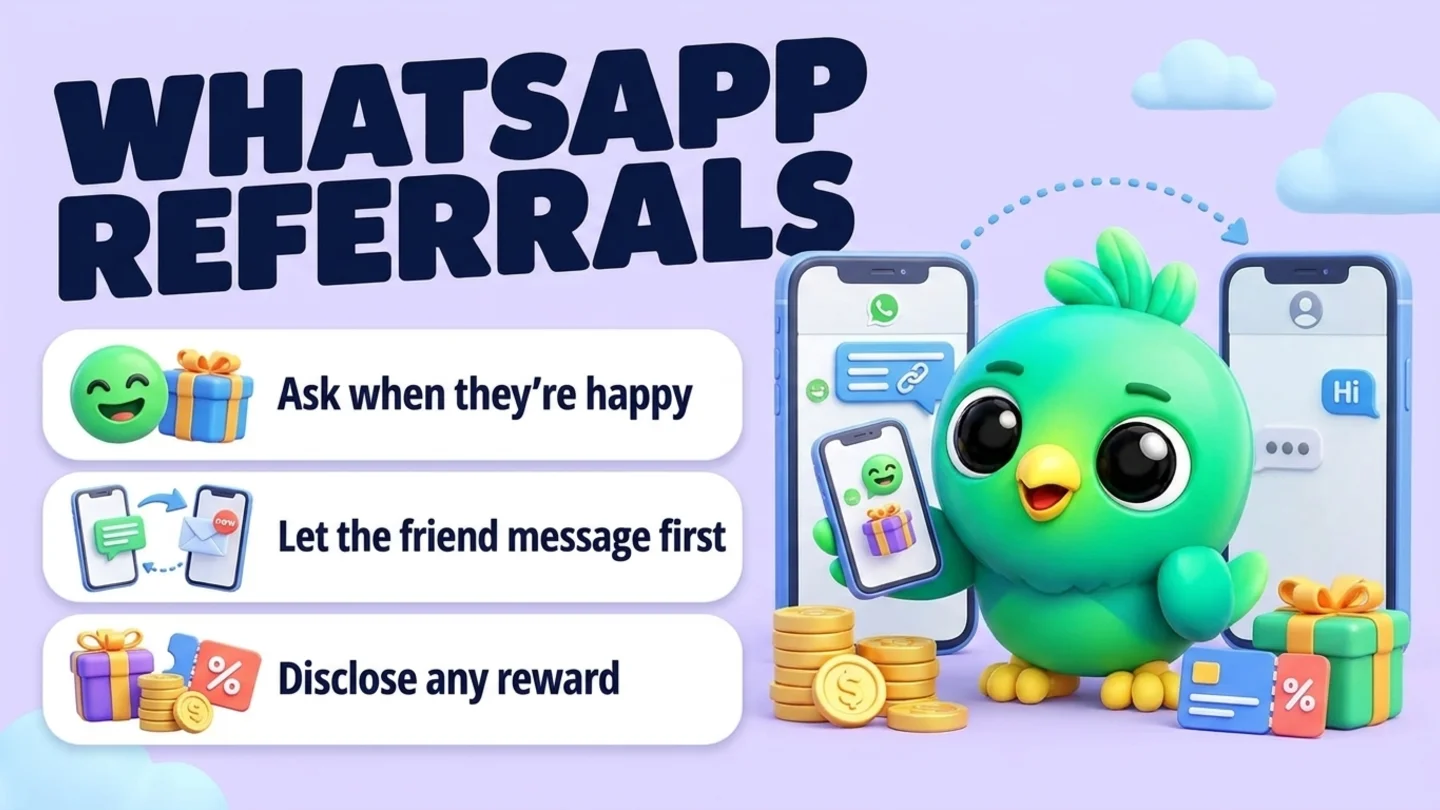
To ask for referrals on WhatsApp, wait for a moment when the customer is clearly happy, such as a thank-you message, a finished job or a repeat order. Then, in the chat you already have, send a short ask plus a message they can pass on to a friend. Put a WhatsApp link in that message so the friend contacts you first, ideally with the referrer's name already typed in. Don't ask for friends' phone numbers so you can message them yourself: WhatsApp's Business Messaging Policy only lets you contact people who gave you their number and opted in. If you offer a reward, mention it in the message the friend sees, because the FTC's endorsement guidance treats a reward for recommending a business as something people should be told about.
This post is part of our guide to WhatsApp CRM for small business. It picks up after the sale, alongside asking for Google reviews on WhatsApp. Reviews help strangers trust you. Referrals bring a friend of a happy customer straight into your chat. The two follow different rules, so it pays to keep them apart.
Last updated 9 October 2026. WhatsApp's Business Messaging Policy, WhatsApp Help Center pages, the FTC's Endorsement Guides and Google's review policy were checked against each organization's own pages on that date. This is practical guidance, not legal advice.
Referrals vs review requests
Both asks happen after a good experience, which is why they get mixed up. The rules are different.
| Review request | Referral ask | |
|---|---|---|
| What you ask for | A public review on Google | A recommendation to one or two people the customer knows |
| Who you ask | Every customer at the same point (Google prohibits selectively asking for positive reviews) | Customers who have just shown they're happy. Choosing the moment is normal |
| Rewards | Not allowed. Google treats incentives for reviews as prohibited | Allowed, as long as the reward is disclosed in the message the friend sees |
| Who messages whom | You send your review link to your customer | The friend messages you first, using a link the customer passed on |
| Follow-up | One reminder at most | No reminder. Ask once and leave it |
The practical rule: never put a reward and a review request in the same message. If a referral reward and a review link arrive together, the reward can look like payment for the review. Send them on different days, or skip one.
The referral loop in four steps
- Pick the moment. Ask when the customer has just shown they're happy, and never while a problem is open.
- Make a link that names the referrer. A WhatsApp click-to-chat link with a pre-filled message tells you who sent the friend.
- Send the ask and a message to pass on. Two short messages: one to your customer, one written for their friend.
- Welcome, thank and record. Reply to the friend like any new enquiry, thank the referrer, and note who referred whom.
Step 1: Ask when the customer is clearly happy
A referral ask works best when it follows something the customer did, not a date on your calendar.
| Signal in the chat | Example | Ask now? |
|---|---|---|
| They thank you or praise the work | "It looks amazing, thank you!" | Yes. Reply to the thanks first, then ask |
| The job is finished or the order arrived with no open issue | Install done, final files delivered, order received | Yes, in the same conversation |
| They order or book again | A repeat order or a second booking | Yes |
| A complaint, refund or delay is still open | "It arrived damaged" | No. Fix it first (customer service on WhatsApp) |
| An invoice is unpaid | Overdue balance | No. Settle that first (payment reminders) |
| You asked them recently | Asked after the last job | No. Once per job or season is plenty |
If you want to know who was happy in the first place, the habits in confirming orders on WhatsApp and booking appointments on WhatsApp make the "finished" moment easy to spot, because every order or visit ends with a clear status.
Step 2: Make a link that tells you who sent the friend
The friend needs a way to reach you that doesn't depend on your customer typing your number correctly. WhatsApp gives you three options.
| Option | How it works | Tells you who referred? | Best for |
|---|---|---|---|
| Your WhatsApp Business short link | Tools > Short link in the WhatsApp Business app. Opens a chat with you, with an optional default message | No. Everyone gets the same link and message | A general "pass on our number" ask |
| A click-to-chat link with a pre-filled message | https://wa.me/<number>?text=<message>, made per referrer | Yes, if the message names the referrer | Knowing exactly who sent each new lead |
| A QR code | The WhatsApp Business app can share your QR code (View QR Code > Share code), or you can make one from any wa.me link | Only if it encodes a referrer-specific message | Handing a card to a customer in person |
WhatsApp's help page on click to chat explains the format. Use your full phone number in international format, without zeros, brackets or dashes, then add ?text= and the URL-encoded message. The message appears in the text field of the chat when the link opens. A link for a referral from Maria could open a chat with Hi, Maria R. suggested I get in touch about a quote. already typed.
You don't need to encode anything by hand. Our free WhatsApp link generator builds a wa.me link with a pre-filled message, and the WhatsApp QR code generator turns it into a printable code.
Tip: The friend can edit or delete the pre-filled text before sending. If a new chat starts without a name, just ask "How did you hear about us?" in your first reply.
Use the referrer's first name or a simple code they're happy with, not their phone number or anything about their order. Ask the customer before you put their name in a link.
Step 3: Send the ask and a message they can pass on
Most referral messages fail because they are written to the customer, not the friend. When a customer forwards "Hi again, thanks for your order!" the friend gets a message from the middle of someone else's conversation. Send two short messages instead:
- The ask, written to your customer.
- The pass-on message, written for the friend: your business name, what you do, where, and the link. Nothing that only makes sense to the original customer.
Keep the pass-on message factual and let the customer add why they liked you, in their own words. A recommendation is more convincing, and more honest, when it isn't a script you wrote for them. WhatsApp lets people forward a message to up to five chats at a time, so this is built for sharing with one or two people, which is exactly what a referral is.
Templates without a reward
After a thank-you
Thank you, [name], that's really kind. If you know anyone else who needs [service], I'd be grateful if you passed us on. Here's a short message you can forward or copy:
[Business] does [service] in [area]. You can message them on WhatsApp here: [link]
After a finished job (services)
Glad it all went well today, [name]. Most of our work comes from people recommending us, so if a neighbor or friend ever needs [service], feel free to pass this on:
[Business], [service] in [area]. WhatsApp: [link]
Repeat customer
Always good to see you again, [name]. If anyone asks where you get your [product], here's our link to pass on: [link]. No pressure at all.
Business-to-business or project clients
Thanks again for the project, [name]. If you know another [type of business] that could use [service], I'd appreciate an introduction. You can forward them this: [Business] helps [type of business] with [service]. WhatsApp: [link]
Template with a reward (disclosed)
The ask
Thank you, [name]. If you know someone who needs [service], here's a message you can pass on. If they [book / order], you'll get [reward] and they'll get [reward]. The message mentions that, so your friend knows.
The pass-on message
[Business] does [service] in [area]. Message them on WhatsApp: [link]. Heads up: I get [reward] if you [book / order] through my link, and you get [reward] too.
That is the whole sequence. If the customer doesn't reply, don't send a reminder. A referral ask is a favor, and chasing a favor feels like pressure. If you want help polishing the wording, the free WhatsApp message templates tool works here too.
Rewards: optional, simple and disclosed
You don't need a reward. Plenty of small businesses just ask, and a sincere thank-you is enough for many customers. If you do offer one, keep it boring and consistent:
- One offer for everyone. The same credit, discount or free add-on, so nobody feels they got a worse deal.
- Earned on a clear event. Say when it's earned, for example when the friend's first order is paid or their first appointment is complete, and stick to it.
- Disclosed in the pass-on message. The FTC's Endorsement Guides say a connection that might affect how people weigh a recommendation must be disclosed clearly when the audience wouldn't expect it, and that free or discounted products and the chance of being paid can count. The FTC's Q&A on the Guides adds that when someone shares a link as a fan and is being compensated, for example with a discount on a future purchase, a disclosure is appropriate. The simple fix is the "Heads up: I get [reward]" line in the template above.
- Never tied to a review. Google's policy prohibits offering incentives such as payment, discounts, free goods or services in exchange for posting any review. Keep review requests reward-free and separate, as in our review request guide.
- No prize draws. "Refer a friend and win" turns a thank-you into a prize promotion with legal rules a simple credit doesn't have. WhatsApp's Business Messaging Policy also lists raffles and sweepstakes under online gambling and gaming, which needs Meta's permission to promote on the WhatsApp Business Platform.
Note: If you work in a licensed field, such as real estate, legal, health or financial services, check your professional rules on referral payments before you offer anything.
The rules in one table
| Do | Don't | Why |
|---|---|---|
| Give the customer a link so the friend messages you first | Ask for friends' numbers and message them yourself | WhatsApp's policy says you may only contact people who gave you their number and opted in to hear from you |
| Answer the friend's question in the chat they started | Add referred friends to offers or broadcasts without asking | Opt-in should cover the kind of messages you send. See WhatsApp opt-in without the API |
| Thank the referrer without details | Tell the referrer what their friend bought, paid or said | WhatsApp's policy says you may not share information from a customer chat with any other customer |
| Put any reward in the pass-on message | Keep the reward hidden from the friend | The FTC expects incentivized recommendations to be disclosed |
| Accept "no" and stop | Ask again and again | WhatsApp's policy asks businesses to respect opt-out requests and not to spam or surprise people |
Step 4: Welcome the friend, thank the referrer, and record it
Welcome the referred friend
Hi [name], thanks for getting in touch, and thanks to [referrer] for passing on our number. What are you looking for?
Then treat it like any new enquiry. The questions in qualifying leads on WhatsApp work the same for referred leads, and if they ask for a price, sending a quote on WhatsApp covers the next step. If they go quiet, one useful follow-up from our follow-up message scripts is enough. Don't lean on the referrer's name to pressure them.
Thank the referrer (no reward)
Hi [name], just a quick thank-you for recommending us. Someone you sent our way got in touch today.
Reward earned
Hi [name], thanks again for the recommendation. Your [reward] is ready and will apply to your next [order / booking].
Notice what the thank-you leaves out: the friend's name if they didn't share it with the referrer, what they bought and how much they spent.
What to record
| Record | On which contact | Why |
|---|---|---|
| "Referred by [name]" | The new customer | Lets you thank the right person and pay the right reward |
| Who they referred, and the reward status (owed or paid) | The referrer | Stops double rewards and forgotten ones |
| The outcome (booked, bought, not a fit) | The referred lead | Shows whether referrals actually turn into customers |
A column in your sales sheet, a "Referred" list in WhatsApp Business, or a pipeline stage plus a short note all work. Lists show who came through a referral but can't hold who sent them or whether the reward is paid, which is why most businesses end up adding a note. Our WhatsApp labels vs a real CRM post covers where lists stop being enough, and the free WhatsApp sales pipeline template has room for a "Source" column. If you track lead sources already, as in managing WhatsApp leads without the API, "Referral: [name]" is just another source. Over a few months, your funnel numbers will show whether referred leads close more often than the rest.
Wording to avoid (and what to say instead)
| Avoid | Why | Say instead |
|---|---|---|
| "Send me the numbers of five friends who might be interested" | You'd be messaging people who never gave you their number or opted in | "Pass this link on to anyone who might need it" |
| "Share this in all your groups!" | Turns a recommendation into a blast to people who never asked | "If one or two people come to mind..." |
| "Tell them we're the best in town!" | Puts words in the customer's mouth | "Add a line in your own words if you like" |
| "Refer three friends and win a [prize]" | A prize draw brings its own legal rules, and WhatsApp's policy treats raffles and sweepstakes as gambling | One simple reward, the same for everyone |
| "Leave a review and refer a friend for [discount]" | Ties a reward to a review, which Google prohibits | Separate messages, reward on the referral only |
| "Your friend [name] spent [amount] with us, here's your credit" | Shares one customer's details with another | "Your [reward] is ready" |
Where InboxCRM fits
InboxCRM is a WhatsApp CRM Chrome extension for WhatsApp Web. It is not a referral program app: it doesn't create referral codes or pay out rewards. It helps when you already talk to customers in WhatsApp Web and want each referral recorded next to the chat, without the WhatsApp Business API.
- Your ask and pass-on message as quick replies. Save both once and insert them in any chat. Text-only replies can go into the message box first so you can add the customer's name. See the quick replies guide.
- "Referred by" on the contact. Each contact can have notes, tags and custom fields next to the chat, so the new lead carries "Referred by Maria" and the referrer's note says "reward owed". See the chat tools panel guide, or try the contacts and notes tutorial first (fictional data; nothing is sent).
- Referral stages on your board. Add a stage like "Referral asked" after Delivered or Done, or give referred leads their own board (for example Referred, Quoted, Won, Lost). Move chats with "Move to stage" in the chat tools panel or right-click "Add to CRM stage…". The CRM pipeline guide shows the setup.
- Referral numbers without a spreadsheet. The funnel dashboard builds itself from a board and shows your contacts, the conversion rate from the first stage to the last, and total revenue from deal values, with a CSV export. On a referrals board, that tells you how many referred leads become customers. See the sales funnel guide.
- A reminder for every reward you owe. Notifications create a Chrome notification for you at the time you set, such as "add Maria's credit once Jo's order is paid", and send nothing to the customer. See the notifications guide.
Honest limits: CRM records are stored in Chrome on your device (chrome.storage.local), not on an InboxCRM server, so they stay on that computer unless you back them up and restore them elsewhere, and they don't appear in the WhatsApp mobile app. Reminders only alert you while Chrome is running. InboxCRM is a single-user extension, not a shared team inbox. Our post on where WhatsApp CRM data is stored explains the local-first model. If that fits how you work, you can add InboxCRM to Chrome.
Mistakes that cost you referrals
- Asking before the outcome. A referral ask sent with the quote or before delivery asks people to recommend something they haven't experienced.
- Sending the ask to your whole contact list. Referral asks belong in chats with customers you just served. A bulk "refer a friend" message to old contacts is a promotion, with all the rules in WhatsApp broadcast limits and the risks in whether a WhatsApp Web extension can get your number banned.
- Mixing it with win-back. Someone who went quiet months ago needs a reason to talk, not a referral ask. Our guide to reactivating cold WhatsApp leads covers that.
- Forgetting the thank-you. A referrer who never hears back rarely refers twice.
- Changing the reward per person. Customers compare notes. One offer for everyone avoids awkward conversations.
Frequently asked questions
Can I message someone a customer referred to me on WhatsApp?
Not out of the blue. WhatsApp's Business Messaging Policy says you may only contact people who have given you their number and opted in to receive messages from you. A customer handing over a friend's number doesn't meet that. Give the customer your WhatsApp link to pass on, so the friend messages you first, then reply to their enquiry in that chat.
Do I have to disclose referral rewards?
In the US, yes in most cases. The FTC's Endorsement Guides say a connection that could affect how people weigh a recommendation, including free or discounted products or the chance of being paid, should be clearly disclosed when people wouldn't expect it. Put one line in the message the friend sees, such as "I get [reward] if you book through my link".
What should a WhatsApp referral message say?
Two short messages work best. First, thank the customer and ask if they know anyone who needs your service. Second, a message they can forward or copy, written for the friend: your business name, what you do, where, and a WhatsApp link. Let the customer add their own words about why they liked you.
How do I track who referred a customer on WhatsApp?
Make a click-to-chat link per referrer with a pre-filled message that names them, such as "Hi, Maria suggested I get in touch". When the friend sends it, you know who referred them. If the text is missing, ask how they heard about you, then record "Referred by [name]" on the new contact.
Can I give a discount for a referral and a Google review together?
No. Google's policy prohibits offering incentives such as payment, discounts, free goods or services in exchange for posting a review. A referral reward is fine on its own, but send review requests separately, with no reward attached.
Sources
- WhatsApp Business Messaging Policy (last updated 23 September 2026), WhatsApp, checked 9 October 2026
- How to use click to chat, WhatsApp Help Center, checked 9 October 2026
- How to create short links, WhatsApp Help Center, checked 9 October 2026
- How to share your WhatsApp Business QR code, WhatsApp Help Center, checked 9 October 2026
- About forwarding limits, WhatsApp Help Center, checked 9 October 2026
- 16 CFR 255.5: Disclosure of material connections, FTC Endorsement Guides (eCFR), checked 9 October 2026
- FTC's Endorsement Guides: What People Are Asking, Federal Trade Commission, checked 9 October 2026
- Prohibited & restricted content (Fake & Misleading Content & Reviews), Maps User Generated Content Policy Help, checked 9 October 2026
InboxCRM is a WhatsApp CRM for WhatsApp Web. Pipeline, notes, follow-ups and quick replies beside every chat, with your CRM data kept in your browser.
Add InboxCRM to Chrome