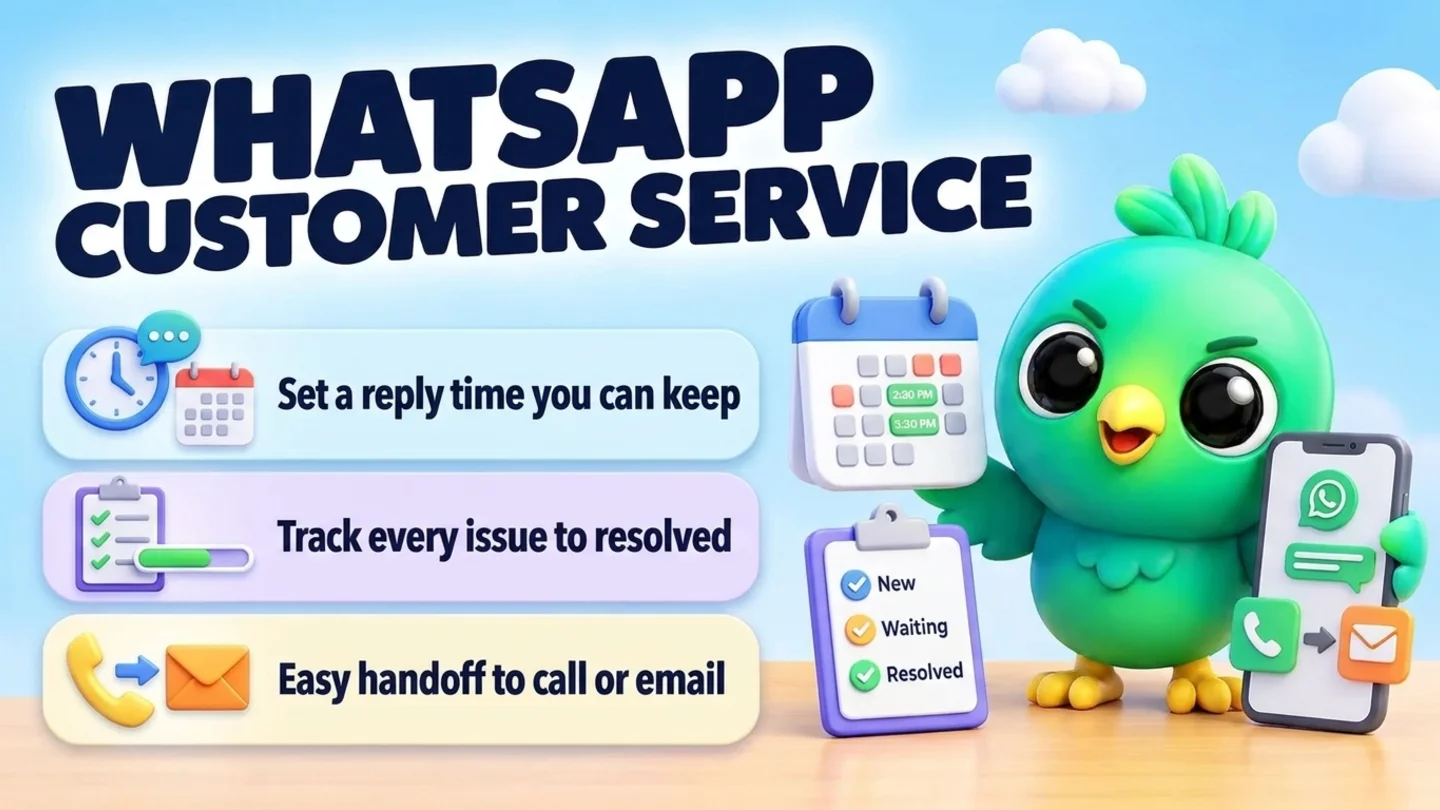
To handle customer service on WhatsApp without a help desk, set up four habits. Tell customers when you reply (in your business profile, greeting and away message). Give every open problem a simple status, such as New, Waiting on us, Waiting on customer and Resolved, and check those statuses at fixed times each day. Answer the questions you get every week from saved replies. And always offer a clear way to reach a person by phone or email when a chat is not enough. For a solo owner or a small team sharing one number, that covers most of what a help desk does, without the WhatsApp Business API.
This post is part of our guide to WhatsApp CRM for small business. The other posts in that series cover selling. This one covers what happens after the sale: "where's my order?", "it arrived broken", "can I change the date?" and "I still haven't had my refund". If your support questions are mostly about orders in transit, read it alongside confirming orders and sending delivery updates on WhatsApp. Many support questions from new clients can be prevented by a good start, which is what onboarding new clients on WhatsApp covers.
Last updated 7 October 2026. WhatsApp's Business Messaging Policy, WhatsApp Help Center pages and the FTC business guide cited here were checked on that date. This is practical guidance, not legal advice.
What "customer service on WhatsApp" means for a small business
Most help desk advice is written for teams of agents with ticket queues and service-level reports. A florist, repair shop, tutor or online boutique has a different problem: the same person who sells also answers complaints, often from one phone, between other jobs. The goal is not a ticket system. It is making sure nobody waits without knowing why, and no problem is forgotten once the chat scrolls away.
| Setup | Works well when | Breaks down when |
|---|---|---|
| WhatsApp Business app on one phone | One person answers, a handful of support chats a day | You can't remember who is still waiting, or someone else has to cover |
| WhatsApp Business app plus WhatsApp Web on a computer | You answer from a desk for part of the day and want a big screen, saved replies and a tracker beside the chat | Several people need to reply at once with clear ownership |
| WhatsApp Business API through a provider, with a shared inbox | Several agents, high volume, or replies that must be automated around the clock | You only get a few support chats a day and don't want per-message costs or a new setup |
If you are unsure which camp you are in, our comparison of the WhatsApp Business app vs the API explains the costs and rules of each. The rest of this post assumes the first two setups.
Step 1: Set expectations before the first reply
Customers on WhatsApp are rarely angry about waiting. They are annoyed by not knowing. Fix that before anyone writes in.
Complete your business profile. WhatsApp's Business Messaging Policy asks every business to keep a profile with customer support contact information and at least one of an email address, website or phone number, and to keep it accurate. That line also gives customers somewhere to go if a chat stalls. If your profile text needs work, the free WhatsApp business bio generator can help you write it.
Turn on a greeting message. WhatsApp's Help Center says a greeting message goes automatically to customers who message you for the first time, and again after 14 days without activity in that chat. Use it to say when you reply and what to send, so the first human reply can solve the problem instead of asking for the order number.
Turn on an away message. The away message can go out always, on a custom schedule, or outside the business hours set in your profile, and you can choose who receives it. Both automatic messages need your phone to have an internet connection, according to WhatsApp. For full closures such as Thanksgiving or the week after Christmas, our WhatsApp holiday away message plan has dated templates and a catch-up order for the first morning back.
Tip: Promise a reply time you can keep on your busiest day, not your quietest. "We reply within a few hours, 9am to 6pm Monday to Friday" that you always meet is better than "We reply in minutes" that you meet sometimes.
Step 2: Give every open problem a status
The chat list sorts by whoever wrote last, which is exactly the wrong order for support. A customer who has been waiting two days for a replacement sinks below today's "thanks!" messages. Give each open problem a status instead, and work from that.
| Status | Meaning | Your next action |
|---|---|---|
| New | Customer raised a problem, nobody has replied yet | Acknowledge and ask for anything missing |
| Waiting on us | You owe them an answer, a check, a refund or a replacement | Do it, or send an honest update by the time you promised |
| Waiting on customer | You asked for a photo, an order number or a choice | Nudge once if they go quiet, then close |
| Resolved | Fixed, refunded or answered, and the customer has confirmed or gone quiet after your closing message | Note what happened in one line |
Four statuses are enough. More than that and you will stop updating them. The only rule that matters: a chat with an open problem always has exactly one status, and "Waiting on us" is checked first every time you sit down. Once a chat reaches Resolved, a one-line check that the fix worked doubles as your best source of feedback; collecting customer feedback on WhatsApp has the wording and a simple way to record the answers.
You can do this with WhatsApp Business labels or lists, a spreadsheet, or a board. Labels show you which chats are waiting, but they can't record what you promised or when. Our post on WhatsApp labels vs a real CRM covers when that starts to hurt, and managing WhatsApp leads without the API shows the same stage-and-note system applied to sales.
Note: Keep sales and support statuses apart. A customer in "Waiting on us" for a broken part should not also look like a hot lead. If you already use a WhatsApp sales pipeline, put support on a second list or board.
Step 3: Answer the weekly questions from saved replies
Look back through last month's chats and you will find the same few questions again and again. Write the best answer to each once, check it, and save it. WhatsApp's Help Center says the WhatsApp Business app stores up to 50 quick replies, and that media files aren't supported in quick replies on WhatsApp Web or Desktop.
| Question | What the saved reply should include |
|---|---|
| "Where's my order?" | The order reference you need from them, or the tracking link and the carrier's expected date |
| "Can I return or exchange this?" | Your return window, condition rules, how to send it back and who pays postage, in your own policy's words |
| "It arrived damaged / wrong" | An apology, a request for one or two photos and the order reference, and when you will reply with a fix |
| "Can I change or cancel my order?" | Whether it has shipped, what you can still change, and how to confirm the change |
| "When will I get my refund?" | The date you issued it, the method, and that bank or card timing is outside your control |
| "Is it working properly? It does X" | Two or three checks they can do, and a request for a short video if those fail |
| "What are your hours / where are you?" | Hours, address or service area, and the fastest way to reach you |
Good support replies share three habits. They answer the question in the first line. They ask for only what you need next. And they say when the customer will hear from you again. For starting wording, the free WhatsApp message templates tool has greeting, away, everyday-question, order and delay messages you can adapt. For the full return and exchange routine, from the policy line in your order confirmation to the refund message, see how to handle returns and exchanges on WhatsApp.
Step 4: Work the queue at fixed times
Reacting to every notification feels responsive, but it means the hardest problems get pushed back by easy ones. A short routine works better:
- Start with "Waiting on us". Anything you promised today goes first. If you can't deliver what you promised, send an update before the deadline, not after.
- Then "New". Acknowledge every new problem, even if the fix comes later: "Thanks, I've got this. I'll check with the courier and reply by 3pm."
- Then "Waiting on customer". If someone hasn't sent the photo you asked for, nudge once. If they still don't reply, send a closing message and mark it Resolved.
- Close with notes. For anything resolved today, write one line: what happened and what you did. When the same customer writes again next month, you won't have to scroll.
The daily WhatsApp Web sales workflow uses the same block structure for sales. Many small businesses run both in one pass: support first, because those customers have already paid.
Warning: "I'll get back to you" is the most dangerous sentence in support. Every time you type it, set yourself a reminder with a time, and change the chat's status to "Waiting on us".
Step 5: Hand off to a person, phone or email when chat isn't enough
Some problems should leave WhatsApp: a long dispute, anything involving a lot of money, or a customer who is upset and typing faster than you can answer. Offer a call or email early instead of trading paragraphs.
WhatsApp's Business Messaging Policy makes this a rule for businesses on the WhatsApp Business Platform (the API). If you use automation to respond during the 24-hour customer service window, you must also have prompt, clear and direct escalation paths, such as an in-chat transfer to a human agent, a phone number, email, web support, an in-store visit or a support form. That requirement sits in the policy's Platform-specific section, not the app's, but the same principle protects you on the app: an auto-reply or chatbot should never be a dead end.
Two more rules from the same policy matter in support chats:
- Don't ask for sensitive numbers. The policy says not to share or ask people to share full payment card numbers, financial account numbers, personal ID card numbers or other sensitive identifiers. To refund a card, use your payment processor's refund, not a card number typed into chat.
- Respect opt-outs. If someone asks you to stop messaging them, stop, even if their issue is still open. Offer email or phone instead.
Copy-paste customer service replies
Replace the brackets and keep each message short. Save the ones you use as quick replies.
Acknowledge a new problem
Hi [name], thanks for letting us know, and sorry about this. Could you send your order number [and a photo of the item]? I'll reply with a fix by [time/day].
When you need time to check
Thanks, [name]. I'm checking with [the courier / our supplier] now and will update you by [time/day], even if I don't have the full answer yet.
Update when the deadline arrives but the fix hasn't
Hi [name], quick update on [issue]: I don't have an answer from [courier/supplier] yet. I'm chasing it and will message you again by [time/day]. Sorry for the wait.
Offer a replacement or refund
Hi [name], I'm sorry the [item] arrived [damaged/wrong]. We can send a replacement by [date] or give you a full refund. Which would you prefer?
Refund issued
Hi [name], your refund of [amount] for order [ref] was issued today to [your card / original payment method]. It can take a few business days to show, depending on your bank. Thanks for your patience.
Move to a call or email
Hi [name], this will be quicker to sort out by phone. Can I call you at [time], or would you prefer email at [address]? Either way, I'll keep this chat updated.
Nudge when you're waiting on them
Hi [name], just checking whether you still need help with [issue]. If you can send [photo/order number], I'll sort it out today.
Close the ticket
Hi [name], I'll mark this as sorted for now. If anything else comes up with [item/order], just reply here. Thanks for your patience.
After-hours away message
Thanks for messaging [business]. We're closed now and reply from [time] on [day]. If this is about an order, please send your order number and we'll start there.
Want to sound calmer in a tense reply? Draft it, step away for a minute, and reread it out loud before sending. If you use an AI writing assistant, our post on AI replies with your own API key explains what leaves your device when you do.
Shipping delays: what the FTC expects (US sellers)
"Where's my order?" is the most common support message for anyone who ships goods, and in the US it comes with rules. The FTC's Mail, Internet, or Telephone Order Merchandise Rule applies to most goods a customer orders by mail, phone, fax or online. The FTC's business guide says it doesn't matter how the merchandise was advertised, how the customer paid or who started the contact. If you take prepaid orders for goods in WhatsApp chats, check with an advisor whether the rule covers you, and assume it does until you know otherwise.
The core of the rule, as the FTC's guide explains it:
| Rule | What it means in a chat |
|---|---|
| You need a reasonable basis for any shipping time you state, or for shipping within 30 days if you state none | Don't promise "ships tomorrow" unless it is true for that order |
| If you learn you can't ship on time, you must ask for the customer's consent to the delay, reasonably quickly | Message them as soon as you know, not on the original ship date |
| The first delay notice must give a definite revised date (or say you don't know), say they can cancel for a full and prompt refund, and give a way to cancel at your expense | Put all three in one message |
| You can treat silence as consent only if the new date is 30 days or less later, and you must say so in the notice | Add the "if we don't hear from you" line only in that case |
| Refunds you owe under the rule are due within seven working days for most payment methods, or within one billing cycle if you extended the credit yourself | Note the cancellation date and the refund date on the chat |
The rule doesn't cover services, collect-on-delivery orders, or seeds and growing plants. The FTC also notes that you must notify customers in a way reasonably likely to reach them in time. If you have the customer's email too, sending the notice both ways and noting the date is a sensible backup.
Delay notice (new date 30 days or less later)
Hi [name], we're unable to ship order [ref] by [original date]. The new ship date is [date]. If you'd rather not wait, reply CANCEL or call [number] and we'll refund you in full. If we don't hear from you before we ship, we'll take that as OK to wait.
For the routine updates on orders that are on time, our post on confirming orders on WhatsApp has one short message per status change.
What not to do in support chats
| Avoid | Why | Do instead |
|---|---|---|
| Leaving a complaint "seen" without a reply | Feels like being ignored, and invites a public complaint | Acknowledge within your stated hours, even before you have the fix |
| Asking for a full card or ID number | Against WhatsApp's Business Messaging Policy | Refund through your payment processor; ask for an order number |
| Pasting one customer's details into another chat or group | Shares personal information with people who shouldn't see it | Keep each problem in that customer's one-to-one chat |
| Adding a discount offer to a complaint reply | Turns support into marketing and can feel like a brush-off | Fix the problem first; keep promotions for people who opted in |
| Arguing in long paragraphs | Hard to read on a phone, easy to escalate | Offer a call, then confirm the outcome in one message |
| Closing without telling them | They write again, annoyed, and you start over | Send a short closing message |
| Asking for a review in the same breath as an apology | Reads as pressure | Wait until it is fixed; see how to ask for Google reviews on WhatsApp |
When one phone isn't enough
When a second person starts answering, you need two things: both of you can reach the same chats, and both of you can see what was promised. WhatsApp's Help Center says the WhatsApp Business app works on up to four linked devices at once without the primary phone staying connected, though you need to log in on the primary phone every 14 days to keep them linked. With a Meta Verified or Meta One subscription, WhatsApp's multi-agent feature allows up to 10 linked devices, lets you assign chats to agents and shows which agent sent a message. WhatsApp notes the premium version may not be available to you yet.
Linked devices share the chats, not your private tracker. If one person's notes live in their own spreadsheet or browser, the other can't see them. Agree on one shared place for statuses and promises, or move to a shared inbox on the API when the team and volume justify it.
Where InboxCRM fits
InboxCRM is a WhatsApp CRM Chrome extension for WhatsApp Web. It is not a help desk or a shared team inbox. It helps a person who answers customers from WhatsApp Web on a computer keep every open problem visible next to the chat, without the WhatsApp Business API.
- A support board. Create a separate board for support from the "Support tickets" template or a blank board, and set its stages to match the statuses above. Move chats with "Move to stage" in the chat tools panel or right-click "Add to CRM stage…", and a stage chip shows next to each chat in the chat list. The CRM pipeline guide shows the setup, and the interactive pipeline tutorial lets you try it with fictional data first.
- What you promised, in Notes. Write the order reference, what went wrong and what you promised in the Notes tab beside the chat. See the chat tools panel guide.
- Saved answers, including documents. Quick replies can hold text, images, video, audio and documents, so your returns policy PDF or a how-to video goes out in one click. Text-only replies can be inserted into the message box to edit first. See the quick replies guide.
- A reminder for every "I'll get back to you". Notifications create a Chrome notification for you at the time you set and send nothing to the customer. See the notifications guide.
- One nudge for "Waiting on customer". A follow-up rule can watch that stage and send your nudge after a delay you choose, with "Stop if chat replied" and "Stop if chat changed stage" ticked so it never goes to someone who already answered. See the follow-up guide.
- After-hours replies from your computer. Auto-attendance rules can reply on a new conversation or inside a time window you set, once per chat. Pick one source for your away message, the phone app or the extension, so customers don't get two. See the auto-reply guide.
- Orders next to the chat. Record orders and delivery status beside the customer's chat and send tracking from saved templates. Try the orders tutorial.
- Calmer wording (optional). The AI reply assistant can draft or rework a reply in tones including apologetic and professional, using your own AI provider key.
Honest limits: CRM records are stored in Chrome on your device (chrome.storage.local), not on an InboxCRM server, so a teammate on another linked device won't see your board or notes. Automatic replies and follow-ups only send while Chrome is running with WhatsApp Web open, and reminders only alert you while Chrome is running. InboxCRM doesn't run inside the WhatsApp mobile app. Our post on where WhatsApp CRM data is stored explains the local-first model. If that fits how you work, you can add InboxCRM to Chrome.
Mistakes that make WhatsApp support harder
- Promising instant replies. It sets a standard you will break on the first busy day.
- Running support from the chat list. Without statuses, the newest message always wins and the oldest problem waits.
- Two automatic away messages. The phone app and a desktop tool both replying looks broken. Choose one.
- Broadcasting service updates. Tell affected customers one by one in their chats. Bulk messages have their own rules; see WhatsApp broadcast limits and WhatsApp opt-in without the API.
- Mixing a refund and a payment chase. If the customer still owes money and also has a complaint, solve the complaint first. Our payment reminder templates are for undisputed invoices.
- No record of what you agreed. A one-line note after every resolved problem saves the next conversation.
Frequently asked questions
Can a small business do customer service on WhatsApp without the API?
Yes. The WhatsApp Business app gives you a business profile, greeting and away messages, quick replies and labels or lists, which is enough for one person or a small team answering a few support chats a day. The API, through a provider, makes sense when several agents need a shared inbox, when volume is high, or when replies must be automated while nobody is at a phone or computer.
How fast should I reply to customer service messages on WhatsApp?
There is no single right number. Pick a first-reply time you can meet on your busiest day, state it in your greeting and away message, and acknowledge every new problem within that time even if the full fix comes later.
How do I set up an away message on WhatsApp Business?
In the WhatsApp Business app, open Tools, tap Away message and turn on Send away message. Edit the text, then choose a schedule: always, a custom schedule, or outside business hours (which needs business hours in your profile). Choose the recipients and save. Your phone needs an internet connection for it to send.
Can more than one person answer customer messages on the same WhatsApp Business number?
Yes. The WhatsApp Business app works on up to four linked devices at once. With a Meta Verified or Meta One subscription, multi-agent raises that to 10 devices and lets you assign chats to agents, though WhatsApp says it may not be available to every business yet. Larger teams usually use the WhatsApp Business API with a shared inbox.
Should I ask for a customer's card details on WhatsApp to process a refund?
No. WhatsApp's Business Messaging Policy says not to ask people to share full payment card numbers, financial account numbers or ID numbers. Issue the refund through your payment processor or point-of-sale system, and use the order number to find the payment.
Sources
- WhatsApp Business Messaging Policy, WhatsApp (last updated 23 September 2026), checked 7 October 2026
- How to use greeting messages, WhatsApp Help Center, checked 7 October 2026
- How to use away messages, WhatsApp Help Center, checked 7 October 2026
- How to use quick replies, WhatsApp Help Center, checked 7 October 2026
- How to link a device with QR code on the WhatsApp Business app, WhatsApp Help Center, checked 7 October 2026
- About multi-agent, WhatsApp Help Center, checked 7 October 2026
- Business Guide to the FTC's Mail, Internet, or Telephone Order Merchandise Rule, Federal Trade Commission, checked 7 October 2026
InboxCRM is a WhatsApp CRM for WhatsApp Web. Pipeline, notes, follow-ups and quick replies beside every chat, with your CRM data kept in your browser.
Add InboxCRM to Chrome