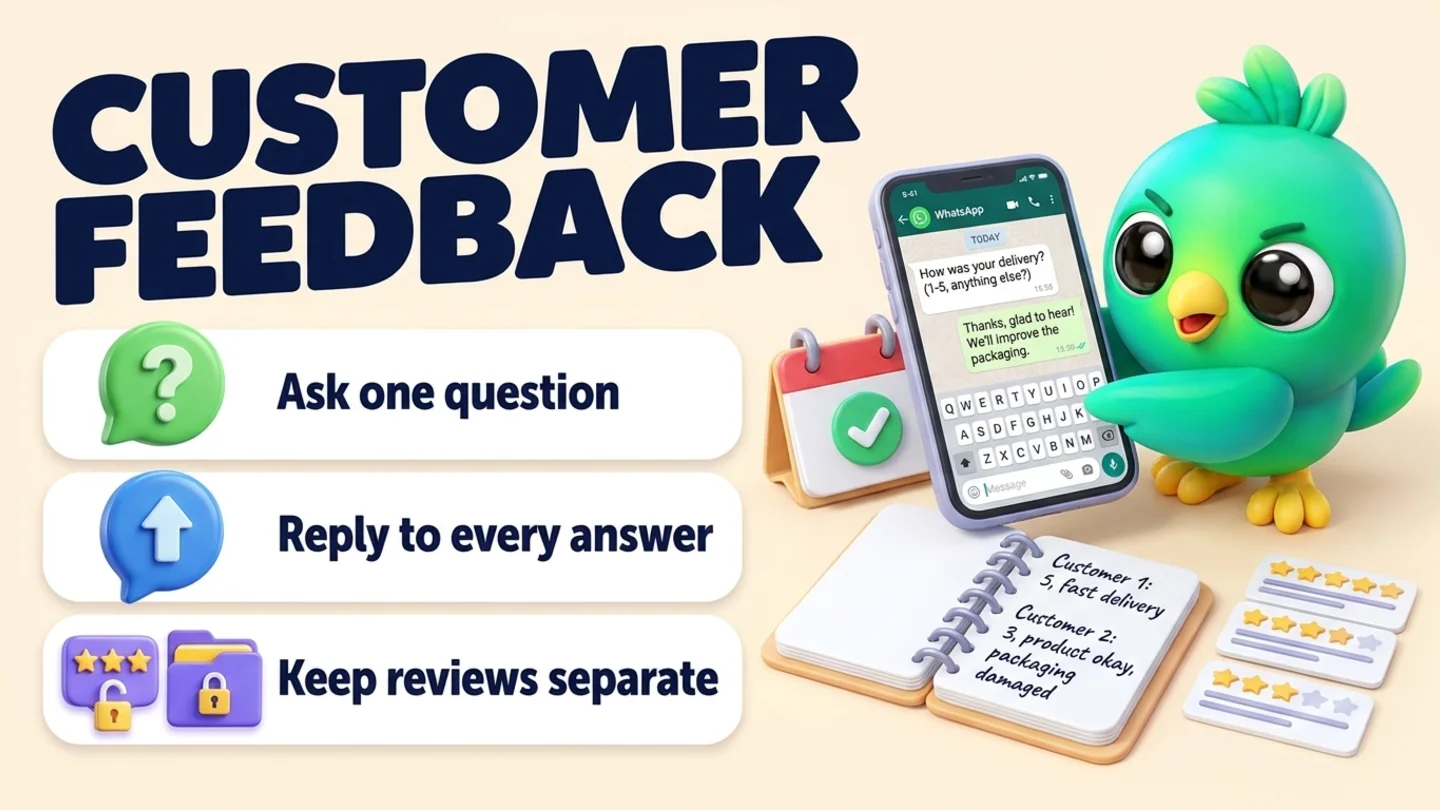
To collect customer feedback on WhatsApp, ask one short question in the chat you already have with the customer, at the same point for everyone: the day after delivery, later the same day a job is finished, or right after a support problem is resolved. Make it easy to answer with a number or one word, and add an open "anything we could do better?" for people who want to say more. Reply to every answer within a day, fix what you can, and write the answer down next to the customer so you can spot patterns each week. You don't need survey software or the WhatsApp Business API for this. The one rule to keep in mind: private feedback and public reviews are separate asks, and a customer's answer to your feedback question should never decide who gets your review link.
This post is part of our guide to WhatsApp CRM for small business. It picks up after the work is done: the order from confirming orders on WhatsApp has arrived, the visit from booking appointments on WhatsApp is over, or the problem from customer service on WhatsApp is fixed. If you want public reviews on Google, that is a different message with different rules, covered in asking for Google reviews on WhatsApp.
Last updated 13 October 2026. WhatsApp's Business Messaging Policy, WhatsApp Help Center pages, Meta's template categorization guidance, Google's Maps content policy and the FTC's consumer reviews Q&A were checked against each organization's own pages on that date. This is practical guidance, not legal advice.
Feedback and reviews are two different asks
Most "WhatsApp feedback" guides are written by API vendors and mix three things together: a satisfaction survey, a review request and a discount. For a small business those need to stay apart, because the goals and the rules are different.
| Private feedback | Public review | |
|---|---|---|
| Purpose | Find out what to fix or keep doing | Help the next customer decide |
| Who sees it | You | Anyone on Google |
| Where the answer lives | In the WhatsApp chat and your notes | On your Google Business Profile |
| What to ask | One specific question about their order or visit | An honest review, with no rating requested |
| Rules to know | WhatsApp messaging policy (opt-in, opt-out) | Google's review policy and the FTC's rule on consumer reviews |
| What goes wrong | Long surveys nobody answers, answers nobody reads | Gating, incentives, asking for five stars |
The two can meet in one message, and that is fine: the template in our review guide invites everyone to reply privately if something wasn't right, and sends the review link to everyone in the same message. What isn't fine is the order "ask how it went, then send the review link only to people who said great". Google's Maps content policy says merchants may not "selectively solicit positive reviews from customers", and the FTC's staff Q&A says asking only customers you think are happy could violate the FTC Act.
So pick one of two clean patterns:
- Combined: one message with a thank-you, an invitation to reply if anything was wrong, and the review link, sent to every customer.
- Separate: a private feedback question at one moment, and a review request at a later, fixed moment that every customer gets, whatever they answered. Customers who complained get the same review request once their problem is sorted.
The rest of this post is about the private feedback question.
The feedback routine in five steps
- Pick one moment in your process when every customer has had the full experience.
- Ask one question that can be answered in a few seconds.
- Send it in the existing chat, written like a person, not a system.
- Reply to every answer within a day, and fix what you can.
- Write it down and look at the answers once a week.
Step 1: Pick one moment for every customer
Feedback timing should come from your process, not your mood. If you only ask on good days, or only ask customers you like, your answers tell you less than you think.
| Business type | A consistent moment to ask | Why that moment |
|---|---|---|
| Online shop or home business | The day after the order is marked delivered | They have opened it, but haven't forgotten it |
| Service visit (cleaning, repair, installs) | Later the same day the job is marked done | The visit is fresh and the work is finished |
| Appointments (salon, coach, tutor, studio) | A few hours after the appointment or first session | They've experienced the service, not just the booking |
| Projects (photographers, contractors, agencies) | When you hand over the final files or finish the job | The result is in front of them |
| Support problem | Once you've marked the issue resolved and they've confirmed it | You're asking about the fix, not the problem |
| Lost quote | After they say no, or after your last follow-up | It's the only moment they'll tell you why |
For new long-term clients, add one check-in a couple of weeks into the work. Our guide to onboarding new clients on WhatsApp explains where that fits.
Note: WhatsApp's Business Messaging Policy says you may only contact people who gave you their number and opted in to hear from you, and that you must respect any request to stop, on or off WhatsApp. WhatsApp's help pages add that a customer messaging you first doesn't count as opt-in to future proactive messages. A feedback question fits naturally in a chat the customer started about their own order or booking, soon after it ends. Don't send a "how did we do?" blast to an old contact list.
Step 2: Ask one question that takes seconds to answer
The more you ask, the fewer people answer, and the more you have to read. Start with one closed question that gives you something to act on, then one optional open question. That is the whole survey.
| Format | Example | Good for | Watch out for |
|---|---|---|---|
| Number reply (1 to 5) | "Reply with a number from 1 (poor) to 5 (great)" | Quick, comparable answers over time | Tells you how they felt, not why |
| One word or emoji | "Reply 👍 or 👎" | Very short jobs, repeat customers | Hard to act on without a follow-up question |
| Yes / no on something specific | "Did everything arrive in one piece?" | Catching problems you can still fix | Only covers what you thought to ask |
| One open question | "What's one thing we could do better?" | The most useful answers | Fewer people reply; read every one |
| WhatsApp poll | A question with three or four tap-to-answer options | Choices like "on time / a bit late / very late" | See the note below |
| Link to a form | "If you have two minutes: [link]" | Longer questionnaires you really need | Most small businesses don't need one |
A good default for most small businesses is a 1 to 5 number reply plus the open question, sent as two lines of the same message.
About WhatsApp polls. WhatsApp's help page on polls (WhatsApp Web) says you open a chat, click the attach button and choose Poll. The question can be up to 255 characters, you can add up to 12 options of up to 100 characters each, and multiple answers are allowed by default, so turn off "Allow multiple answers" for a rating. You can edit the question within 15 minutes, and "View votes" shows the results. WhatsApp describes polls mainly as a group chat feature, so if Poll doesn't appear in a one-to-one chat on your device, a numbered text reply does the same job.
Questions that are worth asking, depending on the job:
- How did your order arrive? (shops)
- Did we leave everything the way you wanted? (home services)
- How did you feel about the result? (salons, coaches, studios)
- Was it easy to work with us? (projects and B2B)
- Is the problem fully sorted on your side? (support)
- Was it the price, the timing, or something else? (lost quotes)
Never ask for card numbers, ID numbers, health details or anything you'd be uncomfortable holding. WhatsApp's commerce policy guidance says businesses can't ask people to share full-length payment card numbers, financial account numbers, personal ID card numbers or other sensitive identifiers.
Step 3: Send it in the chat you already have
Keep it to two or three lines. Use their name, mention what they bought or booked, and make clear that a short answer is fine. Here are templates you can copy and adjust.
After a delivery
Hi [name], glad your [item] arrived. Quick question: how did the order go, from 1 (poor) to 5 (great)? And if there's one thing we could do better, I'd really like to hear it.
After a service visit
Thanks for having us today, [name]. Is everything the way you wanted? If anything isn't quite right, just reply here and we'll sort it.
After an appointment or session
Thanks for coming in today, [name]. How did you feel about [service], from 1 to 5? Any comment is welcome, good or bad.
After a project or for a B2B client
Now that [project] is wrapped up, could I ask one thing: what was the easiest part of working with us, and what was the hardest? Two lines is plenty.
After a support problem is resolved
Hi [name], I'm glad we got [issue] sorted. Is everything working on your side now? And was there anything about how we handled it that we should change?
After a lost quote
Thanks for letting me know, [name]. No pressure at all, but could I ask what made the difference: price, timing, or something else? It helps me improve.
The one reminder (two or three days later, only if there's no reply)
Hi [name], just bumping this in case it got buried. A number from 1 to 5 is plenty. And no worries if you'd rather skip it.
That is the whole sequence: one question and, at most, one reminder. Most people who don't answer are busy, not unhappy, so don't keep asking. If you want help with the wording, the free WhatsApp message templates tool has a ready-made "Ask for feedback" template in its "Reviews & thanks" category.
Tip: WhatsApp's help page on quick replies says the WhatsApp Business app stores up to 50 of them, and that media files aren't supported in quick replies on Web or Desktop. A feedback question is text only, so it makes a good quick reply on any device.
API users: what makes a feedback message utility or marketing
If you send feedback questions through the WhatsApp Business API, Meta's template categorization guidance lists "Feedback Surveys" as a utility use case only when the message relates to a specific previous order, transaction or engagement. It says a general or generic survey will not be approved as utility, and that a feedback survey with promotional content counts as marketing. Name the order or visit, and leave the discount code out. On the free WhatsApp Business app you are simply replying in an existing chat, so the same habit (specific, no promotion) keeps the message clearly about them.
Step 4: Reply to every answer within a day
Asking for feedback and then ignoring it is worse than not asking. Whatever they say, answer it, and when the answer points to a problem, fix it or say what you'll do.
| They say | What to do | What to reply |
|---|---|---|
| 5, or "all good" | Thank them, and note it | Thank you, [name], that's great to hear. Enjoy your [item]. |
| 4, or "good, but..." | Thank them, ask about the "but" if they didn't say | Thanks, [name]. Was there anything that would have made it a 5? |
| 3 or below | Apologize, ask what happened, offer a fix | I'm sorry it wasn't better, [name]. What went wrong? I'd like to put it right. |
| A specific complaint | Fix it if you can, explain if you can't | You're right, [issue] shouldn't have happened. I can [replace it / come back / refund the delivery fee]. Which would you prefer? |
| A suggestion | Thank them, say whether you'll try it | That's a good idea. We'll try [change] from next week. |
| Nothing | Leave it after one reminder | (no reply) |
A few things to keep out of these replies:
- Arguing. "That's not what happened" ends the conversation and the relationship. Ask questions first.
- Pushing a sale. A happy answer isn't a cue to pitch. If you have a referral or repeat-order routine, run it separately; our guides to asking for referrals and getting repeat customers on WhatsApp cover the timing.
- Turning it into a review gate. Your review request goes to every customer at its usual point, not just the ones who answered 5.
If an unhappy customer has already posted a public review, you can still contact them to fix the problem. The FTC's Q&A says the consumer reviews rule doesn't prohibit that, and our review guide has a short message for it. What the rule bans is using intimidation or groundless legal threats to get a review removed.
Step 5: Write it down and look for patterns
Feedback you don't record is feedback you'll forget. You don't need a survey dashboard. A few columns, or one line per customer, is enough.
| Record | Example | Why it matters |
|---|---|---|
| Date asked | 13 Oct | So you don't ask twice |
| Moment | Delivery / visit / support / lost quote | Lets you compare like with like |
| Answer | 4, "box was a bit squashed" | The raw answer, in their words |
| Theme | Packaging | What you'll count each week |
| Action | Sent replacement, switched to bigger boxes | Proves you closed the loop |
| Closed | Yes, 14 Oct | So nothing is left hanging |
Once a week, read the themes, not just the numbers. "Late delivery" three times in a week is a process problem. One harsh comment is a conversation. Fix the most common theme first, then tell the customers who raised it that you changed something. That message often matters more to them than the original apology.
Where to keep the record:
| Where | Good for | Watch out for |
|---|---|---|
| A sheet with the columns above | Shops that already track orders in a sheet | Easy to forget to update from the chat |
| A "Feedback asked" list (labels are now lists) in WhatsApp Business | Seeing at a glance who already got the question | Can't hold the score, theme or action |
| A pipeline stage plus a one-line note | Seeing "asked", "needs fix" and "closed" next to the chat | Needs a short daily check |
If you already use a board, add stages after your last delivery or service stage, such as Feedback asked → Needs fix → Closed, so open problems can't hide. Our free WhatsApp sales pipeline template has room for them, and WhatsApp labels vs a real CRM explains when lists stop being enough. If you track stage counts already, WhatsApp sales funnel metrics shows how to read them.
Quoting customer feedback on your website
Good feedback is tempting to reuse. Ask first ("Would you mind if I quoted this on our website, with your first name?"), quote it accurately, and keep the yes in your notes. The FTC's Q&A says a business that puts testimonials on its own website is disseminating them, not merely hosting them, and could be liable if they are fake or false. It also warns that using non-representative reviews in marketing could be deceptive. Never edit a quote to say more than the customer said.
Wording to avoid (and what to say instead)
| Avoid | Why | Say instead |
|---|---|---|
| "Rate us 5 stars!" | Leading; you learn nothing | "How did it go, from 1 to 5?" |
| "Were you happy? If yes, please review us on Google" | Review gating, which Google prohibits | Ask for feedback and send review requests to everyone separately |
| "Answer our survey and get 10% off" | Turns a feedback question into a promotion; on the API, Meta counts a feedback survey with promotional content as marketing | Ask without a reward |
| "Please complete our 10-question survey" | Few people finish it, and you won't read it all | One question plus one optional comment |
| "Dear valued customer" | Reads like a system message | Their name and what they bought |
| Three reminders in a week | Feels like spam and invites blocks or reports | One reminder, then stop |
| "Why did you give us a 2?" | Sounds defensive | "I'm sorry it wasn't better. What went wrong?" |
Where InboxCRM fits
InboxCRM is a WhatsApp CRM Chrome extension for WhatsApp Web. It isn't a survey tool: it has no forms, doesn't calculate satisfaction scores and doesn't post to Google. It helps when you already talk to customers in WhatsApp Web and want the feedback question to go out at the same point for everyone, with the answer and the fix recorded next to the chat, without the WhatsApp Business API.
- Feedback stages on your board. Add stages such as Feedback asked, Needs fix and Closed to a pipeline board, then move chats with "Move to stage" in the chat tools panel or right-click "Add to CRM stage…". A stage chip shows next to the chat in your chat list, so open problems stay visible. The CRM pipeline guide shows the setup, or try the interactive pipeline tutorial first (fictional data; nothing is sent).
- The same question for everyone, on a timer. A follow-up rule can watch your Delivered or Done stage and send your feedback question after a delay you choose, for example 1 day with "On funnel entry". Each rule sends to a chat only once, and because it fires for every chat in the stage, it removes the temptation to pick and choose. "Stop if chat changed stage" skips chats you've already moved on. If you tick "Stop if chat replied", the rule skips customers who wrote back after entering the stage, so ask those customers by hand once their conversation is wrapped up. The follow-up guide and follow-up tutorial walk through it.
- Your questions as quick replies. Save each version (delivery, visit, support, lost quote) once, then use "Insert into message box" to add the item name before sending. See the quick replies guide.
- Answers next to the chat. Write "13 Oct: 4/5, box squashed, replacement sent" in the Notes tab, and use tags or custom fields if you want the theme in one place. See the chat tools panel guide.
- A nudge to close the loop. A Notifications reminder with a linked contact shows a Chrome notification for you and sends nothing to the customer, which suits "check the replacement arrived on Friday". See the notifications guide.
- Stage counts at a glance. The sales funnel dashboard counts how many chats sit in each stage of a board, and "Export to Excel" downloads those counts as a CSV. It counts chats per stage; it doesn't average your 1 to 5 answers, so keep scores in your notes or a sheet.
Honest limits: follow-up rules only send while Chrome is running with WhatsApp Web open, and they aren't paced by the campaign sending-safety layer, so keep the rule to customers you actually served. CRM records are stored in Chrome on your device (chrome.storage.local), not on an InboxCRM server, and they don't show in the WhatsApp mobile app. Our post on where WhatsApp CRM data is stored explains the local-first model. InboxCRM is a single-user extension, not a shared team inbox. If that fits how you work, you can add InboxCRM to Chrome.
Mistakes that make feedback useless
- Asking only when things went well. You'll feel better and learn nothing. Ask everyone at the same point.
- Asking and never replying. A customer who says "it was late" and hears nothing back now has two complaints.
- Long surveys. If you need ten questions, you probably need a phone call with three customers instead.
- Blasting old contacts. A "how did we do?" message to someone who bought a year ago is a cold message. For people who drifted away, reactivating cold WhatsApp leads is the better playbook, and our WhatsApp opt-in guide and broadcast limits explain the rules for anything wider.
- Bundling it with an offer. Keep the feedback question on its own, as you would with delivery updates.
- Not asking lost leads. The most useful feedback often comes from people who said no. Script 16 in our follow-up message templates is a good way to ask.
Frequently asked questions
How do I ask customers for feedback on WhatsApp?
Send one short question in the chat you already have, at a fixed point after the order, visit or support case, such as "How did it go, from 1 to 5?" plus an optional "anything we could do better?". Reply to every answer within a day, send at most one reminder, and record the answer next to the customer.
Can I send a feedback survey on WhatsApp without the API?
Yes. On the WhatsApp Business app or WhatsApp Web you can ask in the customer's chat, use a numbered reply, or create a WhatsApp poll. On the WhatsApp Business API, Meta treats a feedback message about a specific order or interaction as utility, while a generic survey or one with promotional content is not approved as utility.
Should I use a 1 to 5 rating or an open question?
Both, in one message: the number gives you something to compare week to week, and the open question tells you why. If you can only ask one thing, ask the open question about something specific, such as "Did everything arrive in one piece?"
Can I offer a discount for answering a feedback survey?
It's better not to. A reward turns the question into a promotion, and on the API Meta counts a feedback survey with promotional content as marketing. If you also ask for Google reviews, never offer anything for those: Google prohibits incentives for reviews.
Can I only send my Google review link to customers who gave good feedback?
No. That is review gating. Google's policy says businesses may not selectively solicit positive reviews, and FTC staff say asking only customers you think are happy could violate the FTC Act. Send your review request to every customer at the same point, whatever they told you privately.
Sources
- WhatsApp Business Messaging Policy (last updated 23 September 2026), WhatsApp, checked 13 October 2026
- How to comply with the WhatsApp Business Messaging and Commerce policies, WhatsApp Help Center, checked 13 October 2026
- How to use polls, WhatsApp Help Center (Web), checked 13 October 2026
- How to use quick replies, WhatsApp Help Center, checked 13 October 2026
- How to use labels (labels are now lists), WhatsApp Help Center, checked 13 October 2026
- Template categorization, Meta for Developers, checked 13 October 2026
- Prohibited & restricted content (Fake & Misleading Content & Reviews), Maps User Generated Content Policy Help, checked 13 October 2026
- The Consumer Reviews and Testimonials Rule: Questions and Answers, Federal Trade Commission, checked 13 October 2026
InboxCRM is a WhatsApp CRM for WhatsApp Web. Pipeline, notes, follow-ups and quick replies beside every chat, with your CRM data kept in your browser.
Add InboxCRM to Chrome