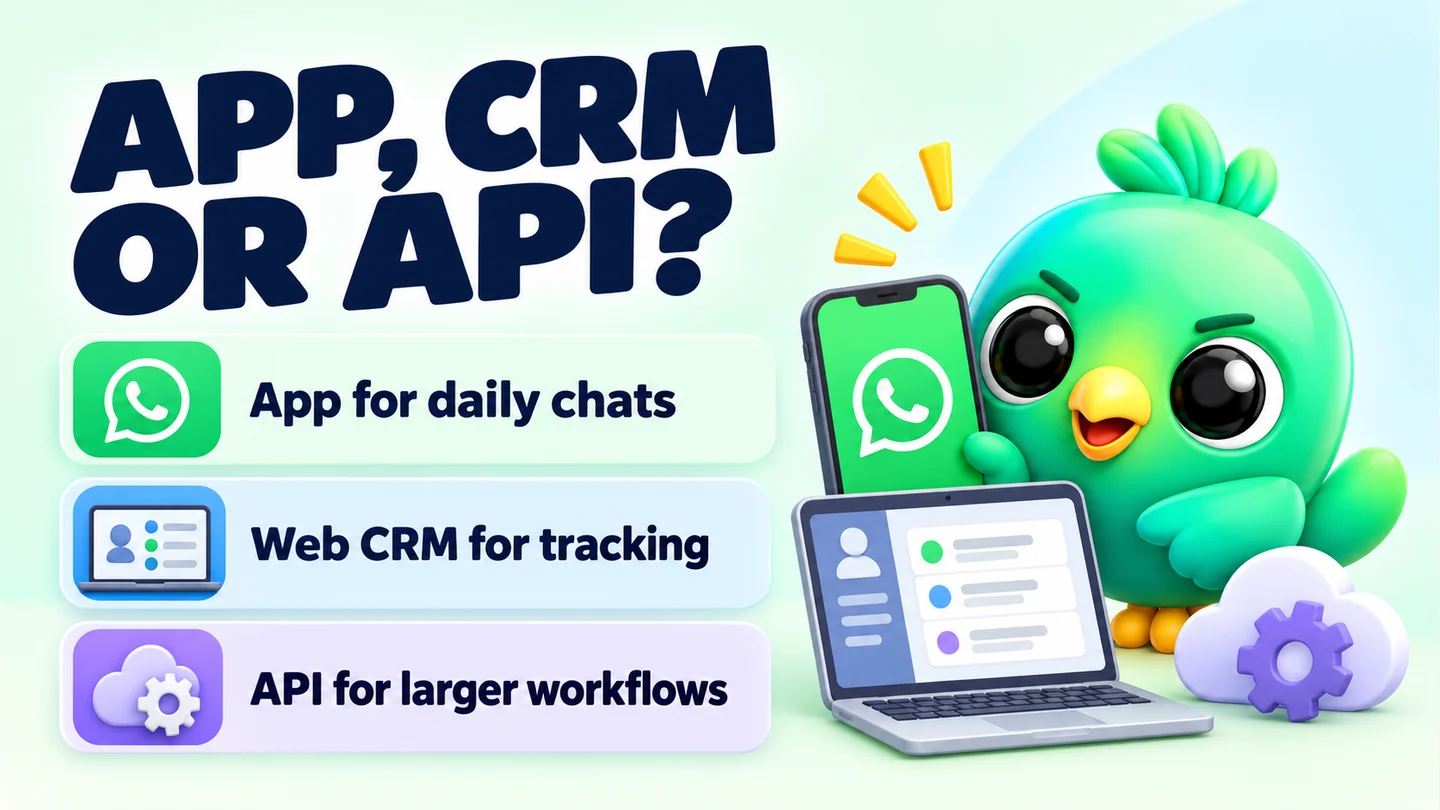
For most 1–3 person businesses, the WhatsApp Business app is the better starting point. It's free to download, works on your phone and on WhatsApp Web, and covers day-to-day selling. The WhatsApp Business API is worth it when several people must answer one number, messages need to send while nobody's online, or you regularly message customers who haven't written to you recently, and you accept per-message charges and template approvals in return.
There's also a third option that many small sellers miss: keep the app, and add a CRM layer on WhatsApp Web. We explain all three in our WhatsApp CRM guide for small business. This post goes deeper on the app vs API decision.
Last updated 23 September 2026. API pricing, template and limit rules were checked against Meta's developer documentation on that date. Meta changes rates and rules often, so check the linked pages before you decide.
The short comparison
| WhatsApp Business app | WhatsApp Business API (Cloud API) | |
|---|---|---|
| Who it's built for | Small business owners | Businesses connecting WhatsApp to their own software or a provider's platform |
| How you use it | Phone app, plus up to four linked devices such as WhatsApp Web | Through a provider's inbox or your own integration; no standard app screen |
| Setup | Download, verify your number, fill in your profile | Meta business portfolio, app and WhatsApp Business account, or sign-up through a provider |
| Cost | Free to download; some countries offer paid marketing messages | Charged per delivered template message, plus any provider fees |
| Replying to customers | Free | Free inside the 24-hour customer service window |
| Messaging people who haven't written recently | Normal chats, and broadcast lists to people who saved your number | Only with pre-approved templates |
| Team use | Up to four linked devices plus the phone, no assignment tools | Built for many agents, with assignment in most provider inboxes |
| Automation | Greeting and away messages, quick replies | Chatbots and integrations through your provider or your own code |
| Runs when you're offline | No; even greeting messages need your device to be online | Yes, it's server-based |
What the WhatsApp Business app gives you
The WhatsApp Business app is free to download on Android and iPhone. On top of normal WhatsApp it adds a business profile and tools for sorting and answering chats. The headline limits, from WhatsApp's own help pages:
- Labels (being replaced by lists): up to 20
- Quick replies: up to 50 stored, with media supported on the phone but not on WhatsApp Web or Desktop
- Broadcast lists: messages reach only people who've saved your number in their contacts
- Linked devices: up to four plus the phone; they log out if the phone is unused for more than 14 days, and broadcast lists aren't available on linked devices
- Greeting and away messages for first contact and out-of-hours
Some countries also have paid marketing messages in the app (being renamed "business broadcasts"), where you pay for each message delivered. Availability is limited, so check the help page for your country.
For a solo seller who mostly replies to customers, this is often all you need. The gaps are organisational: there's no pipeline, no reminders and no reports. We cover those in WhatsApp labels vs a real CRM.
What the WhatsApp Business API actually is
Meta now calls it the WhatsApp Business Platform. Its messaging part is the Cloud API, which lets software send and receive WhatsApp messages. There's no WhatsApp-made app screen for it. You use it in one of two ways:
- Through a provider. Meta calls these Solution Partners. They handle setup and give you an inbox, chatbot builder and broadcast tools, and some also bill you directly.
- Directly. Meta's documentation says you can build on the Cloud API yourself if you're making an app for your own business. This needs a developer.
What onboarding involves
The exact steps depend on your provider, but Meta's own getting-started guide covers these basics:
- A business portfolio. Meta says you must have one to use the platform.
- An app and a WhatsApp Business account connected to that portfolio. A provider usually does this for you through a sign-up flow.
- A phone number registered to the platform.
- Access tokens and webhooks so software can send messages and receive replies.
- Approved message templates before you can start conversations (more on this below).
Business verification is optional to begin with, but it affects your sending limits.
How API pricing works (the model, not the rates)
Meta changed the pricing model on 1 July 2025. Before that, businesses were charged per conversation. Now Meta charges per delivered template message.
Here's how the model works in plain terms:
- Templates cost money; replies usually don't. You're charged when a template message is delivered. Normal (non-template) replies sent inside the customer service window are free.
- Price depends on category. Every template is classed as marketing, utility (such as an order update) or authentication (such as a login code). Each category has its own rate.
- Price depends on the customer's country. Rates are set by the country calling code of the recipient's number, so messaging customers in two countries means two sets of prices.
- Some templates are free in the window. Utility templates delivered inside an open customer service window aren't charged.
- Ads can open a free period. When a customer messages you from a Click to WhatsApp ad, Meta opens a 72-hour free entry point window in which messages, including templates, aren't charged.
- Volume tiers. Businesses sending a lot of utility and authentication templates can get lower rates, based on volume across the portfolio.
- Provider fees are separate. Meta's pricing page covers message charges only. Most providers add their own subscription or fees. Check both before you compare costs.
We haven't quoted rates here on purpose. They vary by country and category, and Meta updates its rate cards regularly. Use Meta's current pricing page and your provider's price list for real numbers.
What this means for a small business
If your customers almost always message you first (from Instagram, a website button or a flyer), most of your API traffic would be free replies inside the window. The costs come from starting conversations: reminders, offers, "your order has shipped" updates sent after the window closes. Weigh those charges against the provider's own fees.
Templates and the 24-hour window
When a customer messages you, a 24-hour customer service window opens. Each new message from them resets it to 24 hours. While it's open, you can send anything: text, photos, voice notes. Once it closes, you can only send pre-approved templates.
Templates are fixed messages with blanks for details like names and order numbers. Meta reviews each one when you create it, and says review usually takes up to 24 hours. Templates can be rejected if they break policy, and approved templates can be paused if customers give negative feedback or read rates are low.
In practice, that means:
- A friendly "Hi Amal, just checking you got the photos?" two days after a quote needs to be an approved template on the API. On the app, you just type it.
- Your follow-up scripts need to be written, submitted and approved in advance.
Sending limits on the API
The API limits how many different people you can start conversations with. Meta calls this a messaging limit: the number of unique people you can deliver messages to outside a customer service window in a rolling 24 hours.
- New business portfolios start at 250.
- You can raise it to 2,000 by verifying your business, having a partner verify it, or sending enough high-quality templates within 30 days.
- After that, Meta raises the limit automatically based on quality and usage.
The limit is shared by every number in the business portfolio.
Can you keep the app and use the API on the same number?
Partly. Meta now lets providers onboard an existing WhatsApp Business app number to the Cloud API, a setup often called coexistence. You keep chatting one-to-one in the app, a provider's tools send at scale, and message history syncs between them.
There are trade-offs. You need WhatsApp Business app version 2.24.17 or later and a provider that supports it. Some app features switch off after onboarding, including broadcast lists, disappearing messages and view-once messages in one-to-one chats. Read Meta's coexistence page, and ask your provider what changes, before you connect.
What a 1–3 person business actually needs
These examples are illustrations, not real customers:
| Business | How customers reach them | Likely fit |
|---|---|---|
| Home cake seller, ten orders a week | Customers message first from Instagram | Business app |
| Real estate agent, 60 active buyers | Enquiries from listings; lots of follow-up | App plus a CRM layer on WhatsApp Web |
| Phone shop with two staff | Walk-ins and click-to-chat links | App on phone plus linked devices, maybe a CRM layer |
| Online store, 200 orders a day | Checkout updates and delivery notices | WhatsApp Business API |
| Clinic with five receptionists | Appointment reminders to every patient | WhatsApp Business API |
If you mostly reply and one person handles most chats, the app wins on cost and simplicity. If you mostly send automated messages to lots of people, or need a real team inbox, the API is built for that.
The third option: the app plus a CRM on WhatsApp Web
Most small sellers who look at the API aren't after automation at scale. They want organisation: a pipeline, notes, reminders, saved replies and a count of how many enquiries turned into sales. Those don't require the API.
A CRM layer on WhatsApp Web adds them to the account you already use. You open WhatsApp Web on a laptop, and a browser extension adds a pipeline board, notes and follow-ups beside your chats. You keep your number, your chat history and the free app.
The honest trade-offs:
- It's unofficial. Extensions aren't made or approved by WhatsApp, and WhatsApp's Terms of Service forbid bulk messaging and auto-messaging. Features that only organise your chats don't send anything for you. Automated sending always carries some risk of restrictions, however carefully it's paced.
- It needs your computer on. Scheduled or automated messages send only while the browser is open with WhatsApp Web loaded.
- It suits one person at a desk. It isn't a replacement for a team inbox.
- Extensions vary. Check where each one stores your customer data before installing.
For a step-by-step version of this setup, read how to manage leads on WhatsApp without the Business API, then build a routine with our daily WhatsApp Web sales workflow.
Rules that apply to both
WhatsApp's Business Messaging Policy covers the Business app and the Business Platform alike. You may only message people who have given you their number and agreed to hear from you, and you must respect requests to stop. Whichever option you choose, make it easy for customers to start the conversation. A free WhatsApp link generator creates a click-to-chat link with a pre-filled message you can put in your Instagram bio or on your website.
Where InboxCRM fits
InboxCRM is a WhatsApp CRM that runs as a Chrome extension inside WhatsApp Web. It's built for the third option: keep your WhatsApp account, skip the API, and add a pipeline, contact notes, follow-up rules, quick replies with media, scheduling and funnel reports. Your CRM records stay in Chrome's local storage on your device.
It needs Chrome running with WhatsApp Web open for scheduled messages, follow-ups and campaigns to send, and it's a single-user tool, not a shared team inbox. Campaign sending is paced with delays, caps (40 an hour and 250 a day by default), quiet hours and warm-up mode to reduce, not remove, the risk of restrictions. Follow-up rules and scheduled messages aren't paced by those controls. If you need a team inbox or high-volume automated messages, the API is the better fit. The compare page shows what InboxCRM adds to plain WhatsApp, and the CRM pipeline guide shows how to set up your first board.
Frequently asked questions
Is the WhatsApp Business API free?
No. Meta charges per delivered template message, with rates that depend on the message category and the recipient's country. Replies inside the 24-hour customer service window are free, and most providers charge their own fees on top.
Can I use the WhatsApp Business API without a provider?
Yes. Meta's documentation says businesses building an app for their own use can follow the Cloud API getting-started guide directly. You'll need someone who can work with APIs and webhooks.
Can I use the same number on the WhatsApp Business app and the API?
Yes, through Meta's coexistence onboarding with a supporting provider. Some app features, such as broadcast lists, are switched off afterwards, so check Meta's page and ask your provider first.
Do I need the API to message lots of customers?
Not always. The app's broadcast lists reach contacts who have saved your number, and some countries have paid marketing messages in the app. For regular high-volume messages to people who haven't written recently, the API's template system is designed for it. Either way, only message people who have opted in.
Sources
- About WhatsApp Business — WhatsApp Help Center, checked 23 September 2026
- How to use labels — WhatsApp Help Center, checked 23 September 2026
- How to use lists — WhatsApp Help Center, checked 23 September 2026
- How to use quick replies — WhatsApp Help Center, checked 23 September 2026
- How to use broadcast lists on the WhatsApp Business app — WhatsApp Help Center, checked 23 September 2026
- About linked devices on the WhatsApp Business app — WhatsApp Help Center, checked 23 September 2026
- How to use greeting messages — WhatsApp Help Center, checked 23 September 2026
- How to use away messages — WhatsApp Help Center, checked 23 September 2026
- About marketing messages — WhatsApp Help Center, checked 23 September 2026
- WhatsApp Business Messaging Policy — WhatsApp, checked 23 September 2026
- WhatsApp Terms of Service — WhatsApp, checked 23 September 2026
- About the WhatsApp Business Platform — Meta for Developers, checked 23 September 2026
- WhatsApp Cloud API: Get started — Meta for Developers, checked 23 September 2026
- Solution Partner overview — Meta for Developers, checked 23 September 2026
- Pricing on the WhatsApp Business Platform — Meta for Developers, checked 23 September 2026
- Send messages (customer service window) — Meta for Developers, checked 23 September 2026
- Message templates — Meta for Developers, checked 23 September 2026
- Messaging limits — Meta for Developers, checked 23 September 2026
- Onboard WhatsApp Business app users (coexistence) — Meta for Developers, checked 23 September 2026
InboxCRM is a WhatsApp CRM for WhatsApp Web. Pipeline, notes, follow-ups and quick replies beside every chat, with your CRM data kept in your browser.
Add InboxCRM to Chrome