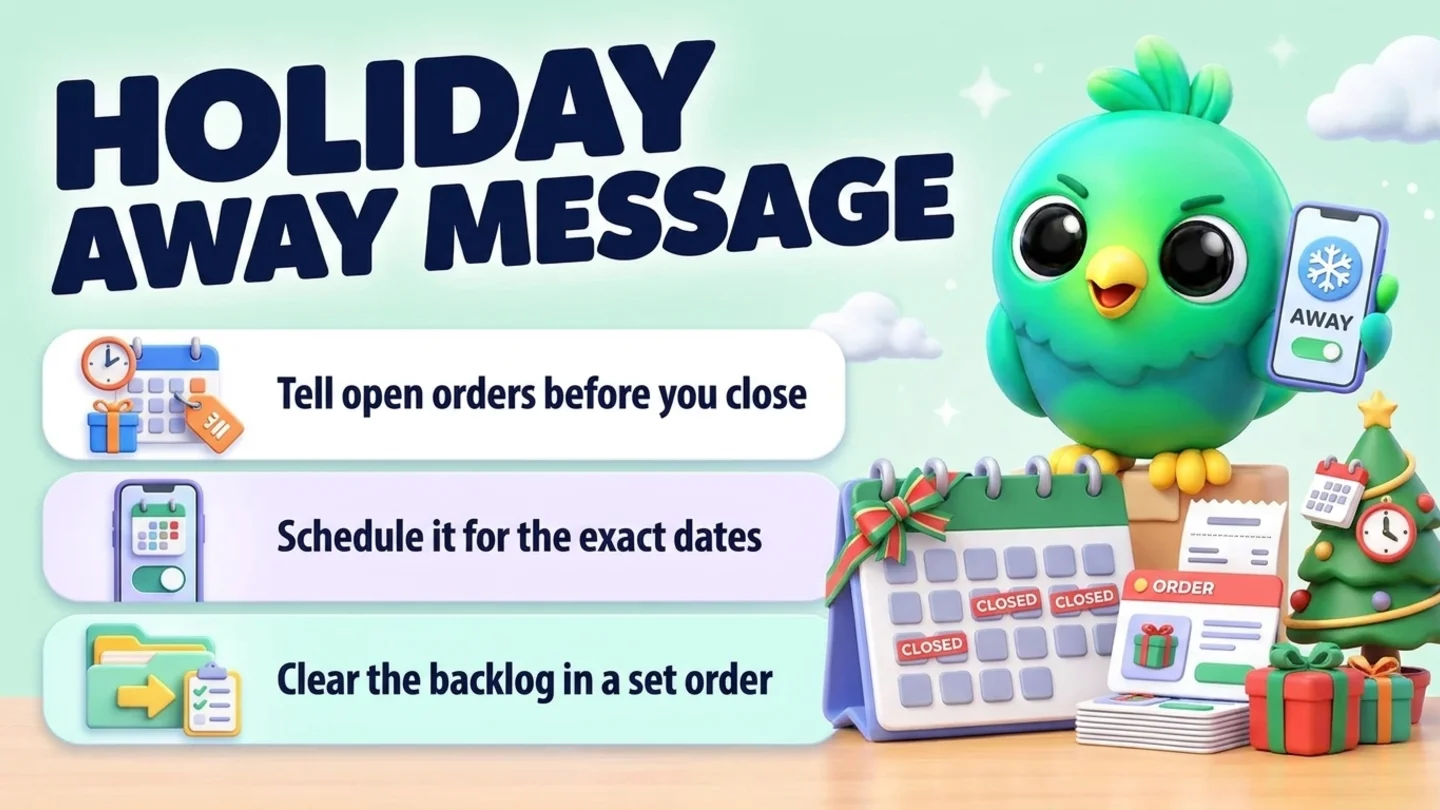
A good WhatsApp holiday away message says four things in a few lines: the dates you are closed, the day and time you will reply again, what happens to orders or bookings in between, and where to go if something is urgent. In the WhatsApp Business app you set it under Tools, Away message, and choose a Custom schedule so it only runs for the closure dates. The message is only half the job, though. Tell the customers with open orders and bookings before you close, and when you reopen, answer the backlog in a fixed order instead of from the top of the chat list. You do not need the WhatsApp Business API or a chatbot for any of this.
This post is part of our guide to WhatsApp CRM for small business. Everyday reply times and after-hours messages are covered in WhatsApp customer service without a help desk. This post is about the days you are fully closed or on reduced hours, such as Thanksgiving, Christmas and New Year.
Last updated 22 October 2026. WhatsApp Help Center pages on away messages, greeting messages, business profiles and Status, the WhatsApp Business Messaging Policy, and the US Office of Personnel Management federal holiday schedule were checked on their own pages on that date. Your closure dates are your own choice; federal holidays are only a guide to when customers expect businesses to close.
What a holiday away message has to do
Most holiday auto-replies say "we are closed, happy holidays" and stop. That is friendly, but it leaves the customer guessing. Each line below answers a question they would otherwise send you.
| Part | Why it matters | Example wording |
|---|---|---|
| Closed dates | "Closed for the holidays" can mean one day or two weeks | Closed Thursday 26 November |
| Return day and time | Tells people when to expect an answer, so they do not message three times | We reply from Friday 27 November at 9am ET |
| Orders and bookings in the gap | The question most people actually have | Orders placed today ship on Monday |
| Urgent route | Gives a real emergency somewhere to go, and keeps everything else in the chat | For a problem with an order already delivered, email [address] |
| Something to do now | Optional. A link that answers the common question | Gift cards and opening hours: yourshop.com |
Keep it short enough to read in the chat preview. The closed dates and return day go first, because that is what most people need.
US holiday dates to plan around in 2026 and 2027
These are the federal holidays most US customers expect small businesses to close or shorten hours for this season, from the Office of Personnel Management's published schedule.
| Holiday | Date | Planning note |
|---|---|---|
| Thanksgiving Day | Thursday 26 November 2026 | Black Friday is the next day, so a one-day closure is common |
| Christmas Day | Friday 25 December 2026 | Many small businesses also close Christmas Eve or the week after |
| New Year's Day | Friday 1 January 2027 | Often part of a longer closure from Christmas |
The days around them are not federal holidays, but they shape what customers ask. Gift orders peak before Christmas, so the most important line in a December away message is often your last order date for delivery before the 25th. Check your carrier's published holiday shipping dates and add your own packing time before you choose that date. If you run a Black Friday sale, our Black Friday WhatsApp campaign plan covers the sale weekend itself.
Step 1: Decide your hours and the rules for the gap
Write these down before you write any message. The away message is just the short version of this list.
- Closed dates and reduced-hours days. For example: closed 25 December to 1 January, open 10am to 2pm on 24 December.
- Return day and time. The first day you will actually read messages, not the first day the shop opens if you need a morning to catch up.
- Order and booking cut-offs. Last day to order for delivery before Christmas, last pickup slot, last booking you will confirm before you close.
- What happens to things in progress. Paid orders that ship after you reopen, bookings that fall during the closure, refunds that will wait.
- What counts as urgent, and who handles it. A delivered order that arrived broken may be urgent. A price question is not. If nobody is covering, say so honestly and give an email address you will check when you are back.
- Who will look at WhatsApp at all. If you plan to check once a day, decide when, and stick to it.
If you take pre-orders for holiday collection, settle the cut-off and pickup slots first; taking pre-orders on WhatsApp covers caps, deposits and pickup days.
Step 2: Tell the right people before you close
The away message only reaches people who write to you during the closure. The customers who need to know most are the ones you already owe something.
First, everyone with something open. Message each customer with a paid order, a pending delivery, a booking near the closure dates or an open problem, one chat at a time. One short message per chat is enough:
Hi [name], a quick note before the holidays: we are closed from [date] to [date]. Your order [number] ships on [date], and we reply to messages again from [date] at [time]. If anything changes before then, we will tell you here.
Then, customers who come to you in general. Post your holiday hours to WhatsApp Status. WhatsApp's Help Center says Status updates disappear after 24 hours, so post a fresh one on each of the few days before you close rather than once a week ahead. Update the description in your business profile too; WhatsApp notes that an accurate profile reduces how many people message you just to ask your hours.
A message to your whole list only if they asked for updates. WhatsApp's Business Messaging Policy says you may only contact people who have given you their number and opted in to hear from you. A holiday-hours announcement to customers who agreed to updates is fine; a message to every number in your phone is not. Our posts on WhatsApp opt-in without the API and WhatsApp broadcast limits explain what counts as permission and how far a broadcast list reaches.
Note: The business hours editor in the WhatsApp Business app works by day of the week (selected hours, always open or by appointment). WhatsApp's Help Center does not describe a separate holiday-hours setting, so a one-off closure is easier to handle with the away message's custom schedule than by editing your weekly hours and forgetting to change them back.
Step 3: Schedule the away message for the closure dates
According to WhatsApp's Help Center, the steps in the WhatsApp Business app are:
- Open the Tools tab and tap Away message.
- Turn on Send away message.
- Tap the message to edit it, then tap OK.
- Tap Schedule and choose Custom schedule, which sends only during the period you set. The other options are Always send and Outside of business hours (which needs business hours in your profile).
- Tap Recipients and choose Everyone, Everyone not in address book, Everyone except… or Only send to…. For a closure, Everyone is usually right, because regular customers need the dates too.
- Tap Save.
Two details matter more over the holidays than on a normal evening:
- Your phone must stay online. WhatsApp says your device needs an active internet connection to send away messages. A phone switched off in a drawer for a week sends nothing.
- Switch back afterwards. If you normally use "Outside of business hours", that schedule is replaced while the custom one is set. Put a reminder in your calendar for the morning you reopen to set it back, and check the text no longer mentions the holiday.
If you also use a greeting message, WhatsApp sends it to customers who message you for the first time, or after 14 days without activity in their chat. During a closure a new customer can get both. Read the two together and make sure they do not contradict each other, for example a greeting that promises "we reply within the hour".
Holiday away message templates to copy
Replace everything in brackets. Write the dates out in full and add your time zone, because "back Monday" is unclear when the message is read on Sunday night in another state.
Thanksgiving, one-day closure
Thanks for your message. We are closed for Thanksgiving on Thursday 26 November and reply again from Friday 27 November at [9am ET]. Orders placed today ship on [date]. Happy Thanksgiving!
Christmas to New Year closure
Happy holidays from [business name]. We are closed from [Thursday 24 December] to [Friday 1 January] and back on [Monday 4 January] at [9am ET]. Your message is saved and we will answer it then. Orders placed now ship from [date].
Reduced holiday hours
Holiday hours: we are open [10am to 2pm ET] on [24 and 31 December] and closed on [25 December and 1 January]. We reply to messages during open hours, and normal hours return on [date].
Gift order cut-off
Ordering a gift? The last day to order for delivery before Christmas is [date] with standard shipping. Orders after that ship on [date]. We are replying more slowly until [date], usually within [a day].
Bookings and appointments
We are closed from [date] to [date]. If you have a booking on [date], it is still confirmed. To book a new appointment, send the service and two times that suit you and we will confirm on [date].
Solo owner on vacation
Hi, it is [name]. I am away from [date] to [date] and not checking messages. I will reply from [date]. If your order arrived damaged, send a photo here and I will sort it first when I am back.
Urgent route without promising cover
We are closed until [date] at [time]. If you have a problem with an order you have already received, email [address] and include your order number. Everything else, leave it here and we will reply in the order we received it.
Back from the holidays (to send yourself, not automatic)
Hi [name], we are back and catching up on messages. Thanks for waiting. About your question on [topic]: [answer].
If you want more wording for everyday auto-replies, the free WhatsApp message templates tool has ready-made texts you can edit.
Step 4: During the closure, check on purpose or not at all
The most common holiday mistake is half-replying from the sofa. A quick "yes, sure!" at 11pm becomes a promise nobody wrote down, and it tells the customer the away message was not true.
- If you check, check at a set time, once a day, and only for urgent problems you named in Step 1.
- Acknowledge, do not solve. "Got it, we will sort this on [date]" is enough. Then mark the chat as unread or add it to your catch-up list so it is not lost.
- Do not take new orders you cannot confirm. If someone wants to buy, tell them the day you will confirm stock and payment.
- Do not send promotions during the closure. A sale message on Christmas Day to people who asked for opening hours is a fast way to get reported.
Step 5: Clear the backlog in a fixed order when you reopen
On the first morning back, the chat list will be sorted by whoever wrote last. That is the wrong order. A customer whose gift arrived broken on 26 December has waited longer and matters more than today's "are you open?". Work through the backlog in this order instead.
| Order | Who | First reply |
|---|---|---|
| 1 | Problems with orders already paid or delivered | Acknowledge, apologise for the wait, say what happens next and when |
| 2 | Bookings or pickups in the next few days | Confirm or rebook before the day arrives |
| 3 | People ready to buy or book | Answer the question and give the next step to order or book |
| 4 | New questions and leads | Answer, then qualify as you normally would |
| 5 | Thanks, greetings and messages with nothing to do | A short reply, or none if nothing was asked |
Three habits make the catch-up faster:
- Sort first, reply second. Spend the first part of the morning putting every chat that arrived during the closure into one of the five groups. Then reply group by group. You will answer the urgent ones hours earlier than if you work top to bottom.
- Reuse your answers. Most holiday questions repeat: hours, shipping dates, gift returns. Save the answers as quick replies before you close, so the catch-up is mostly editing, not typing.
- Write down what you promised. Every "we will ship on Tuesday" or "we will refund by Friday" goes on the order or the customer record, not just in the chat. If returns arrive in January, handling returns and exchanges on WhatsApp has the intake message and a holiday gift returns plan.
For the general habit of giving every open conversation a status, see Step 2 of our customer service post, and for sales chats, managing WhatsApp leads without the API.
Where InboxCRM fits
InboxCRM is a WhatsApp CRM Chrome extension for WhatsApp Web. It does not replace the WhatsApp Business app's away message for a closure, because it works only while your computer is on with Chrome and WhatsApp Web open. It helps with the parts around the closure: telling the right customers, remembering what to switch back, and clearing the backlog in order.
- A catch-up board for the first morning back. Create a board with stages such as "Came in while closed", "Urgent", "Ready to buy", "Replied" and "Done", and move chats with "Move to stage" in the chat tools panel. A stage chip shows next to each chat in the chat list. The board's "Inbox" view lists chats with filter chips, including "Unassigned", which helps you spot chats you have not sorted yet. See the CRM pipeline guide.
- Pre-closure messages lined up in advance. From inside a chat, "Schedule message" sends a one-off message to that customer at the date and time you choose, such as the note to customers with open orders. Scheduled status posts can put your holiday hours on Status the evening before. Both send only while Chrome is running with WhatsApp Web open, so schedule them for days you are at your computer. If a message should not go out late, tick "Send only when WhatsApp is open (5-min grace)" so it is marked "Missed" instead. See the scheduling guide.
- Reduced hours while you are at the desk. On days you work at the computer, an Auto-attendance rule with the "Business hours" trigger set to an evening window, plus "Fire only once per chat", can send your holiday-hours note after you stop for the day. Use one source for automatic replies, the phone app or the extension, so customers do not get two. See the auto-reply guide.
- Holiday answers in a click. Save your hours, cut-off and "we are back" texts as quick replies before you close. "Insert into message box" drops the text into WhatsApp so you can add the customer's name and order first. See the quick replies guide.
- Reminders that send nothing. A reminder in Notifications for the morning you reopen, such as "switch the away message back to outside business hours", shows as a Chrome notification and sends nothing to customers. See the notifications guide.
- What you promised, beside the chat. Write the ship date or refund date in the Notes tab so it is there when the customer asks again. See the chat tools panel guide.
- Holiday-hours news to people who asked for it. Campaigns send to a list you supply of people who opted in, with randomised delays and hourly and daily caps. Scheduled messages and follow-up rules are not paced by that layer. See the campaigns guide.
Honest limits: InboxCRM cannot send anything while your computer is off or Chrome is closed, so it is not an away message for a closed week. CRM records stay in Chrome on your device (chrome.storage.local), not on an InboxCRM server, and they do not appear in the WhatsApp mobile app. It is a single-user extension, not a shared team inbox, so it will not route holiday cover to a colleague. If that fits how you work, you can add InboxCRM to Chrome.
Mistakes that cost customers over the holidays
- No return date. "Closed for the holidays" without a date makes people message again, or buy elsewhere.
- Forgetting the customers you owe. The away message does not reach people who do not write in. Message open orders and bookings first.
- An away message that never switches off. Set a custom schedule, and a reminder to switch back.
- A phone switched off for the week. The away message needs the phone online to send.
- Half-replies at midnight. Acknowledge and park the chat, or do not reply until you are back.
- Holiday promotions to everyone. Only message people who opted in, and never during your own closure.
- Answering the backlog from the top. Sort first, then reply to paid problems and near bookings before new questions.
Frequently asked questions
What should a WhatsApp holiday away message say?
The dates you are closed, the day and time you will reply again, what happens to orders or bookings in between, and where to go if something is urgent. Put the dates and return day first so they show in the chat preview, and add your time zone.
How do I schedule an away message for specific dates on WhatsApp Business?
In the WhatsApp Business app, open Tools, tap Away message and turn on Send away message. Edit the text, tap Schedule and choose Custom schedule, then set the period you are closed. Choose the recipients and tap Save. Your phone needs an internet connection for the message to send.
Does the WhatsApp away message work if my phone is off?
No. WhatsApp's Help Center says your device must have an active internet connection to send away messages. If you will be offline for the whole closure, tell your open customers before you leave, because nothing will reply for you.
Should I message all my customers about holiday hours?
Message every customer with an open order, delivery or booking individually. For everyone else, use Status and your business profile. Send a message to a wider list only if those people opted in to updates from you, as the WhatsApp Business Messaging Policy requires.
How do I catch up on WhatsApp messages after a holiday closure?
Sort before you reply. Put every chat that arrived during the closure into groups: problems with paid or delivered orders, bookings in the next few days, people ready to buy, new questions, and messages with nothing to do. Reply in that order, use saved replies for repeated questions, and write down every date you promise.
Sources
- How to use away messages, WhatsApp Help Center, checked 22 October 2026
- How to use greeting messages, WhatsApp Help Center, checked 22 October 2026
- How to edit your business profile, WhatsApp Help Center, checked 22 October 2026
- About status, WhatsApp Help Center, checked 22 October 2026
- WhatsApp Business Messaging Policy, WhatsApp (last updated 23 September 2026), checked 22 October 2026
- Federal Holidays, US Office of Personnel Management, checked 22 October 2026
InboxCRM is a WhatsApp CRM for WhatsApp Web. Pipeline, notes, follow-ups and quick replies beside every chat, with your CRM data kept in your browser.
Add InboxCRM to Chrome