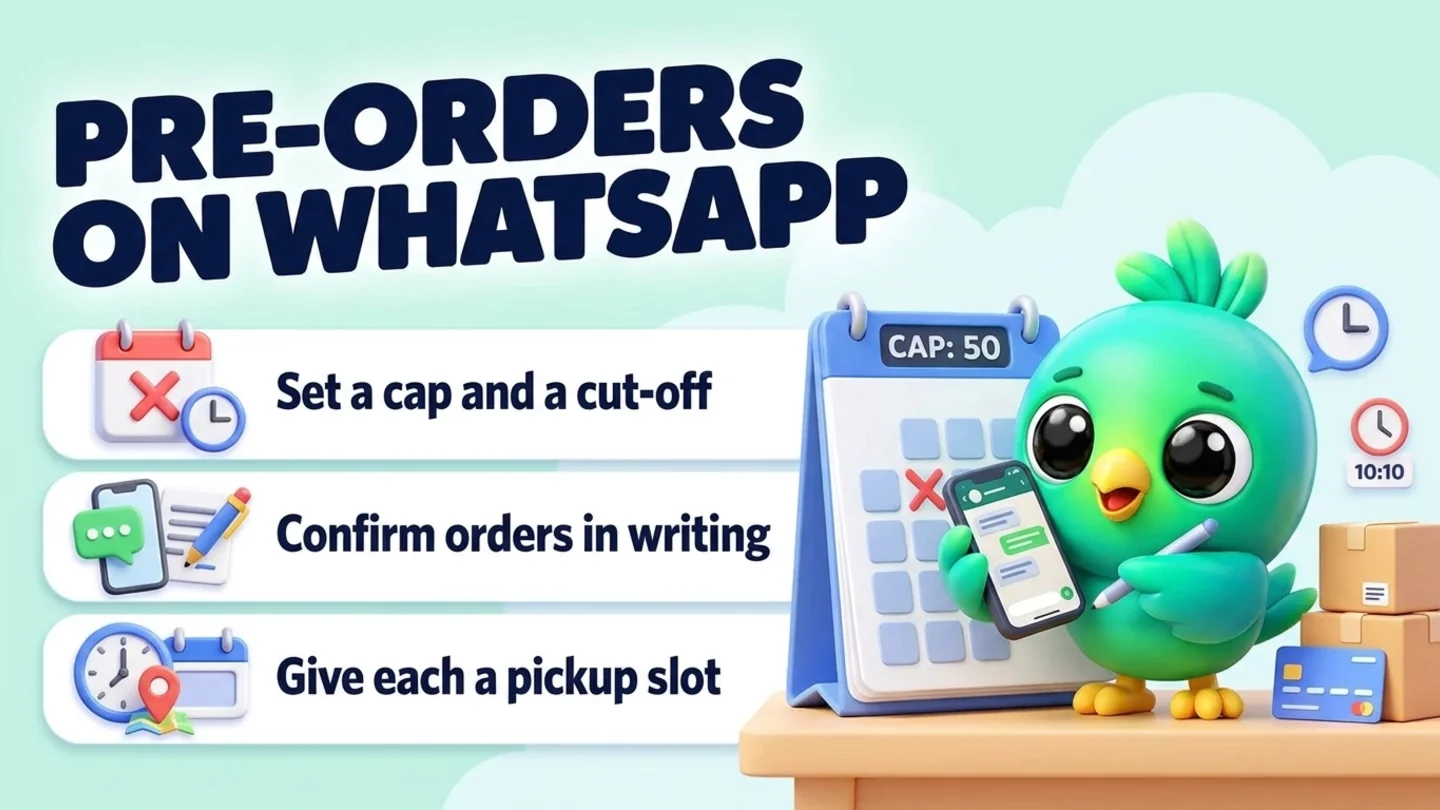
To take pre-orders on WhatsApp without an order app or the WhatsApp Business API, decide the round before you announce it: what you are selling, how many of each you can really make, the cut-off date and time, the pickup or ship dates, and your payment and cancel rules. Announce it only to people who asked to hear from you. Take each order as one written summary the customer replies YES to, send a hosted payment link for the deposit or full price, and count every confirmed order against your cap. Close on time, send one reminder before pickup, and if a date slips, tell people early and offer a refund. The rule that saves most rounds: never promise more than you can make, and never confirm an order until you have checked the payment yourself.
This post is part of our guide to WhatsApp CRM for small business. It covers selling a batch before it exists: holiday menus, made-to-order drops, limited runs and restocks you sell ahead. For ready-stock orders, the everyday loop in confirming orders and sending delivery updates on WhatsApp is enough. Holding an appointment slot with money is a different job, covered in taking a booking deposit on WhatsApp, and keeping a list of people waiting for something sold out is covered in running a WhatsApp waitlist. If the item already exists and the customer wants to pay it off before taking it home, that is layaway on WhatsApp.
Last updated 18 October 2026. WhatsApp's Business Messaging Policy and WhatsApp Help Center pages, the Federal Trade Commission's business guide to the Mail, Internet, or Telephone Order Merchandise Rule and the U.S. Office of Personnel Management's 2026 federal holiday list were checked against each organization's own pages on that date. This is practical guidance, not legal advice. Food, tax and consumer rules vary by state, so check the ones where you sell.
What makes a pre-order different
A pre-order is a promise with a date on it. You take the order, and often the money, before the item exists or arrives. That changes what can go wrong.
| Ready-stock order | Pre-order | Waitlist | |
|---|---|---|---|
| Item exists now | Yes | No, you make or receive it later | No, it is sold out or full |
| Money taken | When they order | Deposit or full price now, or balance later | Usually none until a spot opens |
| Main risk | Wrong item or address | Promising more than you can make, or a date you miss | Offering the spot to the wrong person |
| What closes it | Delivery | Your cut-off, then pickup or shipping | A booking, a purchase or the person leaving the list |
| Related guide | Confirm orders on WhatsApp | This post | WhatsApp waitlist |
The extra work in a pre-order round is all about the gap between "yes" and handover: a cap you hold, a cut-off you keep, money you can match to an order, and a date the customer can plan around.
Holiday pre-order dates for 2026
If you sell in the US, the big pre-order rounds sit around the winter holidays. The U.S. Office of Personnel Management's 2026 federal holiday list puts Thanksgiving Day on Thursday, 26 November 2026 and Christmas Day on Friday, 25 December 2026. Black Friday is the day after Thanksgiving, 27 November.
Work back from the day the customer needs the item, not forward from when you feel ready. One example for a Thanksgiving pie or sides round, which you should adjust to your own oven, supplier and pickup space:
| Moment | Example for Thanksgiving 2026 | Why |
|---|---|---|
| Lock the menu and prices | Late October | You cannot announce what you have not costed |
| Open pre-orders | Late October or early November | Gives people time to plan their table |
| Cut-off | Tuesday 17 November | Leaves a week to shop, prep and plan pickups |
| Make | Monday 23 to Wednesday 25 November | Fresh for the day |
| Pickup windows | Tuesday 24 and Wednesday 25 November | Most families want it before Thursday |
For Christmas, the same pattern applies with an earlier cut-off if you ship, because carriers publish their own holiday deadlines and your promise depends on theirs. Check your carrier's dates before you announce a ship-by date.
The pre-order loop in six steps
- Set the round: items, cap, cut-off, pickup or ship dates, payment and cancel rules.
- Tell people who asked, in chats where they already talk to you, or through a link they tap.
- Take each order in one summary the customer replies YES to.
- Take payment by link, verify it yourself, then confirm the slot.
- Count against your cap and close on time, with one honest closing message.
- Remind, hand over, and handle delays before the customer has to ask.
Step 1: Set the round before you announce it
Most pre-order trouble starts with an announcement that was written before the rules. Decide these six things first and write them down in one place.
| Decision | Example | Why it matters |
|---|---|---|
| What is on the list | Pumpkin pie, pecan pie, apple pie, dinner rolls (dozen) | A short list is easier to order from and easier to make |
| Cap per item | 24 pumpkin, 18 pecan, 18 apple, 30 dozen rolls | Set it from oven, staff and supply, not from hope |
| Cut-off | Orders close Tuesday 17 Nov at 8 PM ET | A date and a time zone stop "is it too late?" chats |
| Pickup or ship dates | Pickup Tue 24 Nov 4-6 PM or Wed 25 Nov 10 AM-12 PM | Short windows spread the crowd at your door |
| Payment terms | Deposit to confirm, balance by Fri 20 Nov, or full price at order | Say it before anyone pays |
| Changes and cancels | Changes until 17 Nov; cancel by 17 Nov for a refund | Rules stated early are rules people accept |
Two more choices are worth making now. First, decide what happens if you run out of an ingredient or a supplier lets you down, because you will need the message in a hurry. Second, decide whether you take special requests in this round. Custom work inside a fixed batch is where caps quietly break. A business buying gifts for a whole team is a different kind of order; taking corporate gift orders on WhatsApp covers recipient lists, proofs and freeze dates.
Tip: Cap each item a little under your real capacity. A spare pie is easy to sell on the day. A missing pie is a ruined dinner and a lost customer.
Step 2: Tell only the people who asked
WhatsApp's Business Messaging Policy says you may contact people on WhatsApp only if they have given you their number and you have received opt-in permission confirming they want to hear from you. It also says you must respect any request to stop, on or off WhatsApp. WhatsApp's help page on complying with its business policies adds that a customer reaching out to you does not, by itself, count as opt-in to future proactive messages.
For a pre-order round, that means:
- Ask before the round. In existing chats with past customers, ask whether they want one message when holiday pre-orders open. Add only people who say yes, and note when they said it. Our post on WhatsApp opt-in without the API covers simple ways to ask and keep a record.
- Let new buyers come to you. Put a click-to-chat link with a pre-filled message such as "Pre-order" in your Instagram bio, on your site and on flyers. Our free WhatsApp link generator and WhatsApp QR code generator make both in a minute.
- Use WhatsApp Status for everyone else. A status post is something people choose to open, so it announces the round without landing a message in anyone's chat.
- Know how broadcast lists behave. WhatsApp's help page says a broadcast list message reaches only customers who have your number saved in their phone's address book, and replies come back as normal one-to-one chats.
Send one opening message and, at most, one "closing soon" reminder to people who asked for it. If you also run a sale weekend, running a Black Friday WhatsApp campaign without the API explains what Meta's own pages say about marketing messages to US numbers, and WhatsApp broadcast limits covers sensible sending habits.
Pre-orders open (to people who asked)
Hi [name], you asked me to tell you when Thanksgiving pre-orders open, so here it is: [item list with prices]. Pickup [day/date, windows] at [place]. Orders close [day, date, time, time zone] or when each item is full. Reply with what you want and your pickup window and I will send a summary to confirm. Reply STOP and I will not message you about pre-orders again.
Step 3: Take each order in one written summary
Pre-orders arrive as half-sentences: "2 pumpkin pls", "can I get the pecan too", "Wednesday is better". Do not build the order from scattered messages. Ask once for everything you need, then send one summary they confirm.
What to ask for (copy and edit)
Great, to book your pre-order I need: 1) items and how many, 2) the name for the box, 3) pickup window: [option A] or [option B], 4) any allergies or notes. I will send a summary to confirm.
The order summary
Here is your pre-order, [name]: [2 x pumpkin pie, 1 x dozen rolls] Total: [amount]. To confirm: [deposit amount] now, balance [amount] by [date] (or: full price now). Pickup: [day, date, window] at [place]. Changes until [date]. Cancel by [date] for a full refund. Reply YES if this is right, or tell me what to change.
The summary is your record. If there is ever a question about what was ordered, when or on what terms, you scroll to one message instead of reading a whole thread.
Note: If you sell food from home, check your state and local food rules before you open orders. Ask the allergy question every time and write the answer down, even when the answer is "none".
Step 4: Take payment by link, then confirm
WhatsApp's Business Messaging Policy and its compliance help page both say businesses must not share or ask people to share full payment card numbers, financial account numbers, personal ID numbers or other sensitive identifiers. Send a hosted payment link from your payment provider, an invoice link, or a QR code that opens your payment app.
| Payment style | Good for | Watch out for |
|---|---|---|
| Full price at order | Small, fixed-price items; busy holiday rounds | Refunds need to be fast if you cannot deliver |
| Deposit now, balance before pickup | Bigger or custom orders | You must chase balances; send one reminder with the pickup details |
| Pay at pickup | Regulars and small orders | Does nothing to stop no-shows on a fixed batch |
Whatever you choose, confirm the order only after you have seen the money in your bank or payment app. "Paid" in chat is a heads-up, not a receipt.
Payment link
Thanks, [name]. To lock in your pre-order, please pay [amount] here: [payment link]. It holds your [items] for [pickup window]. I will confirm as soon as it shows on my side.
Confirmed
Payment received, thank you. You are confirmed: [items], pickup [day, date, window] at [place]. Balance [amount or "none"]. I will message you the day before with a reminder.
Payment not found
Thanks, [name]. I cannot see the payment on my side yet. Could you check the link went through? Your order is held until [time], then I will need to release it for someone else.
A hold that never expires blocks real buyers. Say how long you hold an unpaid order and release it when that time passes. If your balance is due before pickup, our post on WhatsApp payment reminders has polite wording for one nudge.
Step 5: Count against your cap and close on time
Keep one running count per item and update it every time an order is confirmed or cancelled. A notebook works for ten orders. For more, use a sheet, a board or a stock count beside your chats (see where InboxCRM fits below). Count only confirmed orders; unpaid "maybes" are not part of the batch.
When an item fills up, say so the same day in your status and in any chat that asks:
Item full
Sorry, [name], [item] is fully booked for this round. I still have [other items]. If you would like, I can add you to my list and message you once if a spot opens.
That last line is a waitlist. If you offer it, record who said yes and run it the way our WhatsApp waitlist guide describes, so the freed pie goes to the first person who asked, not the loudest.
At the cut-off, close. Post a "pre-orders closed" status and answer late requests with the same kind message:
Too late for this round
Thank you for thinking of us, [name]. Pre-orders for [occasion] closed on [date] so we can make everything fresh. I would love to bake for you next time. Want me to message you once when [next round] opens?
Saying yes to late orders is how caps break and pickup days fall apart. A clear cut-off is a kindness to every customer who ordered on time.
Step 6: Remind, hand over, and handle delays
Day-before reminder
Hi [name], your pre-order is ready for pickup tomorrow, [day, date], between [window] at [place]. Balance due: [amount or "none"]. Reply here if you need to change the window.
On pickup day, work from a list sorted by window, with the name on every box. Tick each order off as it leaves. Anything unclaimed at the end of the last window gets one message, then follows the rule you stated in Step 1.
Unclaimed order
Hi [name], your [items] are still here. I am open until [time] today. After that, [what happens, as stated in your terms].
If something goes wrong, tell people as soon as you know, not on the day:
Delay or shortage
Hi [name], I am sorry: [short reason, e.g. a supplier delay]. I can [new date or option]. If that does not work, reply CANCEL and I will refund your [amount] in full. If you are happy to wait, reply OK.
Do not swap in a different item without asking. "We ran out of pecan, so you are getting apple" is a surprise, and surprises are what customers remember.
If you ship pre-orders in the US: the FTC shipping rule
If you ship pre-orders to customers rather than hand them over in person, plan as if the Federal Trade Commission's Mail, Internet, or Telephone Order Merchandise Rule applies to you. The FTC's business guide says the rule covers most goods a customer orders by mail, telephone, fax or on the internet, and that it does not matter how the merchandise is advertised, how the customer pays or who starts the conversation. An order placed in a WhatsApp chat is placed over the internet. In plain English, the guide says:
| What the FTC guide says | What it means for a WhatsApp pre-order |
|---|---|
| You need a reasonable basis for any ship date you state; if you state none, for shipping within 30 days | Only give a ship date you can back up with supply and capacity |
| The clock starts when you receive a properly completed order, including full or partial payment plus the details you need | A deposit plus a complete order summary starts it |
| If you cannot ship on time, you must ask the customer to consent to the delay, with a revised date and the option to cancel for a full, prompt refund | Send the delay message before the promised date, not after |
| For most payment methods, a required refund is due within seven working days of cancellation | Refund quickly; card payments through a processor count here |
| Rule-required refunds cannot be swapped for store credit, vouchers or scrip | "Non-refundable deposit" does not cover a delay you caused on a shipped order |
| You cannot substitute materially different merchandise without the customer's prior agreement | Ask before sending a different flavor, color or size |
| C.O.D. orders and services are exempt | Pickup-only and cash-on-delivery rounds may fall outside it, but the same habits still build trust |
The guide also notes that records help you show you complied: when the order came in, any delay notice and its date, any cancellation, the ship date and any refund. A written order summary, a dated delay message and a note of the refund in the chat cover most of that. State laws can add more, so check the rules where you sell.
Copy-paste pre-order messages
| Moment | Message |
|---|---|
| Ask before the round | I am taking [occasion] pre-orders again this year. Want one message when they open? Reply YES and I will add you. |
| Opening | [Occasion] pre-orders are open: [items, prices]. Closes [date, time, zone] or when full. Pickup [windows]. Reply with your order. |
| Order summary | Your pre-order: [items]. Total [amount]. Pay [deposit or full] by link to confirm. Pickup [window]. Reply YES if right. |
| Confirmed | Payment received. Confirmed for [window] at [place]. Balance [amount or none]. |
| Balance due | Hi [name], your balance of [amount] for [items] is due by [date]: [payment link]. Pickup stays [window]. |
| Closing soon (opted-in only) | Last call: [occasion] pre-orders close tomorrow at [time, zone]. Still available: [items]. |
| Closed | Pre-orders for [occasion] are closed. Thank you, everyone. Pickups are [days]. |
| Day before | Your order is ready tomorrow, [window], at [place]. Reply if you need to change. |
| Delay | Sorry, [item] is delayed to [date]. Reply OK to wait or CANCEL for a full refund. |
| After pickup | Thank you, [name]. Hope it was a hit. Reply here if anything was not right. |
Save the ones you use every round. For writing variants, our free WhatsApp message templates tool helps. After the round, keep private feedback and public reviews separate, as in collecting customer feedback on WhatsApp, and ask anyone who loved it whether they want a message next season, the way getting repeat customers on WhatsApp suggests.
Simple stages for a pre-order board
Six stages are enough for one round:
| Stage | Meaning | Your next move |
|---|---|---|
| Asked | They want something; no summary yet | Send the ask-for-details message |
| Awaiting payment | Summary sent; link sent; hold clock running | Verify payment or release at the hold time |
| Confirmed | Paid (deposit or full); counted against the cap | Chase balance if any; schedule the day-before reminder |
| Ready | Made, packed, labeled | Send the reminder; tick off at pickup |
| Picked up / Shipped | Handed over or with the carrier | Send tracking if shipped; close the order |
| Cancelled | Released or refunded | Put the count back; note why |
Move each chat as soon as its status changes. A Confirmed list that includes unpaid orders is how a batch gets oversold. Our free WhatsApp sales pipeline template can be adapted for this, and WhatsApp labels vs a real CRM explains when the Business app's labels, now called lists, stop being enough. WhatsApp's help page on labels says you can create up to 20.
Where InboxCRM fits
InboxCRM is a WhatsApp CRM Chrome extension for WhatsApp Web. It is not a store, a checkout or a payment processor, and it does not know when money reaches your bank. It helps when you already take pre-orders in chat on a computer and want each order, its payment and your running count beside the conversation, without the WhatsApp Business API.
- Orders drafted from the chat. In the chat tools panel, the Orders tab has "Create order from this chat". It reads the last 30 messages and counts only the customer's, so your own price list never becomes an order they did not place. You get an editable draft and nothing is saved until you choose "Save as draft" or "Confirm order". Try the order manager tutorial first (fictional data; nothing is sent).
- A deposit reads as partly paid. In the Order manager you record what you received and the payment state follows: unpaid, partly paid or paid. The "Awaiting payment" number counts open orders that are unpaid or partly paid, which is your balance-chase list. Orders move from Draft to Confirmed, Packed, Shipped and Delivered, with Returned and Cancelled as exits. These statuses are shaped around parcels, so for pickup-only rounds you may prefer a pipeline board with your own stage names as well.
- Your cap as a stock count. Add each pre-order item to the Stock manager with your cap as the opening stock and a "Warn me at" line a few units above zero. By default, confirming an order deducts its items once, and cancelling puts them back. Overselling is allowed: the level can go below zero and the app warns in amber rather than blocking, so you still decide when to close. A setting adds a notification when an item drops to its warning line. The stock manager tutorial walks through it.
- One summary, sent when you press Send. "Send summary" composes the items, total, balance due and status in one message for you to read first. Our how-to on tracking WhatsApp orders without a spreadsheet covers the delivery side.
- A pre-order board. Create stages such as Asked, Awaiting payment, Confirmed, Ready and Picked up, then move chats with "Move to stage" or right-click "Add to CRM stage…". A stage chip shows next to each chat in your chat list. See the CRM pipeline guide or the interactive pipeline tutorial.
- Pickup window and allergies in Notes. Write "Wed 10-12, nut allergy, box name Rivera" in the Notes tab, or use tags and custom fields. See the chat tools panel guide.
- Saved round messages. Keep the opening, summary, payment and day-before messages as quick replies, and use "Insert into message box" to fill in the brackets before sending. InboxCRM quick replies can also hold images and documents, such as your menu. See the quick replies guide.
- Reminders at the right time. From an open chat, "Schedule message" can queue the day-before reminder. Chrome must be running with WhatsApp Web open at send time, so check the chat before it goes out in case they cancelled. See the scheduling guide. Notifications can remind you to "close pre-orders at 8 PM" or "check deposits at 6 PM" with a Chrome notification and send nothing to customers; see the notifications guide. Scheduled status posts can put up your "orders open" or "orders closed" status at a set time, under the same Chrome rule.
- An opening message to your opted-in list (optional). Campaigns send one private message per person to a list you choose, with "Protect my number" pacing on by default. The campaigns guide and our responsible automation page explain the defaults and their limits.
Honest limits: InboxCRM does not take payments, verify deposits, issue refunds or book pickup slots for you. It does not stop customers from ordering after your cut-off; you close the round. Scheduled messages and follow-up rules are not paced by the campaign sending-safety layer, so keep them personal and low volume. CRM records stay in Chrome on your device (chrome.storage.local), not on an InboxCRM server, and they do not appear in the WhatsApp mobile app; our post on where WhatsApp CRM data is stored explains the local-first model. InboxCRM is a single-user extension, not a shared team inbox. If that fits how you sell, you can add InboxCRM to Chrome.
Home bakers, cake makers, gift makers, boutiques and skincare sellers run the most pre-order rounds in chat; the industry pages for home bakers, cake and catering, custom gift businesses, clothing and fashion sellers and cosmetics and skincare show how those trades run the rest of the chat.
Mistakes that sink a pre-order round
- Announcing before the rules. Cap, cut-off, dates and terms first, then the post.
- Counting maybes. Only paid, confirmed orders count against the cap.
- No time zone on the cut-off. "Closes Tuesday" invites arguments; "Tuesday 8 PM ET" does not.
- Taking orders after the cut-off "just this once". That is how pickup day breaks.
- Asking for card numbers in chat. Against WhatsApp policy; send a hosted link.
- Messaging everyone who ever bought. Ask first, and honor every STOP.
- Swapping items without asking. Offer the change and let the customer choose.
- Going quiet when a date slips. Tell people early, give a new date and offer a refund.
- Promising store credit instead of a refund on a shipped order you cannot fill. The FTC guide says rule-required refunds cannot be credit or vouchers.
Frequently asked questions
How do I take pre-orders on WhatsApp?
Decide the items, a cap per item, a cut-off date and time, pickup or ship dates and your payment terms first. Announce the round to people who asked, take each order as one written summary the customer confirms, send a payment link, and confirm only after you see the money. Count confirmed orders against your cap and close on time.
Can I take pre-orders on WhatsApp without the Business API or an order app?
Yes. Many small sellers run pre-orders from the WhatsApp Business app or WhatsApp Web with a click-to-chat link, saved messages, a payment link and a simple list or board. An order form or a store app helps once you take more orders than you can confirm by hand.
Should I take a deposit or full payment for a pre-order?
Full payment is simplest for small, fixed-price items and busy holiday rounds. A deposit with the balance due before pickup suits bigger or custom orders. Either way, state the terms before anyone pays, use a hosted payment link, and never ask for card numbers in the chat.
What if I cannot deliver a pre-order on the date I promised?
Tell the customer as soon as you know, give a new date or option, and offer a full refund if they would rather cancel. If you ship to US customers, the FTC's guide to its mail, internet and telephone order rule says you must get the customer's consent to a delay or refund them promptly, and that rule-required refunds cannot be store credit.
How do I stop taking pre-orders when I am full?
Keep a running count of confirmed orders per item, mark an item full in your status and replies as soon as it reaches the cap, and close the whole round at the cut-off time you announced. Offer a single message if a spot opens, and only to people who say yes.
Sources
- WhatsApp Business Messaging Policy (last updated 23 September 2026), WhatsApp, checked 18 October 2026
- How to comply with the WhatsApp Business Messaging and Commerce policies, WhatsApp Help Center, checked 18 October 2026
- How to use broadcast lists on the WhatsApp Business app, WhatsApp Help Center, checked 18 October 2026
- How to use quick replies, WhatsApp Help Center, checked 18 October 2026
- How to use labels (labels are now lists), WhatsApp Help Center, checked 18 October 2026
- Business Guide to the FTC's Mail, Internet, or Telephone Order Merchandise Rule, Federal Trade Commission, checked 18 October 2026
- Federal Holidays 2026, U.S. Office of Personnel Management, checked 18 October 2026
InboxCRM is a WhatsApp CRM for WhatsApp Web. Pipeline, notes, follow-ups and quick replies beside every chat, with your CRM data kept in your browser.
Add InboxCRM to Chrome