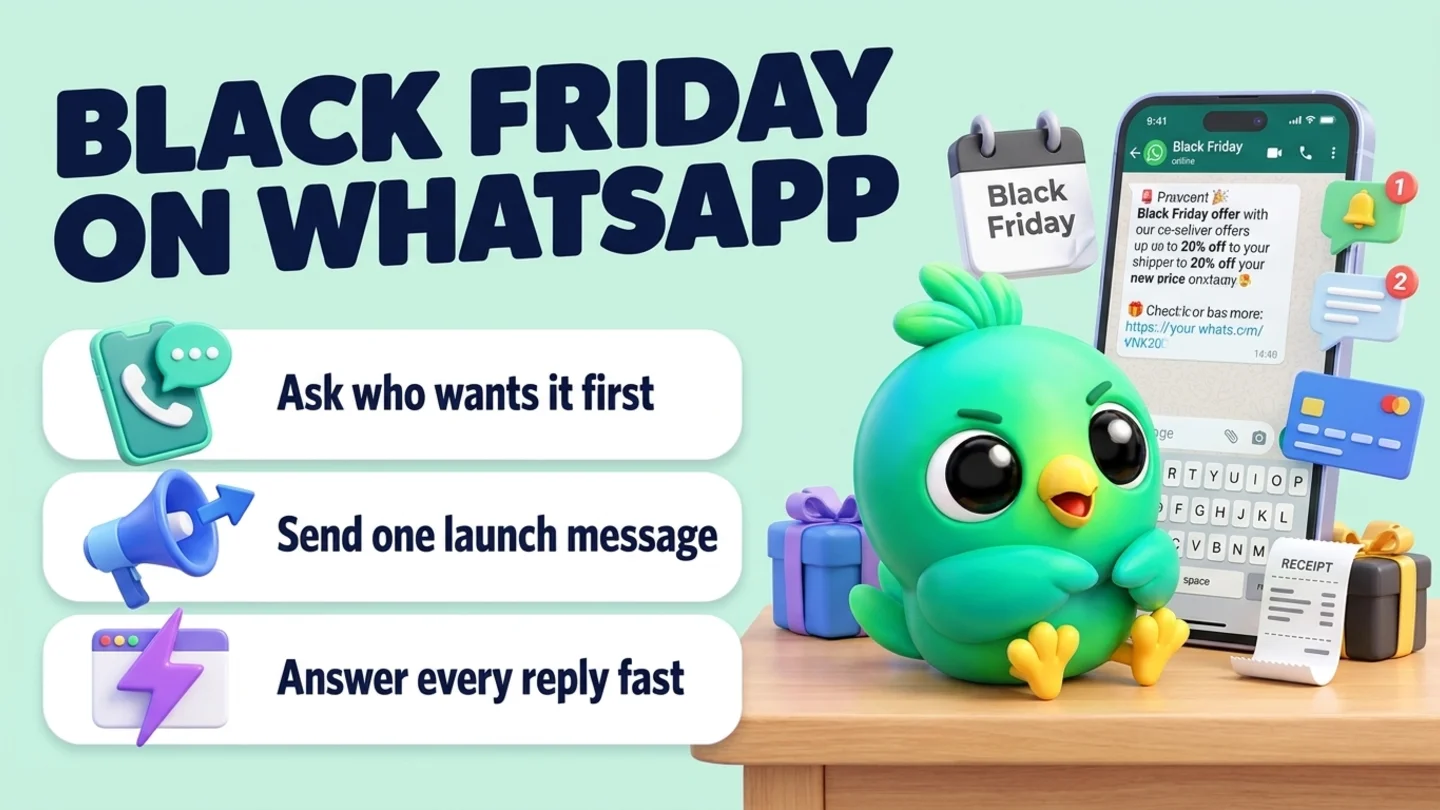
To run a Black Friday WhatsApp campaign without the API, start by asking customers, in your normal chats and at checkout, whether they want one message when your sale starts. Add only the people who say yes, and note what they agreed to. On the day, send one short launch message to that list, with the offer, the end time and how to order. Send a "last day" reminder only to people who asked for one. Then spend your effort where WhatsApp is strongest: answering the replies fast, confirming each order in the chat and keeping stock honest. For US customers this is also the realistic route. Meta's own pages say WhatsApp does not currently deliver API marketing templates to US phone numbers, and paid business broadcasts in the WhatsApp Business app are not offered in the United States.
This post is part of our guide to WhatsApp CRM for small business. It is written for solo sellers and small teams who already sell in WhatsApp chats: boutiques, beauty and skincare sellers, home bakers, gift makers, phone and gadget shops. If you are new to permission, read WhatsApp opt-in without the API first. If you want the numbers behind list sending, WhatsApp broadcast limits covers them.
Last updated 17 October 2026. WhatsApp's Business Messaging Policy, WhatsApp Help Center pages, Meta's territorial limitations page and Meta's per-user marketing limits documentation were checked against each organization's own pages on that date. This is practical guidance, not legal advice. Sale pricing and marketing rules also depend on the laws where you trade.
Key dates for Black Friday 2026
| Day | Date | What it means on WhatsApp |
|---|---|---|
| Today to early November | From 17 Oct | Build your sale list: ask, record, prepare answers |
| Thanksgiving | Thu 26 Nov | Only message people who asked for early access |
| Black Friday | Fri 27 Nov | Launch message to your sale list; replies all day |
| Small Business Saturday | Sat 28 Nov | Confirm orders, answer questions, no new blasts |
| Cyber Monday | Mon 30 Nov | Last-day reminder only to people who asked for it |
| Early December | From 1 Dec | Order updates and delivery cut-offs to buyers only |
The weeks before the sale matter more than the day itself. A small list of people who said yes will answer you. A big list of people who never asked will report you. If you close on Thanksgiving Day itself, our WhatsApp holiday away message guide shows how to schedule the away message for that date only. If you want to thank customers for the year as well, send that on a different day: holiday messages to customers on WhatsApp explains why the greeting and the sale work better apart.
What you can actually use to reach US customers
Most Black Friday WhatsApp guides assume the WhatsApp Business API, approved marketing templates and a paid platform. For a small seller with US customers, much of that is not available right now. Here is what Meta's own pages say.
| Option | Who it reaches | Available for US customers? | Watch out for |
|---|---|---|---|
| Replies in existing chats | People who message you | Yes | Takes time per chat |
| Status updates | Contacts who view your status | Yes | Passive; people have to look |
| Broadcast list (WhatsApp Business app) | Contacts on the list who saved your number | Yes | WhatsApp says only contacts who saved your number receive it; replies come back as normal chats |
| Business broadcasts (paid, Business app) | Contacts even if they did not save your number | No. Meta's territory page lists 8 countries, not the US | Charged per delivered message where offered |
| API marketing templates | Opted-in customers via a provider | No. Meta says marketing templates are not currently delivered to US numbers | Meta says attempts result in an error |
| One private message per person from WhatsApp Web | Your opted-in sale list | Yes, as normal one-to-one chats | Same policy and report risk as any message you send |
Three details from those pages are worth knowing:
- Business broadcasts are country-limited. Meta's page on territorial limitations (last updated 30 April 2026) lists Brazil, Colombia, India, Indonesia, Mexico, Pakistan, Peru and the United Arab Emirates as the permitted territories for business broadcasts. The separate list for the Business app's paid marketing messages does not include the United States either.
- API marketing templates do not reach US numbers. Meta's documentation on per-user marketing limits (updated 17 June 2026) says WhatsApp "does not currently deliver marketing template messages to WhatsApp users with United States phone numbers", meaning a +1 dialing code with a US area code.
- The rules still apply to ordinary chats. None of this means one-to-one sale messages are a free-for-all. WhatsApp's Business Messaging Policy covers the WhatsApp Business app too: only contact people who gave you their number and opted in, honor stop requests, and do not surprise people.
Warning: WhatsApp's page on using WhatsApp responsibly says not to bulk message or auto-message, and that WhatsApp uses machine learning and user reports to ban accounts that send unwanted automated messages. The Business Messaging Policy adds that users can block or report businesses and that WhatsApp may limit how many messages a business can send based on that feedback. A Black Friday blast to everyone in your phone is the fastest way to lose the number you sell from.
So the plan below is built around conversations, not volume: a short list of people who asked, one or two messages they expect, and fast, personal replies.
The plan in five steps
- Build a sale list now. Ask existing customers if they want one message when the sale starts. Record each yes.
- Decide the offer and the rules. What is on sale, until when, how people order and pay, and what happens when stock runs out.
- Prepare your answers. Save replies for the questions everyone will ask, before the rush.
- Send the launch message. One message to your sale list on Black Friday morning. A reminder only for people who asked.
- Turn replies into orders. Confirm every order in the chat, track it, and stop promoting to people who bought.
Step 1: Build your sale list from people who say yes
WhatsApp's help page on complying with its business policies says a customer reaching out to a business does not count as opt-in to future proactive messages. A past order does not count either. So the list starts with a question.
Good places to ask over the next few weeks:
- In chats you are already having. At the end of an order or a question, ask once.
- At checkout or pickup. A line on your order form, receipt or pickup note.
- On packaging, at your counter or in your bio. A QR code or click-to-chat link with a pre-filled message such as "Add me to the Black Friday list". Our free WhatsApp link generator and WhatsApp QR code generator make both.
Ask in an existing chat (copy and edit)
Hi [name], we are planning a Black Friday sale on [what you sell] from Friday 27 November. Want one WhatsApp message when it starts? Reply YES for this sale only. No other messages.
Confirm they joined
Great, you are on the list. I will message you once when the sale starts. Reply STOP any time and I will take you off.
If you plan to use a broadcast list
One small thing: please save this number in your contacts. WhatsApp only delivers list messages to people who have saved it.
Make the permission specific. WhatsApp's help page on business broadcasts that cannot be sent suggests getting opt-in for each category of message people should expect (for example order updates, relevant offers or product recommendations) and giving clear ways to opt out of each. "One message when the Black Friday sale starts" is a category people understand. It is not permission for weekly offers in December.
Record each yes where you will see it:
| Record | Example | Why |
|---|---|---|
| What they agreed to | "BF sale start only" | Stops you sending more than they asked for |
| When and where they said yes | 21 Oct, in chat | Proof if you are ever asked |
| Interests | Candles, gift sets | Lets you mention what matters to them |
| Early access wanted? | Yes | Only these people hear before Friday |
| Reminder wanted? | Ask on the day | Decides who gets the Cyber Monday message |
| Stop requests | 2 Nov, said no | Never message them about sales again |
A "Black Friday" list (label) in the WhatsApp Business app is a quick start. When you need to know who wants early access or who said "sale start only", WhatsApp labels vs a real CRM explains where lists stop being enough. Do not add people to a WhatsApp group for the sale without asking: WhatsApp's responsible-use page says to get permission before adding someone to a group.
Step 2: Decide the offer and the rules before you announce it
Most Black Friday chaos in WhatsApp chats comes from rules that were never written down. Decide these first:
| Decision | Example answer | Why it matters |
|---|---|---|
| What is on sale | All candles and gift sets; not custom orders | Stops "does this include..." threads |
| The offer, in one line | [discount] off, or a free add-on over [amount] | One clear offer beats five |
| Start and end, with time zone | Fri 27 Nov 8 AM to Mon 30 Nov 11 PM ET | Avoids arguments at 11:58 PM |
| How people order | Reply in chat, or your store link | Pick one main route |
| How people pay | Your payment link or pay on pickup | Never ask for card numbers in chat |
| Stock limits | 30 gift sets; one per customer | Lets you say "sold out" honestly |
| Delivery or pickup cut-off | Order by [date] for delivery before [date] | The question you will be asked most in December |
| Returns | Same as usual, or final sale | Say it before they pay |
Two rules protect you here. First, WhatsApp's Business Messaging Policy says not to "confuse, deceive, defraud, mislead, spam, or surprise people". Only call something a discount if it really is one, and do not invent a "was" price. Second, WhatsApp's help page on business policies says businesses cannot ask people to share full payment card numbers, financial account numbers or ID numbers in chat. Use a payment link, the way our WhatsApp payment reminder guide describes.
Step 3: Prepare your answers before the rush
On Black Friday the same five or six questions arrive again and again. Write the answers now and save them as quick replies.
| Question you will get | Saved answer covers |
|---|---|
| "Is the deal still on?" | End date and time, what is still in stock |
| "Do you have it in [size or color]?" | How you check, and the honest answer if sold out |
| "When will it arrive?" | Delivery or pickup dates and the order cut-off |
| "How do I pay?" | Your payment link or pickup payment |
| "Can I return it?" | Your returns rule for sale items |
| "It sold out, will you get more?" | Whether it comes back, and an offer to tell them once |
WhatsApp's help page on quick replies says the WhatsApp Business app stores up to 50 of them, and that media is not supported in quick replies on WhatsApp Web or Desktop. Keep sale answers as text and add a product photo by hand when it helps. Our free WhatsApp message templates tool is useful for drafting variants.
Also decide how you will see who is waiting. On a normal day you can scroll. On Black Friday you need simple stages:
| Stage | Meaning | Your next move |
|---|---|---|
| Asked | Has a question about the sale | Answer within the hour if you can |
| Reserved | Chose items; waiting for payment | Send the payment link and a hold time |
| Paid | Payment received | Pack it, or book the pickup |
| Shipped or ready | On its way, or ready to collect | Send tracking or pickup details |
| Done | Delivered or collected | Thank them; no more sale messages |
| Sold out, wants restock | Missed the item, asked to hear if it returns | One message if it returns, then stop |
Our free WhatsApp sales pipeline template gives you a sheet with stages to adapt, and confirming orders on WhatsApp covers the order summary and delivery updates in detail.
Step 4: Send the launch message, and at most one reminder
Send the launch message on Black Friday morning, during hours you would normally message customers, to the people on your sale list. Keep it short: what is on sale, until when, how to order and how to stop.
Launch message (copy and edit)
Hi [name], as promised: our Black Friday sale is on now until Monday 30 November at [time and time zone]. [Offer in one line]. Reply with what you want and I will confirm the price and delivery, or order here: [link]. Reply STOP and I will not send sale messages again.
Early access, only for people who asked for it
Hi [name], you asked for early access, so here it is: the sale opens for you now, a day before everyone else. [Offer in one line]. It runs until Monday 30 November at [time]. Reply here to order.
Asking who wants a reminder (inside a reply, not as a separate send)
Want one reminder on Monday before the sale ends? Reply REMIND and I will send it. Otherwise this is the only sale message you will get from me.
Cyber Monday reminder, only to people who replied REMIND
Hi [name], you asked me to remind you: the sale ends tonight at [time]. [What is still in stock]. Reply here or order at [link].
How many messages is right? Our view: one launch message for most people, and one reminder only for people who asked for it. Each extra unasked message is another chance for a block or a report, and WhatsApp's policy is clear that reports can limit what you can send. The "sale is coming" teaser that big brands send is optional. Skip it unless people asked for early access.
Which way to send it:
| Method | Good for | Watch out for |
|---|---|---|
| One by one in each chat | Lists of a few dozen; regulars | Slow, but the most personal |
| Broadcast list from your phone | Opted-in contacts who saved your number | Anyone who has not saved your number gets nothing, with no error |
| Paced send from WhatsApp Web | Larger opted-in lists you manage on a computer | Still one-to-one messages under the same rules; send a test to yourself first |
| Status update | A "sale is on" note for anyone who checks | Not a substitute for telling people who asked |
Tip: Write the launch message the week before and send it to your own number. Check the link, the end time and the time zone on your phone. A wrong link on Black Friday morning means sending a correction to everyone, which doubles your messages.
Step 5: Turn replies into orders, then stop promoting
The launch message is the easy part. The replies are where you win or lose the weekend.
Confirm the order
Got it, [name]: [item, quantity] at the sale price of [amount], total [amount] with [delivery or pickup]. Pay here to lock it in: [link]. I am holding it until [time]. I will message you when it ships.
Hold expired
Hi [name], I held [item] until [time] but did not see a payment, so it is back on sale. If you still want it, reply and I will check stock.
Sold out
Sorry, [name], [item] sold out at [time]. Want me to message you once if it comes back before [date]? No other messages.
If they say yes, that is a restock request, not a sale list. Running a waitlist on WhatsApp covers how to offer restocks fairly. If you sell made-to-order or holiday items that do not exist yet, taking pre-orders on WhatsApp covers caps, cut-offs and pickup slots.
After delivery
Thanks for ordering in the sale, [name]. I hope you love it. If anything is wrong, reply here and I will sort it out.
Then stop. People who bought do not need the Cyber Monday reminder, and people who said STOP must not hear about the next sale. WhatsApp's policy says opt-out requests must be respected whether they come on or off WhatsApp, so a "no more messages" said at pickup counts too.
If someone asks a question you cannot answer straight away, or something goes wrong with an order, treat it as a support case rather than a sale. Our guide to WhatsApp customer service without a help desk covers that. The best time to ask "do you want to hear about future offers?" is in a happy order thread, once. Record the answer for next year.
What not to do this Black Friday
- Messaging every contact in your phone. A past chat is not opt-in. This is how numbers get reported.
- Messaging cold leads with a sale blast. If someone went quiet months ago, see reactivating cold WhatsApp leads and only message people who agreed to it.
- Three or more sale messages to the same person. Teaser, launch, "few hours left", "extended!" adds up fast.
- Fake urgency or invented "was" prices. WhatsApp's policy says not to mislead.
- Card numbers in chat. Use a payment link.
- Adding people to a sale group without asking. Ask first, and let them leave.
- Ignoring STOP. Remove them and note it the same day.
Where InboxCRM fits
InboxCRM is a WhatsApp CRM Chrome extension for WhatsApp Web. It is not a store, a checkout or a marketing platform, and it does not make any Meta marketing product available where Meta does not offer it. It helps when you already sell in WhatsApp chats on a computer and want your sale list, your answers and your orders beside each conversation, without the WhatsApp Business API.
- Your sale list as tags, notes or a board. Tag chats "BF yes" and write "said yes 21 Oct in chat, sale start only, wants gift sets" in the Notes tab. Use custom fields if you want to sort by interest. See the chat tools panel guide.
- A sale-weekend board. Create stages such as Asked, Reserved, Paid, Shipped and Done, then move chats with "Move to stage" or right-click "Add to CRM stage…". A stage chip shows next to each chat in your chat list. The CRM pipeline guide shows the setup, or try the interactive pipeline tutorial first (fictional data; nothing is sent).
- Saved sale answers. Quick replies hold your "still on?", delivery, payment and returns answers. Text replies can be inserted into the message box so you add the size or date before sending, and unlike the Business app on Web, InboxCRM quick replies can include images and documents. See the quick replies guide.
- A paced launch message to your opted-in list. Campaigns send one private message per person from your WhatsApp Web to a list you choose. Pick people now and save the selection as a list, send a test to your own number, then start now or schedule for later. With "Protect my number" on by default, InboxCRM waits a random 12 to 40 seconds between messages, rests after every 20, sends at most 40 an hour and 250 a day, does not send between 21:00 and 08:00, and skips anyone it already messaged in the last 24 hours. Those are InboxCRM defaults, not WhatsApp limits, and they reduce risk; they cannot remove it. See the campaigns guide, the campaigns tutorial and our responsible automation page.
- Orders and stock next to the chat. Record what each customer ordered and its delivery status, and send tracking from saved templates. The Stock manager keeps quantities that go down as you sell from a chat and flags items that need reordering, so you can say "sold out" before you oversell. Try the orders tutorial and the stock manager tutorial.
- A status post on the day. Scheduling includes scheduled status posts, so a "sale is on" status can go up at the time you choose while Chrome and WhatsApp Web are open. See the scheduling guide.
- Reminders for you, not the customer. Notifications can alert you to "check unpaid holds at 4 PM" or "sale ends at 11 PM, update replies" with a Chrome notification, and they send nothing to customers. See the notifications guide.
Two planning notes. First, the defaults shape your timing: a campaign pauses itself when it hits the hourly or daily cap or when quiet hours start, and you resume it later, so a list larger than the daily cap needs more than one day. The 24-hour per-contact cooldown also skips anyone a campaign already messaged in the last 24 hours, so an early-access send on Thursday and a launch send on Friday morning would skip the early-access group (which is what you want). Second, a scheduled campaign needs WhatsApp Web open at the start time; if it is not open, the campaign starts the next time you open it, which on a sale weekend could be after the moment has passed. Keep Chrome and WhatsApp Web open, or start it by hand.
Honest limits: InboxCRM does not take payments, run a store checkout or decide who has opted in; you do. Scheduled messages and follow-up rules are not paced by the campaign sending-safety layer, so keep them personal and low volume. CRM records stay in Chrome on your device (chrome.storage.local), not on an InboxCRM server, and they do not appear in the WhatsApp mobile app; our post on where WhatsApp CRM data is stored explains the local-first model. InboxCRM is a single-user extension, not a shared team inbox, so several people answering sale chats need a different setup. No tool can guarantee WhatsApp will not restrict a number; our honest guide to whether an extension can get your number banned covers the wider risk. If that fits how you sell, you can add InboxCRM to Chrome.
Boutiques, skincare sellers, bakers, gift makers and gadget shops tend to run the busiest sale weekends in chat; the industry pages for clothing and fashion sellers, cosmetics and skincare, home bakers, custom gift businesses and mobile and electronics shops show how those trades run the rest of the chat.
Frequently asked questions
Can I send Black Friday messages on WhatsApp to customers in the US?
Yes, in ordinary chats, to people who opted in. Meta's paid routes are limited for US recipients: its documentation says API marketing templates are not currently delivered to US phone numbers, and its territory page does not list the United States for business broadcasts. Messages you send from the WhatsApp Business app or WhatsApp Web still fall under WhatsApp's Business Messaging Policy, so permission and stop requests matter just as much.
Do I need the WhatsApp Business API for a Black Friday campaign?
No. A small seller can build a sale list in chats, send one launch message one by one, by broadcast list or by a paced send from WhatsApp Web, and handle replies by hand. The API makes more sense for large teams and high volume, and for US recipients its marketing templates are not delivered right now.
How many Black Friday messages should I send on WhatsApp?
We suggest one launch message to your sale list and one reminder only to people who asked for it. Teasers, countdowns and "extended" messages add more chances for blocks and reports, which WhatsApp says can limit how many messages a business can send.
Can I message everyone who has ever bought from me?
Not without permission. WhatsApp's policy requires opt-in, and its help page says a customer messaging you first does not count as opt-in to future proactive messages. Ask past customers in their existing chats whether they want one message when the sale starts, and only add people who say yes.
What should I do when Black Friday replies flood in?
Use saved answers for the common questions (still on, sizes, delivery, payment, returns), move each chat to a simple stage such as Asked, Reserved or Paid, and confirm every order in writing with the total and a payment link. Tell people quickly when an item sells out, and offer to message them once if it returns.
Sources
- WhatsApp Business Messaging Policy (last updated 23 September 2026), WhatsApp, checked 17 October 2026
- How to comply with the WhatsApp Business Messaging and Commerce policies, WhatsApp Help Center, checked 17 October 2026
- How to use WhatsApp responsibly, WhatsApp Help Center, checked 17 October 2026
- How to use broadcast lists on the WhatsApp Business app, WhatsApp Help Center, checked 17 October 2026
- How to create and send a business broadcast, WhatsApp Help Center, checked 17 October 2026
- Can't send business broadcasts, WhatsApp Help Center, checked 17 October 2026
- How to use quick replies, WhatsApp Help Center, checked 17 October 2026
- Territorial Limitations for Certain Messaging Products (last updated 30 April 2026), Meta, checked 17 October 2026
- Per-user marketing template message limits (updated 17 June 2026), Meta for Developers, checked 17 October 2026
InboxCRM is a WhatsApp CRM for WhatsApp Web. Pipeline, notes, follow-ups and quick replies beside every chat, with your CRM data kept in your browser.
Add InboxCRM to Chrome