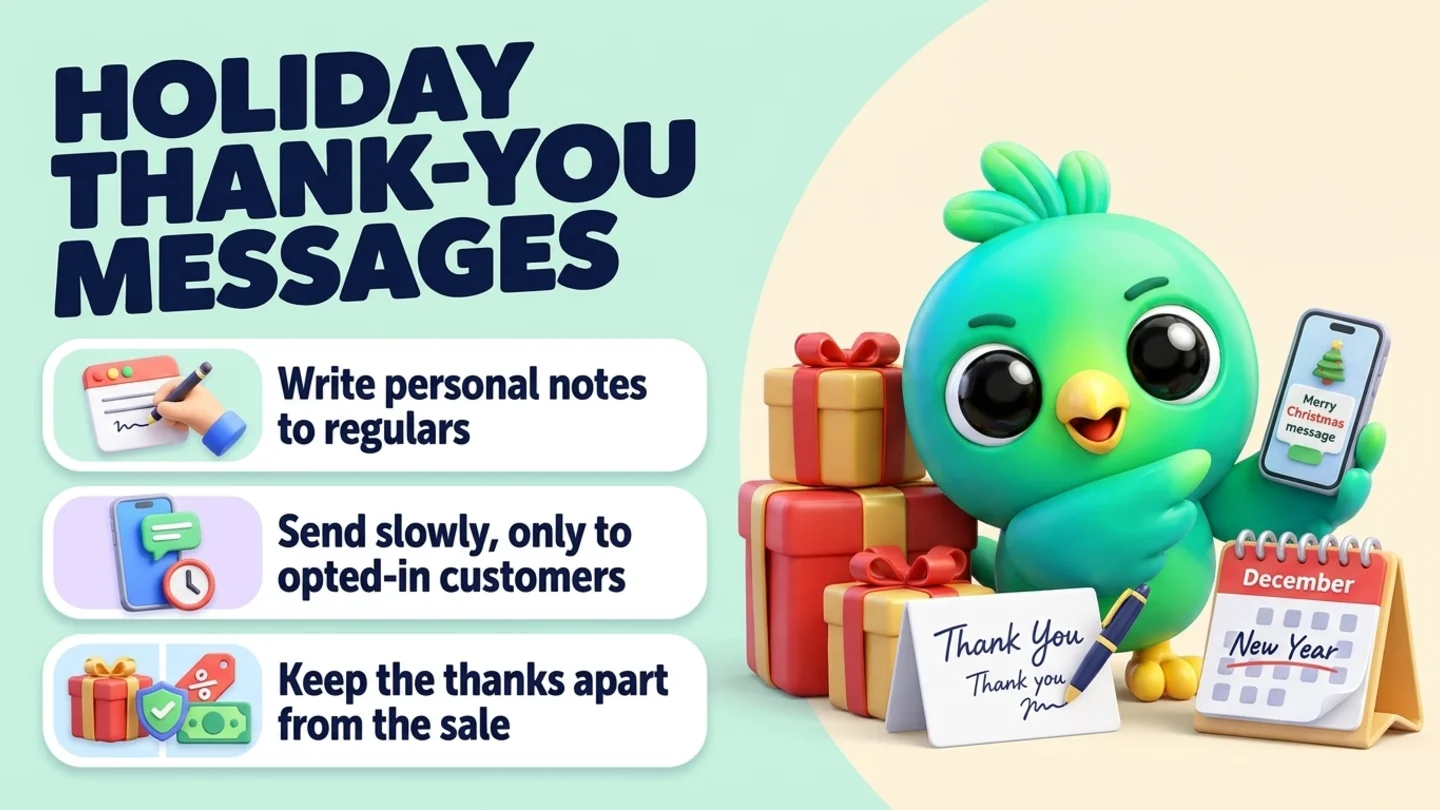
To send holiday messages to customers on WhatsApp, write a short thank-you that mentions something real about each customer, send it from your normal chat, and ask for nothing in return. Write personal notes by hand to your regulars and best clients, send one paced message only to customers who agreed to hear from you on WhatsApp, and use a Status post for everyone else. Keep the holiday greeting and any sale in separate messages, and reply to every answer you get. You can do all of this from the WhatsApp Business app or WhatsApp Web, without the WhatsApp Business API.
This post is part of our guide to WhatsApp CRM for small business. Holiday sales are covered in how to run a Black Friday WhatsApp campaign, closing for the holidays in WhatsApp holiday away messages, and one-to-one greetings in customer birthday messages on WhatsApp. This post is about the season's thank-you: the note that says "you mattered to us this year" and nothing else.
Last updated 24 October 2026. The WhatsApp Business Messaging Policy, WhatsApp Help Center pages on business messaging rules, responsible use, broadcast lists, Status and Status privacy, and the US Office of Personnel Management federal holiday schedule were checked on their own pages on that date.
Why a holiday thank-you on WhatsApp is different
WhatsApp is a personal inbox. Your customer's holiday message from you lands between their mother, their group chats and their delivery updates. That is the reason a good one works: it reads like a note from a person they know. It is also the reason a bad one costs you. A message that feels like a mass mailing in a personal inbox gets muted, ignored or reported.
The rules point the same way. The WhatsApp Business Messaging Policy says you may only contact people who have given you their number and have given you opt-in permission to receive messages from you. The WhatsApp Help Center adds that a user reaching out to a business does not count as an opt-in for future proactive messages. And the responsible use page tells everyone not to bulk message or auto-message, and to stop messaging anyone who asks you to stop.
So a holiday greeting is not a free pass. "Happy holidays" sent to a thousand old numbers is still an unexpected message to most of them. The routine below keeps the warm part and drops the risky part.
The holiday message routine in six steps
- Sort customers into tiers. Decide who gets a handwritten note, who gets a short list message and who only sees your Status.
- Pick your dates. Send on quiet days near the holiday, not on the busiest sales days.
- Write one honest message per tier. Name, one real detail, thanks, no ask.
- Keep the greeting and the sale apart. If you have an offer, it goes in its own message to people who opted in to offers.
- Send at a human pace. Personal notes one by one. List messages slowly, after a test to your own phone.
- Answer every reply. A holiday message starts conversations. Be there for them.
Step 1: Sort customers into tiers
Not everyone should get the same message, and some people should get none. Look at your chats and your customer notes and sort people like this.
| Tier | Who they are | What they get |
|---|---|---|
| Regulars and best clients | People who bought often, referred friends, or you know by name | A personal note written for them, by hand |
| Business clients | Companies you supplied, did a project for or quoted gifts to | A short note to your contact person, about the work you did together |
| Opted-in customers | People who said yes to WhatsApp updates from you | One short thank-you, sent at a slow pace |
| Customers with an open order or booking | Anyone still waiting on you | Their order update first. A greeting only once it is sorted |
| Leads who never bought | People who asked a question once | Usually nothing. Your Status is enough |
| People who never agreed, or asked you to stop | Old numbers, one-off buyers, anyone who said stop | Nothing. Do not message them |
Tip: If you are not sure whether someone agreed to hear from you, treat it as a no. A holiday post on your Status reaches your contacts without putting a message in anyone's chat list.
The first two tiers are where a holiday message earns its keep. A personal note to a few dozen people who know you does more than a general greeting to hundreds who do not. If someone is in the open-order tier, a greeting before their problem is fixed reads as tone-deaf. Fix the order, then say thanks.
Step 2: Pick your dates
For US customers the season runs from Thanksgiving to New Year. The US Office of Personnel Management federal holiday schedule lists the dates for 2026 and 2027.
| Moment | Date | Good for |
|---|---|---|
| Thanksgiving Day | Thursday 26 November 2026 | A "thank you for this year" note, sent the day before or on the morning |
| The days after Thanksgiving | Friday 27 November to Monday 30 November 2026 | Sales, if you run one. Not a good time for a greeting, because inboxes are full of offers |
| Mid-December | Around 14 to 19 December 2026 | Business clients, before offices close |
| Christmas Day | Friday 25 December 2026 | "Happy holidays" notes, sent a day or two before |
| New Year's Day | Friday 1 January 2027 | A "thanks for last year, see you this year" note, sent on 30 or 31 December or in the first days of January |
Choose one or two moments, not all of them. A customer who gets a Thanksgiving note, a Christmas note and a New Year note from the same shop in five weeks starts to feel like a mailing list. Many small businesses pick one: Thanksgiving if their brand is about gratitude, the week before Christmas if their customers are businesses, or New Year if they want the message to look forward.
Send in the customer's daytime, not yours. Late morning on a weekday is a safe default. Avoid early mornings, late nights and the holiday itself if you know the customer will be with family.
Note: Not everyone celebrates the same holidays. "Happy holidays" or "warm wishes for the season" works for a mixed customer list. If you know a customer celebrates something specific because they told you, write a note in their profile and use their holiday in their personal message.
Step 3: Write one honest message per tier
A good holiday message to a customer has four parts and no fifth part.
- Their name. Not "Dear valued customer".
- One real detail. The cake for their daughter's graduation. The office party order. The fact they came back three times this year.
- A plain thank-you. One sentence.
- A warm close. A wish for their holiday or their new year.
The fifth part, the one to leave out, is the ask. No "shop now", no "leave us a review", no "forward this to a friend". The moment a thank-you asks for something, the customer reads it as marketing. If you want reviews or referrals, ask in January with their own message. Our posts on asking for reviews and asking for referrals cover how.
Keep it short. The first lines are what a customer sees in their notification and chat list, so put the name and the thanks there. Leave out long holiday poems, big blocks of emoji and forwarded images with text baked in. A small photo of your team, your shop window or the product you made for them is fine in a personal note, as long as it is yours.
If you will be closed over the holidays, a list message can carry one short line with your dates. Put the full detail in your away message instead. Our holiday away message post has wording for that.
Holiday message templates you can copy
Swap the brackets for real details. If you cannot think of a real detail for someone, they probably belong in a lighter tier.
Personal notes for regulars
Hi [Name], it's [your name] from [shop]. Thank you for every order this year, and for the [cake, repair, sessions] for [occasion]. It made our year. Have a lovely Thanksgiving with your family.
Hi [Name], I was packing orders today and remembered you were one of our first customers this year. Thank you for sticking with us. Wishing you a warm and restful holiday season.
[Name], thank you for sending your sister and your neighbor our way this year. We noticed, and we are grateful. Happy holidays from all of us at [shop].
Notes for business clients
Hi [Name], thank you for trusting us with [project or order] this year. Working with you and the team at [company] was a highlight for us. Wishing you a restful break and a strong start to the new year.
Hi [Name], before your office closes for the holidays, a quick thank-you from [your name] at [business]. We enjoyed working on [project] with you. Happy holidays to you and the team.
[Name], thank you for a great year working together. No reply needed, just wanted to say it before the year ends. All the best for 2027.
Short messages for your opted-in list
Hi, it's [your name] from [shop]. Thank you for being a customer this year. We hope you have a warm and happy Thanksgiving. Reply STOP if you'd rather not get messages from us.
Hello from [shop]. We just wanted to say thank you for supporting a small business this year. Wishing you and yours a wonderful holiday season. Reply STOP any time to stop messages.
Happy New Year from [shop]. Thank you for every order, question and kind word in 2026. We are looking forward to seeing you again this year. Reply STOP if you'd prefer no messages.
When you are also sharing holiday hours
Hi, it's [your name] at [shop]. Thank you for a great year. A quick heads-up: we are closed from [date] to [date] and back on [date]. Messages sent while we are closed will be answered when we return. Happy holidays.
For Status
Thank you to every customer who ordered, visited, messaged or recommended us this year. Happy holidays from all of us at [shop].
We are closed [dates] and back [date]. Thank you for an amazing year.
Warning: Do not hide a discount inside a thank-you. "Thanks for a great year, here is a discount code" is a marketing message, and it only belongs with people who agreed to hear about offers. Send the thank-you on its own, and if you have a sale, send it separately to the right list.
Step 4: Keep the greeting and the sale apart
Many businesses send a holiday "greeting" that is really an offer with a snowflake on it. Customers notice, and it weakens both messages. Treat them as two different things:
- The greeting goes to regulars, business clients and your opted-in list. It thanks them and asks for nothing.
- The offer goes only to people who agreed to hear about offers, on a different day, with its own clear opt-out. Our Black Friday WhatsApp campaign post walks through the sale side, including the US limits on API marketing messages and business broadcasts.
The policy says to give people clear ways to opt out of specific categories of messages and to honor those requests. That fits this split well. Someone who wants your thanks and your holiday hours may not want your sale, and the other way round. If you note which they agreed to when they joined your list, you can respect both. Our post on WhatsApp opt-in without the API has wording for asking.
Step 5: Send at a human pace
How you send matters as much as what you send.
Personal notes: one at a time. Open each chat and write or paste the note, then change the details. It takes longer than a blast, and that is the point. Spread them over a few days if you have many.
Opted-in list messages: slowly, from a list that is really opted in. In the WhatsApp Business app, a broadcast only reaches people who have your number saved in their phone, according to the WhatsApp Help Center page on broadcast lists. Business broadcasts and API marketing templates also have limits for US customers, which our WhatsApp broadcast limits post explains. Whatever tool you use, send a test to your own phone first, keep the pace low and stop if you see people blocking or complaining.
Everyone else: Status. A WhatsApp Status update is a text, photo, video or GIF that disappears after 24 hours. It does not land in anyone's chat list, and people choose whether to look. By default your statuses are shared with all your contacts, and you can limit the audience with "My contacts except..." or "Only share with..." according to the Help Center page on Status privacy. For leads, one-off buyers and anyone you are not sure about, a holiday Status is the respectful option.
Tip: Our post on whether a WhatsApp extension can get your number banned explains why unexpected messages and reports are the real risk, whatever tool you use.
Step 6: Answer every reply
A thank-you that works gets replies: "Thank you too!", a photo of the cake on the table, a question about opening hours, and sometimes an order. Plan for them.
- Reply to the warm ones. A short personal answer turns a broadcast into a conversation. Do not let "Thank you, happy holidays to you too!" sit unread for a week.
- Treat orders as orders. If someone asks to buy, help them, even if your note asked for nothing. Write the details down so nothing gets lost in a busy week.
- Honor STOP straight away. If someone replies stop, no or "please remove me", confirm once, note it on their profile and take them off your lists. The responsible use page says to stop contacting people who ask you to stop.
- Note what you learn. "Moving to Denver in January", "new baby", "office closed until 5 Jan". These are the details that make next year's note personal.
- Watch for problems. A reply that says "my order from last month never arrived" means that customer was in the wrong tier. Fix it first, and apologize. Our customer service post has a routine for that.
Mistakes that make holiday messages backfire
- Messaging everyone you ever chatted with. Old leads and one-off buyers did not agree to holiday updates. Use Status for them.
- A "greeting" that is really a sale. Keep thanks and offers in separate messages, to the right people.
- "Dear valued customer". If you cannot use their name, it should not be a direct message.
- Sending on the busiest sales days. A thank-you on Black Friday gets lost among offers.
- Three greetings in five weeks. Pick one or two moments.
- Forwarded holiday images. Generic cards with "Forwarded" on top look like spam. Use your own photo or none.
- Greeting a customer with an open problem. Fix the order first.
- Ignoring the replies. Replies are the reward. Answer them.
Where InboxCRM fits
InboxCRM is a Chrome extension that adds CRM tools to WhatsApp Web. It does not change how WhatsApp sends messages, it cannot decide who has given you permission, and it is not affiliated with WhatsApp or Meta. For holiday messages it helps you pick the right people, keep their details next to the chat and send at a slower pace.
- Tiers on the contact. Use tags, custom fields and per-contact notes to mark who is a regular, who is a business client, who agreed to updates and who asked you to stop. The Notes tab in the chat tools panel keeps notes beside the open chat, and contact profiles hold fields such as email, city and lead source. When you write a personal note, the detail you need is beside the chat. See the chat tools panel guide or the contacts and notes tutorial.
- Notes written ahead. Choose "Schedule message" in a chat to write a personal note now and have it sent on the morning you pick. Use a one-off schedule for a holiday note. See the scheduling guide.
- A slow send for your opted-in list. In Campaigns, pick people under "Pick people now" and save them as a list, or reuse a saved list. Everyone receives the same content, so write a list message that does not need a name. Click "Send a test" to check it on your own phone, then "Start sending" or "Schedule for later". With "Protect my number" on, InboxCRM waits a random 12 to 40 seconds between messages, rests after every 20, sends at most 40 an hour and 250 a day, does not send between 21:00 and 08:00, and skips anyone it messaged in the last 24 hours. You can pause, stop and resume, and download a report afterwards. See the campaigns guide or the campaigns tutorial, and our responsible automation page.
- A holiday Status on a timer. The Scheduled statuses page, under More tools in the popup, posts a text, image, video or audio status at a time you choose. See the scheduling guide.
- Saved wording. Keep each tier's template as a quick reply. "Insert into message box" puts the text into WhatsApp so you can add the name and the real detail before you press send. See the quick replies guide.
- Reminders for your own dates. A reminder in Notifications for "write client notes" on 14 December shows as a Chrome notification and sends nothing to anyone. See the notifications guide.
Honest limits: scheduled messages, scheduled statuses and campaigns only send while Chrome is running with WhatsApp Web open, and a scheduled campaign that misses its time starts the next time WhatsApp Web is opened. Campaigns send the same text to everyone, and the optional "Vary each message with AI" setting only rewords it slightly, so it is not a replacement for a personal note. CRM records stay in Chrome on your device (chrome.storage.local), not on an InboxCRM server, and they do not appear in the WhatsApp mobile app. It is a single-user extension, not a shared team inbox. If that fits how you work, you can add InboxCRM to Chrome.
After the holidays, the people who replied warmly are your best list for the new year. Our posts on turning one-time buyers into repeat customers and collecting customer feedback pick up from there.
Frequently asked questions
How do I send holiday messages to customers on WhatsApp?
Sort customers into tiers first. Write personal notes by hand to regulars and business clients, send one short thank-you at a slow pace only to customers who agreed to hear from you, and post a holiday Status for everyone else. Mention something real about the customer, ask for nothing, and answer the replies.
Is it OK to send a holiday greeting to all my WhatsApp contacts?
Not as a direct message. The WhatsApp Business Messaging Policy says to contact only people who gave you their number and opted in to messages from you, and a customer messaging you once does not count as opt-in. A Status update is the better way to reach contacts who have not agreed to messages.
When should I send a holiday thank-you message to customers?
Pick one or two moments rather than every holiday. In 2026, Thanksgiving is Thursday 26 November and Christmas is Friday 25 December, and New Year's Day 2027 is Friday 1 January. Send a day or two before, in the customer's daytime, and avoid the busiest sales days after Thanksgiving.
Can I include a discount in a holiday thank-you message?
It is better not to. A thank-you with a discount is a marketing message, and it belongs only with people who agreed to hear about offers. Send the thanks on its own and the offer separately, with its own opt-out.
What should a holiday message to a business client say?
Use their name, mention the project or order you did together, say thank you in one sentence, and wish them a good break or new year. Send it to your contact person before their office closes, and do not attach a sales pitch.
Sources
- WhatsApp Business Messaging Policy, WhatsApp (last updated 23 September 2026), checked 24 October 2026
- How to comply with the WhatsApp Business Messaging and Commerce policies, WhatsApp Help Center, checked 24 October 2026
- How to use WhatsApp responsibly, WhatsApp Help Center, checked 24 October 2026
- How to use broadcast lists on the WhatsApp Business app, WhatsApp Help Center, checked 24 October 2026
- About status, WhatsApp Help Center, checked 24 October 2026
- How to manage status privacy, WhatsApp Help Center, checked 24 October 2026
- Federal holidays, US Office of Personnel Management, checked 24 October 2026
InboxCRM is a WhatsApp CRM for WhatsApp Web. Pipeline, notes, follow-ups and quick replies beside every chat, with your CRM data kept in your browser.
Add InboxCRM to Chrome