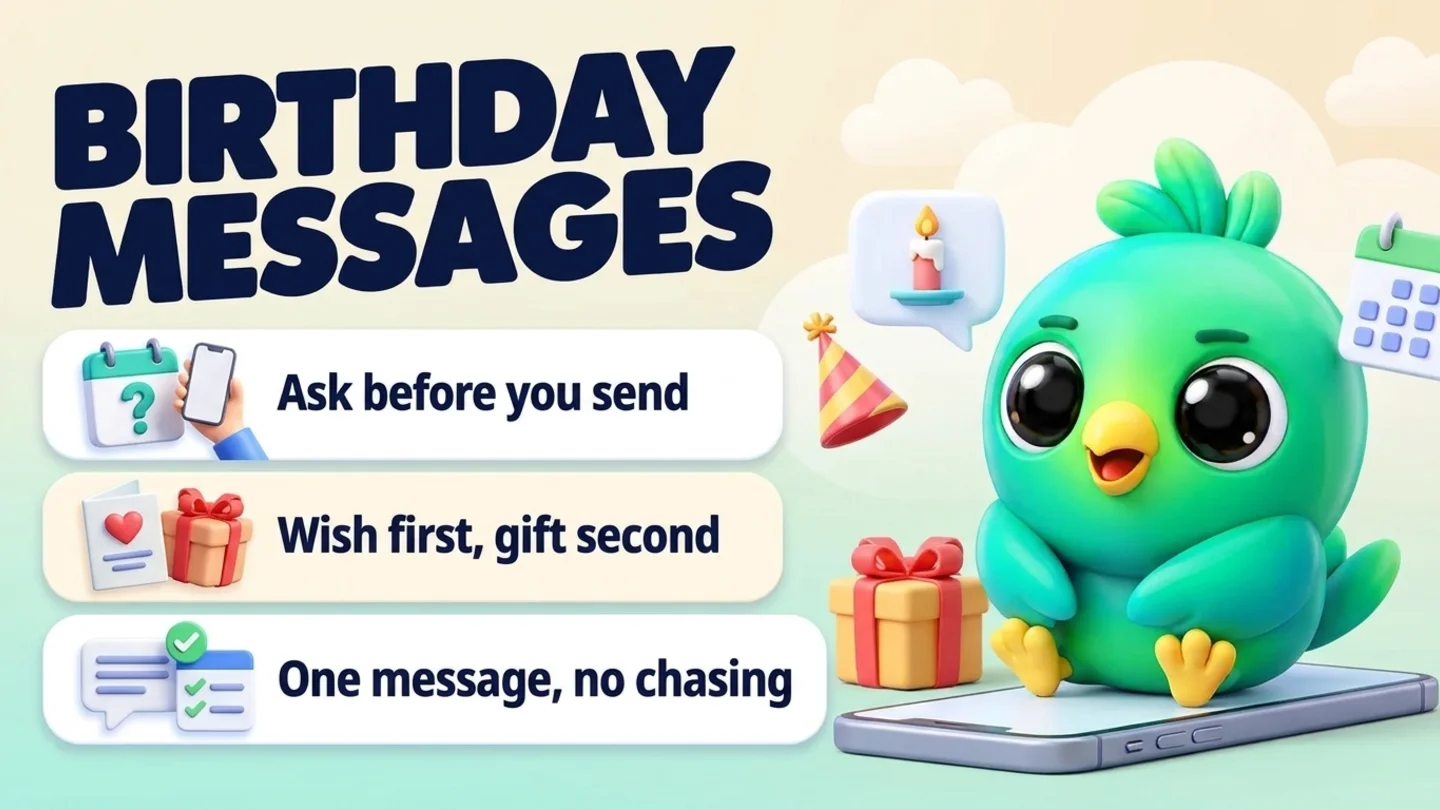
To send birthday messages to customers on WhatsApp, first ask your regular customers whether they'd like a birthday message from you, and if they say yes, ask only for the month and day. Write it down next to their name. On the morning of their birthday, send one short message in your existing chat that uses their name, says happy birthday, and, if you offer one, explains a small gift in a single sentence. Then leave it alone. You can do all of this in the free WhatsApp Business app or on WhatsApp Web, without the WhatsApp Business API. The step most businesses skip is the yes: WhatsApp's Business Messaging Policy says you may only message people who opted in to hear from you, and a customer who once messaged you hasn't automatically agreed to birthday greetings or offers.
This post is part of our guide to WhatsApp CRM for small business. It covers one small, friendly message a year for customers you already know. If you want customers to come back on a regular cycle, getting repeat customers on WhatsApp covers reorder and service-due reminders. If someone stopped buying a long time ago, a birthday message isn't the right way back in; reactivating cold WhatsApp leads is. For the end-of-year thank-you that goes to more than one customer at a time, see holiday messages to customers on WhatsApp.
Last updated 12 October 2026. WhatsApp's Business Messaging Policy, WhatsApp Help Center pages, Meta's template categorization guidance and the FTC's guide to protecting personal information were checked against each organization's own pages on that date. This is practical guidance, not legal or compliance advice.
A birthday message is a greeting first and an offer second
Customer birthday messages go wrong when the greeting turns into an advert. The wish is what makes it personal. A gift can make it nicer, but it should never be the headline.
| Type | What it says | Best for | Watch out for |
|---|---|---|---|
| Greeting only | "Happy birthday, [name]! Hope it's a great day." | B2B clients, professional services, anyone who only agreed to a greeting | Nothing, as long as they said yes |
| Greeting plus a small gift | Happy birthday, then one line about a treat on their next visit | Salons, cafes, boutiques, groomers, gyms | Needs a yes to offers, not just to a greeting |
| Promotion with a birthday hook | "Birthday sale! 30% off everything!" | Nobody, in a one-to-one chat | Reads like a broadcast and wastes the personal moment |
If you only remember one thing from this post: send the first type to everyone who said yes, and the second type only to people who agreed to offers.
The birthday routine in five steps
- Ask for permission and the date. One friendly question, asked once, and only the month and day.
- Write it down where you'll see it. Name, birthday, what they agreed to, and the date of the yes.
- Decide on the gift before the day. Same gift for everyone, simple terms, nothing WhatsApp restricts.
- Send one message in the morning. In the chat you already have, with their name and nothing generic.
- Handle the reply and record the outcome. Thank them, note any redemption, and remove anyone who says stop.
Step 1: Ask for the birthday and the permission together
The best moment to ask is when the customer is already happy with you: right after a good visit, a delivery that arrived on time, or the end of a successful first project. It should be one easy question, separate from anything else you're sending.
WhatsApp's Business Messaging Policy says you may only contact people on WhatsApp if they gave you their number and you received opt-in permission confirming they want to receive messages from you. You must respect any request to stop, on WhatsApp or anywhere else. The policy's best practices also suggest getting opt-in that covers the kinds of messages you'll send, such as order updates or relevant offers, and getting separate opt-in by message category. WhatsApp's policy compliance help page adds that a customer reaching out to a business doesn't count as opt-in to future proactive messages. A birthday greeting is a proactive message, so ask.
Salons, barbers, spas and groomers
Thanks for coming in today, [name]! We like to send regulars a small birthday treat. Would you like one? If so, just reply with your birthday (month and day is all we need).
Cafes, bakeries and shops
Glad you enjoyed it, [name]! Can we send you a birthday message with a little something each year? Reply with the month and day if you'd like that, or ignore this, no problem at all.
Professional services and B2B clients
Great working with you on this, [name]. Would you mind if I sent you a quick birthday note each year? If that's fine, just tell me the month and day.
Pet businesses (for the pet's birthday)
[Pet's name] was a star today! Want us to send a birthday message on [his/her] big day? Reply with the month and day if you'd like.
When they answer, write down exactly what they agreed to: "Birthday message, yes, [date]" or "Birthday message with offers, yes, [date]". Those two are different, and the note settles the question later. If you're building a new client relationship, the intake step in onboarding new clients on WhatsApp is a natural place for this question, and our post on WhatsApp opt-in without the API covers how to collect and keep opt-in records.
Ask for the month and day, not the year
You don't need anyone's age to say happy birthday. A full date of birth, year included, is the kind of personal detail people are often asked for when proving who they are, so it's worth not holding it at all. The FTC's guide to protecting personal information puts the principle simply: if you don't have a legitimate business need for sensitive personally identifying information, don't keep it, and don't even collect it.
For children's classes, parties or activities, ask the parent, not the child, and send the message to the parent.
Note: A yes to a birthday greeting is not a yes to promotions. If a customer only agreed to the greeting, leave the offer out.
Step 2: Keep the birthday where you will actually see it
A birthday message only works if it goes out on the right day. Memory doesn't scale past a few customers, so keep a simple record:
| Record | Example | Why it matters |
|---|---|---|
| Name | Dana (and Biscuit, her dog) | The message starts with it |
| Birthday | March 14 | Month and day only |
| What they agreed to | Greeting with offers, yes on Oct 3 | Decides which template you send |
| Gift preference | Prefers a free add-on to a discount | Optional, but makes the gift feel chosen |
| Last birthday message | Sent Mar 14, redeemed Mar 20 | Stops double sends and shows what works |
| Stop request | "No more messages", Apr 2 | Removes them for good |
A spreadsheet with one row per customer works fine for a small list. In the WhatsApp Business app, a list such as "Birthdays: Q1" (lists are WhatsApp's replacement for labels) can group the people, but a list can't hold the date or remind you on the day, so most people keep the date in a sheet or a CRM. Our free WhatsApp sales pipeline template has room for a birthday column, and WhatsApp labels vs CRM explains where lists stop being enough.
Once a month, look at the next month's birthdays. It takes two minutes and means nobody gets missed while you're busy.
Step 3: Decide on the gift before the day
A good birthday gift is small, easy to use and the same for everyone in the same group, so you never have to improvise. Decide it once and write down the terms.
| Business | Gift ideas that suit a one-to-one message | Keep it simple |
|---|---|---|
| Salon, barber, spa | A free add-on (a scalp massage, a brow tidy) on their next visit | Valid for the birthday month |
| Cafe, bakery | A free pastry or coffee with their next order | One per customer, no minimum spend |
| Boutique, gift shop | A small discount or free gift wrapping | Say when it ends |
| Gym, studio, coach | A free guest pass or class for a friend | Name the dates it works |
| Pet groomer, pet shop | A free treat or bandana at the next groom | Message the owner, celebrate the pet |
| Professional services, B2B | No offer, just the greeting | A gift here can feel awkward |
Write the terms into the message in one line: what it is, how long it lasts, and any condition. "Valid for your birthday month" is clearer than "limited time", and nobody feels caught out at the till.
Gifts to keep out of WhatsApp birthday messages
Some common birthday perks are exactly the things WhatsApp restricts. The Business Messaging Policy prohibits using WhatsApp for Business to buy, sell or promote certain regulated goods, including:
- Alcohol and tobacco, so no "free birthday drink" or "a glass of bubbly on us"
- Drugs, whether prescription, recreational or otherwise
- Medical and healthcare products
- Real, virtual or fake currency, which WhatsApp's policy compliance page says includes gift cards, so don't use the birthday message to sell gift cards
The compliance page also says that a business selling alcohol alongside other goods may message about the rest of its range but can't promote or advertise alcohol in messaging. A restaurant can offer a free dessert; it shouldn't offer a free cocktail. Clinics and practices should keep birthday notes free of any treatment or condition: the policy says not to send or request health-related information on WhatsApp where your regulations prohibit sending it to systems that don't meet the heightened requirements for it.
Step 4: Send one message on the morning of the birthday
Send it in the morning so it arrives while the day is still ahead of them, and send it in the chat you already have so they know exactly who it's from. A good birthday message does three things:
- Uses their name and, where it fits, one detail you know ("hope the new place is treating you well").
- Says happy birthday first. The gift, if any, comes second.
- Asks for nothing. No "book now", no link wall. If there's a gift, say how to use it and stop.
Birthday message templates
Greeting only
Happy birthday, [name]! Wishing you a really good day and a great year ahead. Thanks for being such a lovely customer.
Salon, barber or spa (with a gift)
Happy birthday, [name]! 🎂 Your birthday treat from us: a free [add-on] at your next visit any time this month. Just mention it when you book. Have a wonderful day!
Cafe or bakery (with a gift)
Happy birthday, [name]! Your next [coffee / pastry] is on us. Show this message at the counter any time this week. Enjoy your day!
Boutique or shop (with a gift)
Happy birthday, [name]! As a small thank-you, here's [discount or free gift wrap] on anything you pick this month. Reply here if you'd like me to set something aside.
Gym, studio or coach
Happy birthday, [name]! Bring a friend to any class this month on us. Hope the year ahead is a strong one.
Pet groomer or pet shop
Happy birthday to [pet's name]! 🐾 There's a free [treat / bandana] waiting at [his/her] next visit. Give [him/her] an extra cuddle from us today.
Professional services or B2B client
Happy birthday, [name]. Hope you get some time away from the desk today. Wishing you a great year ahead.
If you missed the day
Happy belated birthday, [name]! I'm a little late, but the wishes are just as real. [Optional: your treat is still waiting, any time this month.]
The free WhatsApp message templates tool has more starting points, and if your business is a beauty salon, a cake or catering business, a gym or fitness coach or a pet shop or pet service, those pages show the wider WhatsApp setup for each trade.
Tip: Save your birthday templates as quick replies. The WhatsApp Business app allows up to 50 quick replies, and you can insert one by typing "/" in the chat. Keep a copy outside WhatsApp, because WhatsApp's help page says a deleted quick reply can't be recovered.
Step 5: Reply, record, and respect a stop
Most people answer a birthday message with a quick thank-you. Reply to it. A one-line answer ("Enjoy it, see you soon!") keeps the exchange human and costs you nothing.
Then record what happened:
- They used the gift. Note the date. It tells you which gifts customers actually like.
- They booked or ordered. Handle it the normal way: see booking appointments on WhatsApp or confirming orders on WhatsApp.
- They asked you to stop. Remove them from birthday messages for good, note the date, and say thank you. The policy requires you to respect that request.
- No reply. That's fine. Don't follow up on a birthday message, ever. Next year, check that they're still a customer before sending again.
A birthday is not the moment to ask for a review or a referral either. If they come in to use the gift and have a great visit, that's the time: see asking for Google reviews on WhatsApp and asking for referrals on WhatsApp.
One-to-one chat, broadcast list or API template?
Birthdays are personal by definition: each customer has a different day. That makes the one-to-one chat the natural tool.
| Option | How it reaches people | Fit for birthdays | Watch out for |
|---|---|---|---|
| One-to-one chat | A message in the chat you already have | The right tool: personal, timed to each customer | Needs a reminder so you don't forget the day |
| Broadcast list (WhatsApp Business app) | The same message to many people, each as a private chat | Poor: a birthday blast to everyone born this month reads as a broadcast | WhatsApp says only contacts who saved your number in their address book receive broadcasts |
| Marketing messages (WhatsApp Business app) | Paid messages to people you select | Rarely worth it for one person at a time | WhatsApp says you pay for each message delivered |
| WhatsApp Business API template | An approved template sent by a provider | For high volume, automated sends | Meta's template categorization guidance lists a happy-birthday message as a marketing example, so it isn't a utility template |
If you want to announce a birthday-month promotion to everyone, that's a promotion, not a birthday message. Send it only to customers who agreed to offers, and read WhatsApp broadcast limits first. Our post on the WhatsApp Business app vs the API explains when the API makes sense at all.
Wording to avoid (and what to say instead)
| Avoid | Why | Say instead |
|---|---|---|
| "Dear valued customer, happy birthday!" | Obviously a mass message | "Happy birthday, [name]!" |
| "Happy 40th!" | You shouldn't know, and many people would rather you didn't | "Happy birthday!" with no number |
| "Birthday sale: 30% off, today only!" | Turns a greeting into an advert with pressure | "Your birthday treat: [gift], any time this month" |
| "A free birthday cocktail on us" | WhatsApp prohibits promoting alcohol on the Business app | "Dessert is on us" |
| "Happy birthday! Hope the [treatment] is going well" | Health details on a phone others may see, and possibly restricted | "Happy birthday! Wishing you a great year" |
| "Did you get our birthday message?" the next day | A birthday follow-up feels needy | Nothing. One message is the whole point |
Where InboxCRM fits
InboxCRM is a WhatsApp CRM Chrome extension for WhatsApp Web. It isn't a loyalty program or a coupon system, and it doesn't create discount codes. It helps when you already talk to customers in WhatsApp Web and want each customer's birthday, permission and notes next to the chat, with a reminder on the day, without the WhatsApp Business API.
- The birthday on the contact. Save each customer's "Date of birth" on the "Contact profiles" page, opened from the extension popup, next to fields such as email, city and lead source. Notes and tags sit beside the open chat too, so "Birthday with offers: yes on Oct 3, prefers add-ons" is one glance away. See the chat tools panel guide or try the contacts and notes tutorial.
- A daily birthday check. In Notifications, tick "Active" in the "Birthday reminders" card. Once a day, around 9:00 AM, InboxCRM checks contact profiles and creates a "Birthday" reminder for anyone whose birthday is today, with a Chrome notification. Each contact gets at most one birthday reminder per day. See the notifications guide or the notifications tutorial.
- Notify, or send automatically. Leave "Auto-send message (otherwise notification only)" unticked and you get the reminder only, so you can write a personal message yourself. Tick it and InboxCRM also sends your template to the contact on WhatsApp. The template can use {{name}} for the contact's name. Avoid {{date}} in a customer greeting: it inserts the full saved date of birth, including the year. We'd suggest starting with auto-send off for a few weeks, and remember that "Test fire now" is a real run: with auto-send on, greetings go out to anyone whose birthday is today.
- A personal message written ahead. If you'd rather write a specific customer's message in advance, choose "Schedule message" in the chat and pick the morning of their birthday. A "Yearly" recurrence exists, but it keeps repeating until you edit or delete it, so a one-off schedule is usually safer. See the scheduling guide.
- Saved wording. Keep each birthday template, with and without a gift, as a quick reply so you can insert it and adjust one detail. See the quick replies guide.
Honest limits: the birthday check and any automatic greeting need Chrome running (and WhatsApp Web open, for auto-send) at the time of the check. If your computer is off around 9:00 AM, open Chrome later and click "Test fire now", knowing it's a real run. Birthday reminders only work for contacts who have a date of birth saved. CRM records are stored in Chrome on your device (chrome.storage.local), not on an InboxCRM server, and they don't show in the WhatsApp mobile app. InboxCRM is a single-user extension, not a shared team inbox. Our post on where WhatsApp CRM data is stored explains the local-first model. If that fits how you work, you can add InboxCRM to Chrome.
Mistakes that make birthday messages backfire
- Messaging people who never said yes. A birthday message from a business you barely know feels like surveillance, not care.
- Asking for the full date of birth. You only need the month and day. The year adds risk and no value.
- Leading with the offer. If the first word is "SALE", the message is an advert with a birthday sticker on it.
- Sending the same text to everyone at once. Birthdays are individual. A monthly blast loses the only thing that made them work.
- Forgetting who said stop. One "no thanks" should end birthday messages for good, and the note should say so.
- Letting automation run unchecked. If a customer complained last week, a cheerful automatic "happy birthday, here's 10% off" can make it worse. Check the day's list first.
Frequently asked questions
Is it OK to send birthday messages to customers on WhatsApp?
Yes, if they agreed to it. WhatsApp's Business Messaging Policy says you may only message people who gave you their number and opted in to hear from you, and WhatsApp's help pages say a customer messaging you first doesn't count as opt-in to future proactive messages. Ask once, note the date of the yes, and stop if they ask you to.
What should a birthday message to a customer say?
Their name, a warm happy birthday, and, if you offer one, a single line about a small gift with clear terms. Keep it to two or three short lines and don't ask them to do anything. A business-to-business or professional client usually gets the greeting only.
Should a birthday message include a discount or gift?
Only for customers who agreed to receive offers, and only if it's simple. A small add-on, a free item with their next order or a modest discount for the birthday month works better than a big sale. Don't offer alcohol or anything else WhatsApp's policy restricts.
How do I collect customer birthdays without being creepy?
Ask after a good experience, explain why ("we send regulars a small birthday treat"), make it optional, and ask only for the month and day. Never guess a birthday from social media, and never ask for the year.
Can I automate birthday messages on WhatsApp without the API?
Partly. With the WhatsApp Business app alone, most small businesses keep the dates in a sheet or calendar and send each greeting by hand. A WhatsApp Web CRM extension can check birthdays daily and either remind you or send a saved greeting from your own WhatsApp Web. On the WhatsApp Business API, a birthday greeting counts as a marketing template under Meta's categorization guidance.
Sources
- WhatsApp Business Messaging Policy (last updated 23 September 2026), WhatsApp, checked 12 October 2026
- How to comply with the WhatsApp Business Messaging and Commerce policies, WhatsApp Help Center, checked 12 October 2026
- How to use broadcast lists on the WhatsApp Business app, WhatsApp Help Center, checked 12 October 2026
- About marketing messages, WhatsApp Help Center, checked 12 October 2026
- How to use quick replies, WhatsApp Help Center, checked 12 October 2026
- How to use labels (labels are now lists), WhatsApp Help Center, checked 12 October 2026
- Template categorization, Meta for Developers, checked 12 October 2026
- Protecting Personal Information: A Guide for Business, Federal Trade Commission, checked 12 October 2026
InboxCRM is a WhatsApp CRM for WhatsApp Web. Pipeline, notes, follow-ups and quick replies beside every chat, with your CRM data kept in your browser.
Add InboxCRM to Chrome