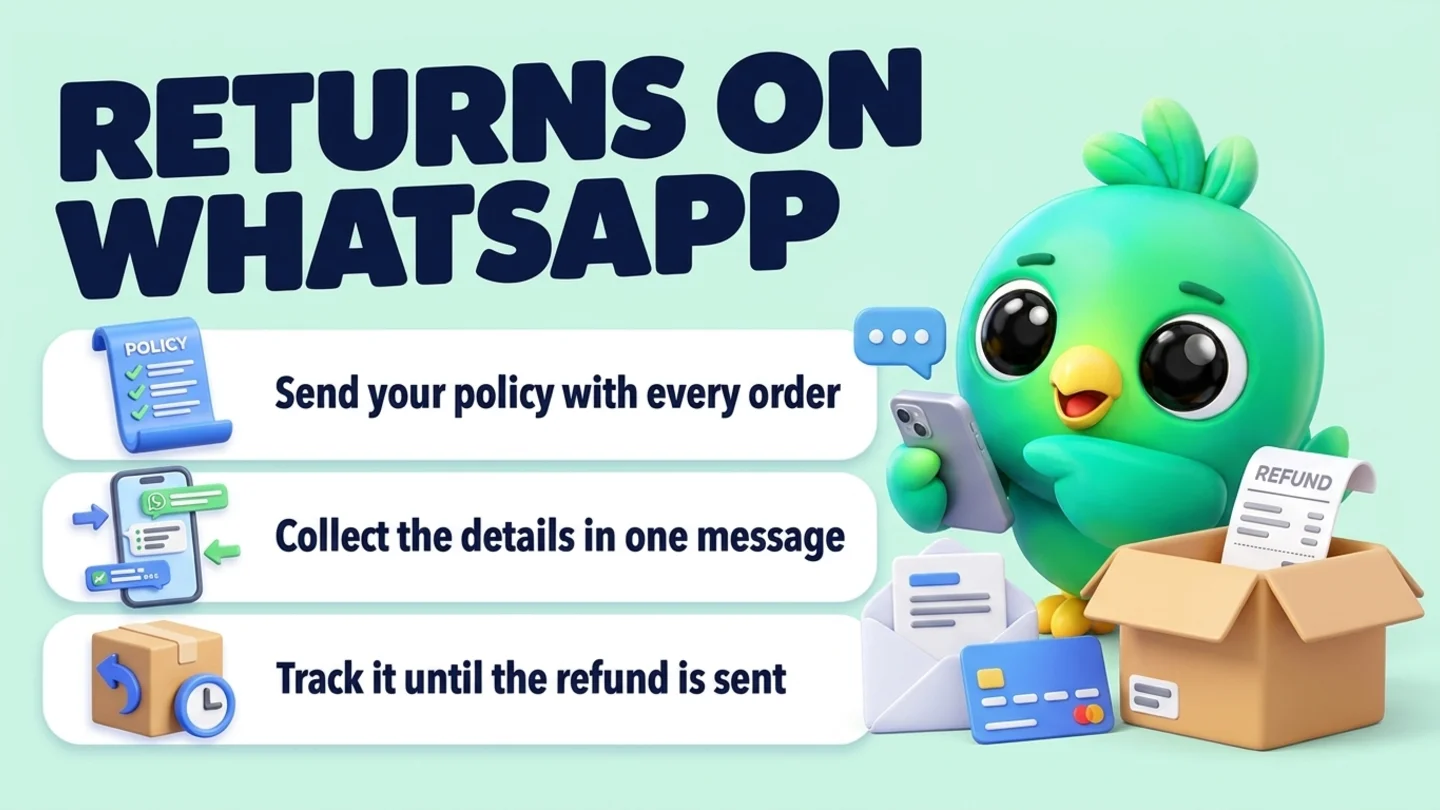
To handle returns and exchanges on WhatsApp, write your return policy down before you need it, send it with every order confirmation, and use the same short routine for every request: ask for the order, the item, the reason and what the customer would like (refund, exchange or store credit) in one message; ask for photos only when the item is damaged or wrong; decide by your written policy; then confirm the outcome, the next step and the timing in writing in the same chat. Keep each open return visible until the refund is sent or the replacement is delivered, and never ask for card numbers in the chat. You do not need the WhatsApp Business API, a returns portal or an AI agent to do this well for a small shop.
This post is part of our guide to WhatsApp CRM for small business. It covers what happens after an order has been delivered and the customer wants to send something back or swap it. Taking the order is covered in confirming orders on WhatsApp, general support questions and complaints are in WhatsApp customer service, and made-to-order batches that have not shipped yet are in taking pre-orders on WhatsApp.
Last updated 21 October 2026. WhatsApp's Business Messaging Policy and Help Center pages on business messaging compliance and quick replies, the California Attorney General's refund policy page, Michigan's consumer protection guidance on returns, the CFPB's page on credit card disputes and the FTC rules on mail and internet orders and the Cooling-Off Rule (eCFR) were checked on their own pages on that date. This is practical guidance, not legal advice. Return rules vary by state, so check the rules where you sell.
Returns, exchanges and store credit: what each one means
Customers use "return" for several different requests. Naming them helps you answer the right one.
| Request | What the customer wants | What you usually need | Typical outcome |
|---|---|---|---|
| Change of mind | Send it back because they no longer want it | The item unused, in its packaging, inside your return window | Refund, store credit or exchange, by your policy |
| Exchange | A different size, color or variant | The original back, and the new item in stock | Replacement order, sometimes with a price difference |
| Damaged on arrival | A working item | Photos of the item and the box | Replacement or refund, usually at your cost |
| Wrong item sent | What they actually ordered | A photo of what arrived | The right item sent, the wrong one collected or kept |
| Gift return | Swap or credit for a present someone else bought | Proof of purchase such as a gift receipt or order number | Exchange or store credit, as your policy says |
| Never arrived | The order, or their money | Your shipping record and tracking | Reship or refund (this is a delivery problem, not a return) |
The last row matters. If an order never shipped or never arrived, treat it as a delivery problem, not a return. For orders you could not ship at all, the FTC Mail, Internet, or Telephone Order Merchandise Rule sets refund timing: within seven working days, or within one billing cycle for credit card payments, once the customer's right to a refund applies. Our pre-orders post covers delays and cancellations in more detail.
Step 1: Write your return policy before you need it
Most return arguments start because the policy was never written, or was written somewhere the customer never saw. Decide these points once, in plain words.
| Policy point | Decide | Example wording to adapt |
|---|---|---|
| Window | How many days after delivery | "Returns within [number] days of delivery" |
| Condition | Unused, tags on, original packaging | "Unworn, with tags, in the original packaging" |
| Not returnable | Custom, personalized, perishable, hygiene items, final sale | "Personalized items and food are final sale" |
| Outcome | Refund, exchange, store credit, or a choice | "Refund to the original payment method, or an exchange" |
| Return shipping | Who pays for change of mind, and who pays when you made the mistake | "You cover return postage unless the item was damaged or wrong" |
| Refund timing | When you send the refund after the item arrives | "Refund sent within [number] business days of receiving it" |
| Restocking fee | Whether you charge one, and on what | Only if you state it before the sale |
| Holiday gifts | A longer window for gifts bought in November and December, and gift receipts | "Gifts bought from [date] can be returned until [date]" |
Is a return policy required? In most of the US there is no general rule that a seller must accept change-of-mind returns. State consumer offices, such as Michigan's, explain that if a retailer has a no-return policy, the law generally does not require it to accept returns unless the item is defective. But disclosure rules exist. The California Attorney General explains that a retailer that will not give a full refund, credit or equal exchange within seven days of purchase (with a receipt) must clearly display that policy, for example on tags or the seller's order forms, with exceptions such as perishable items, final sale, custom orders and goods used or damaged after purchase. If it does not, the customer can return the item with proof of purchase for a full refund within 30 days (California Civil Code section 1723). Rules differ by state, so check where your customers are.
The practical takeaway is the same everywhere: say your policy clearly before the customer pays, and then follow it.
Tip: If you sell at craft fairs, markets or pop-ups and take the order in person, the FTC Cooling-Off Rule can give the buyer three business days to cancel sales of $130 or more made at temporary locations such as fairgrounds or convention centers. Read the rule itself before an event if that applies to you.
Step 2: Send the policy with every order, not after the problem
The best time to share a return policy is in the order confirmation, when the customer is happy and reading carefully. One line plus a link or a short document is enough.
Line to add to your order confirmation
Returns: [number] days from delivery, unused and in the original packaging. Personalized items are final sale. Full policy: [link]
Holiday version (November and December)
Buying a gift? Gifts ordered from [date] can be returned or exchanged until [date]. Want a gift receipt in the box, with no prices on it?
If you sell in chat without a website, keep the policy as a short PDF or image and attach it. Our post on confirming orders on WhatsApp shows where this line fits in the full confirmation message.
Michigan's consumer protection guidance notes that retailers sometimes extend return timeframes for holiday purchases, and lists gift receipts and store credit among the things shoppers check before they buy. That is exactly the question you will get in December, so answer it in advance.
Step 3: Collect everything in one intake message
When someone writes "I want to return this", answer with one message that asks for everything you need. Customers would rather answer once than be asked five questions in a row.
Intake reply
Sorry it didn't work out. So I can sort it quickly, please send: your order number or the name on the order, which item, the reason, and whether you'd like a refund, an exchange or store credit. If it arrived damaged or it's the wrong item, a photo of the item and the box helps too.
Exchange request
Happy to swap it. Which size or color would you like instead? I'll check it's in stock before you send anything back.
Gift return (they did not buy it)
No problem. Do you have the gift receipt or the order number? If not, the name of the person who bought it and roughly when is enough for me to find it.
Rules that keep intake clean:
- Ask only what your policy needs. Order, item, reason, preferred outcome. Photos only for damaged or wrong items.
- Never ask for card or bank numbers. WhatsApp's Business Messaging Policy says businesses should not share or ask people to share full payment card numbers, financial account numbers, ID card numbers or other sensitive identifiers. Refund through your payment provider instead.
- Check stock before an exchange. Promising a size you do not have turns a return into a complaint.
- Do not argue in the first reply. Collect the facts, then decide.
You can save the intake reply as a quick reply. In the WhatsApp Business app you can store up to 50, but WhatsApp's help page says media files are not supported in quick replies on WhatsApp Web or Desktop, so keep your policy PDF where you can attach it quickly.
Step 4: Decide by your policy and confirm it in writing
Once you have the facts, make the decision and say it in one message with the next step and the timing. A customer who knows exactly what happens next rarely chases you.
Approved, send it back
All good, your return is approved. Please send the [item] back within [number] days, unused and in its packaging, to: [address]. Once it arrives I'll send your refund of [amount] to your original payment method within [number] business days, and I'll message you when it's done.
Approved, exchange
Done, I'm holding a [new size/color] for you. Send the [original item] back to [address] and I'll ship the new one as soon as it arrives. [If there's a price difference: The new one is [amount] more/less, and I'll send a payment link/refund for the difference.]
Damaged or wrong item (your mistake)
I'm really sorry about that. I'll send a replacement today at no cost. [Keep the damaged one / Here's a prepaid label for the wrong one.] Tracking to follow.
Outside the policy
I'm sorry, the [item] is outside our [number]-day return window / is a personalized item, so I can't take it back under our policy. What I can do is [goodwill option, if you choose one], if that helps.
Refund sent
Your refund of [amount] has been sent to your original payment method today. Your bank may take a few days to show it. Thanks for your patience.
A few rules:
- Apply the policy the same way for everyone. If you make an exception, say it is an exception so it does not become the new policy.
- When it was your mistake, make it easy. Cover the cost and skip the paperwork.
- Say when, not just what. "Within [number] business days of arrival" is a promise the customer can hold you to, so make it one you can keep.
- Send the refund the way they paid. Use your payment provider's refund function, not a new bank transfer request in the chat.
If the customer is upset, fix the tone before the policy. Our how-to on replying to an angry customer without sounding rude has wording that calms things down.
Step 5: Track every open return until it is closed
A return has more steps than a sale: approved, waiting for the item, received, refunded or reshipped. The risk is not the decision, it is forgetting the last step. Give open returns their own short list, separate from new orders.
| Stage | What it means | Your next action |
|---|---|---|
| Requested | Customer asked; details not complete | Send the intake reply |
| Approved, waiting for item | You said yes; the item is on its way back | Check tracking; remind once if it does not arrive |
| Received | The item is back with you | Inspect within a day or two |
| Refunded or exchanged | Money sent or replacement shipped | Send the confirmation message |
| Closed | Nothing left to do | Note the reason for your records |
| Declined | Outside the policy | Make sure the reply was polite and clear |
Write one line on each chat: order number, item, reason, outcome, date. That line is your record if the customer later says they never got their refund. It also matters if they dispute the charge with their card company: the CFPB explains that cardholders can send a written billing error notice within 60 days after the charge appeared on their statement, and that a separate dispute process can apply to defective goods. A clear, dated chat with your policy, your decision and your refund confirmation is the simplest evidence you can have, and resolving the return quickly is the best way to avoid a dispute at all.
Our how-to on tracking orders without a spreadsheet shows how to keep delivery status next to each chat, and the same idea works for returns.
Step 6: Learn from your return reasons
Every return tells you something. After a few weeks, count the reasons.
| Reason | What it usually means | What to change |
|---|---|---|
| Wrong size | Size info unclear | Add measurements or a fit note to product messages |
| Not as pictured | Photos or descriptions miss something | Add a real photo in daylight, or a short video |
| Damaged in transit | Packaging too light | Change packaging for that item |
| Changed mind | Normal, or bought in a rush | Nothing, unless it clusters on one product |
| Wrong item sent | Packing error | Check the order summary before you pack |
If one product keeps coming back, fix the product page or the packing before you fix the policy. Our post on collecting customer feedback on WhatsApp shows how to ask one private question after the return is closed, and WhatsApp sales funnel metrics explains how to count stages from a simple board.
Holiday gift returns: a short plan for December and January
Gift season brings returns from people who never bought from you. Plan for them now.
- Decide your holiday window early. If you extend returns for gifts, say so in November order confirmations and in your Black Friday messages, not in January.
- Offer gift receipts. A gift receipt or a printed order number lets the recipient return or swap without asking the buyer.
- Expect exchange requests more than refunds. Size and color swaps are common for clothing, so hold a little stock of popular sizes into January.
- Tell the recipient who the refund goes to. Refunds usually go back to the original payment method, so a gift recipient gets an exchange or store credit unless the buyer asks for the refund.
- Do not turn a return into a sales pitch. Help first. Our post on upselling on WhatsApp explains why offers do not belong inside complaints and returns.
- Ask before adding a recipient to future messages. A gift recipient who messages you to swap a sweater has not opted in to your marketing. WhatsApp's help pages say customers must opt in before you send them messages outside the 24-hour window. Our opt-in guide has a simple way to ask.
Industry pages for clothing and fashion sellers, custom gift businesses, cosmetics and skincare and mobile and electronics shops show how those trades run the rest of the chat.
Where InboxCRM fits
InboxCRM is a WhatsApp CRM Chrome extension for WhatsApp Web. It does not process refunds, print return labels or decide what your policy should be. It helps when your orders already happen in WhatsApp chats and you want each open return, its reason and its next step beside the conversation, without the WhatsApp Business API.
- Returns marked on the order. In the Order manager, an order that has shipped or been delivered can be marked returned from the More menu. The stock goes back to your Stock manager, and the order history records the status change with its date and time, the reason and any courier fee, so you can explain the order later. For an exchange, create a new order for the replacement, for example with "Create order from this chat", which builds an editable draft from the customer's recent messages. Try the Order manager tutorial (fictional data; nothing is sent) or the stock manager tutorial.
- A board for open returns. Create a separate board from the "Support tickets" template or a blank board, set its stages to match the table above, and move chats with "Move to stage" in the chat tools panel. A stage chip shows next to each chat in the chat list. See the CRM pipeline guide.
- The decision beside the chat. Write the order number, reason, outcome and date in the Notes tab, and use tags or custom fields for the reason so you can count them later. See the chat tools panel guide.
- Policy and intake replies in a click. Quick replies can hold text, images, video, audio and documents, so your return policy PDF goes out in one click. For text-only replies, "Insert into message box" drops the text into WhatsApp so you can add the order number first. See the quick replies guide.
- One reminder for items that never come back. A follow-up rule watching "Approved, waiting for item" can send one nudge after a delay you choose, with "Stop if chat replied" and "Stop if chat changed stage" ticked. Each rule sends to a chat only once, and rules run only while Chrome is open with WhatsApp Web. See the follow-up guide.
- Reminders that send nothing. Notifications can remind you to "send the refund for order [number]" with a Chrome notification and no message to the customer. See the notifications guide.
- Counts per stage. The sales funnel dashboard builds itself from a board, with a Count view and "Export to Excel" for a CSV.
Honest limits: InboxCRM does not take payments or send refunds, cannot check your state's return rules, and does not know your policy unless you write it. Follow-up rules and scheduled messages only go out while Chrome is running with WhatsApp Web open. CRM records stay in Chrome on your device (chrome.storage.local), not on an InboxCRM server, and they do not appear in the WhatsApp mobile app. InboxCRM is a single-user extension, not a shared team inbox. If that fits how you sell, you can add InboxCRM to Chrome.
Mistakes that turn returns into disputes
- No written policy, or one the customer never saw. Send it with the order.
- Asking five questions in five messages. One intake reply is enough.
- Asking for card or bank details to refund. Refund through your payment provider.
- Promising an exchange before checking stock. Check first.
- Approving without saying when. Give the next step and the timing.
- Losing track after the item arrives. Keep open returns on their own list until the refund or replacement is sent.
- Pitching a new product inside a return. Help first, sell later, and only with permission.
Frequently asked questions
How do I handle a return request on WhatsApp?
Reply with one message asking for the order number, the item, the reason and whether the customer wants a refund, exchange or store credit, plus a photo if it arrived damaged or wrong. Decide by your written policy, then confirm the outcome, the next step and the timing in the same chat, and message again when the refund or replacement is sent.
Do small businesses in the US have to accept returns?
In most states there is no general rule requiring a seller to accept change-of-mind returns, but you must follow the policy you state, and some states have disclosure rules. California, for example, requires retailers with a limited or no-refund policy to display it clearly, or customers can return items with proof of purchase within 30 days. Defective items and warranties follow separate rules, so check the law where you sell.
Should I ask for photos before approving a return?
Only when the item arrived damaged or the wrong item was sent. For change-of-mind returns, photos rarely change the decision and slow the customer down. Ask for the item and the box in the photo, and never for payment details or ID documents.
How do I handle holiday gift returns on WhatsApp?
Decide your holiday return window in November and say it in order confirmations. Offer gift receipts or a printed order number so the recipient can return or swap without the buyer. Gift recipients usually get an exchange or store credit, because refunds go back to the original payment method.
Do I need the WhatsApp Business API or a returns app to manage returns?
No. A small shop can run returns one to one in the chat it already uses, with a written policy, a saved intake reply, a short list of open returns and a note on each chat. Returns portals and API tools make more sense when you handle many returns a day or need automatic labels and status messages.
Sources
- WhatsApp Business Messaging Policy (last updated 23 September 2026), WhatsApp, checked 21 October 2026
- How to comply with the WhatsApp Business Messaging and Commerce policies, WhatsApp Help Center, checked 21 October 2026
- How to use quick replies, WhatsApp Help Center, checked 21 October 2026
- Refund Policies, State of California Department of Justice, Office of the Attorney General, checked 21 October 2026
- Avoiding Unhappy Returns: Returning Merchandise Bought Online or In the Store, Michigan Department of Attorney General, checked 21 October 2026
- How do I dispute a charge on my credit card bill?, Consumer Financial Protection Bureau, checked 21 October 2026
- 16 CFR Part 435: Mail, Internet, or Telephone Order Merchandise, Federal Trade Commission (eCFR), checked 21 October 2026
- 16 CFR Part 429: Rule Concerning Cooling-Off Period for Sales Made at Homes or at Certain Other Locations, Federal Trade Commission (eCFR), checked 21 October 2026
InboxCRM is a WhatsApp CRM for WhatsApp Web. Pipeline, notes, follow-ups and quick replies beside every chat, with your CRM data kept in your browser.
Add InboxCRM to Chrome