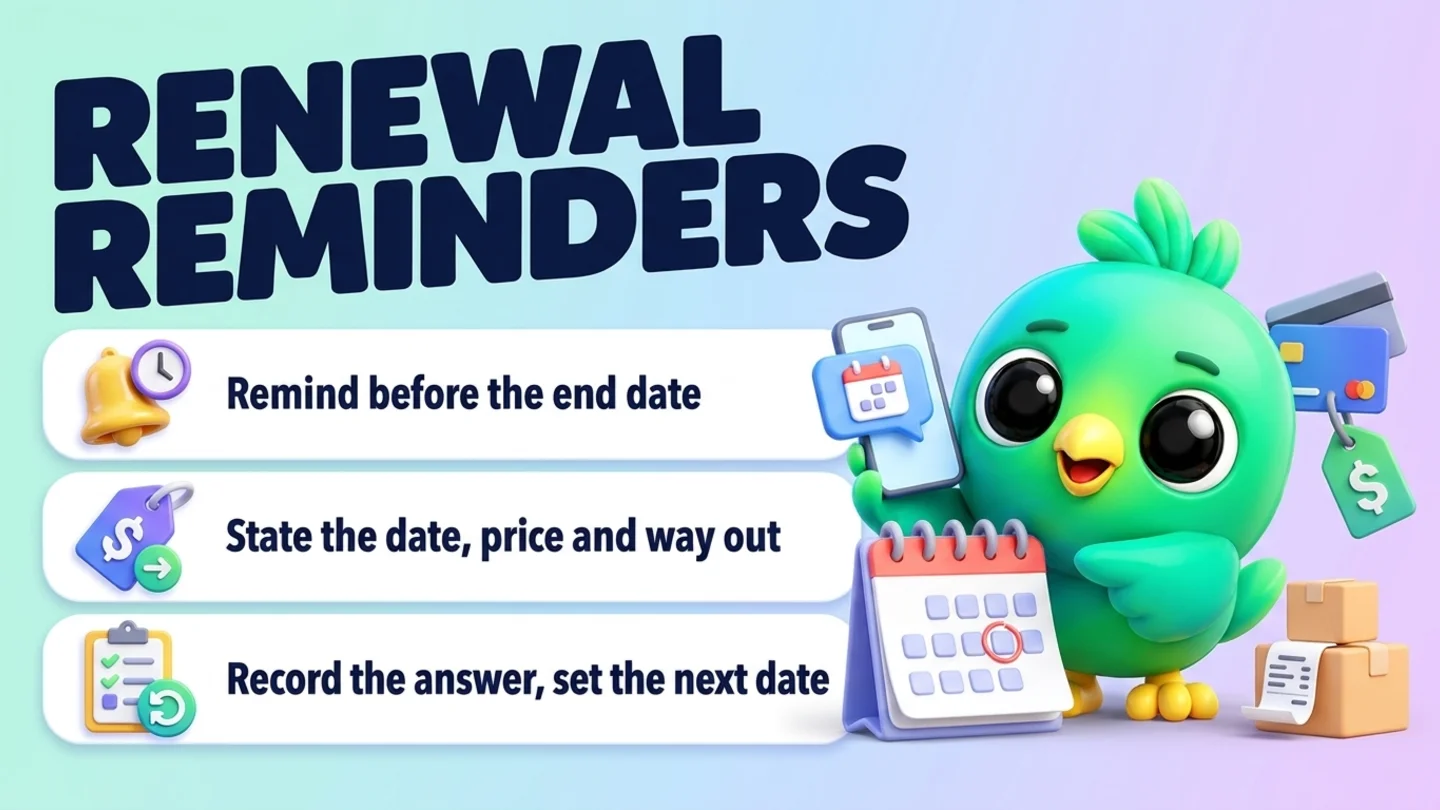
To send a renewal reminder on WhatsApp, keep one list of every client whose membership, session package, retainer or annual plan ends or renews soon, and message each of them in your existing chat well before that date. Say what is ending or renewing, the exact date, the price (and whether it is changing), what to reply to renew, and how to stop or change plans. Send one reminder, allow at most one gentle follow-up, then record the answer. This works in the free WhatsApp Business app or on WhatsApp Web, with no WhatsApp Business API. The two things most businesses get wrong are permission (a renewal message is only welcome if the client agreed to hear from you on WhatsApp) and cancellation (saying no should be as easy as saying yes).
This post is part of our guide to WhatsApp CRM for small business. It covers clients with an agreement that has an end date or a renewal date: gym and studio memberships, packs of sessions or classes, monthly retainers, annual maintenance or service plans and subscriptions you bill yourself. If a customer simply buys again when they run out, reorder and service reminders for repeat customers fit better. If the client already said yes and you are chasing an unpaid invoice, use payment reminders on WhatsApp. If they lapsed months ago, see reactivating cold WhatsApp leads.
Last updated 27 October 2026. WhatsApp's Business Messaging Policy, the WhatsApp Help Center page on policy compliance, 15 U.S.C. 8403, the FTC's Federal Register notices on the Negative Option Rule and California Business and Professions Code section 17602 were checked against each organization's own pages on that date. This is practical guidance, not legal advice.
Renewals are not reorders or payment reminders
A renewal is a decision about a commitment that is about to end or roll over. That makes it different from the other "it's time" messages you send on WhatsApp.
| Message | What the client decides | Typical example |
|---|---|---|
| Renewal reminder | Whether to continue an agreement for another term | "Your 10-class pack has 2 classes left and ends on 30 November. Want another pack?" |
| Reorder or service-due reminder | Whether to buy the same thing again | "Your filters are probably due. Same again?" |
| Payment reminder | Nothing new. They already agreed and owe money | "Invoice 1042 was due on Friday. Here is the link." |
| Win-back | Whether to come back after drifting away | "It has been a while. Is coaching still something you want?" |
Renewals deserve their own routine because the client is deciding about money and time, often for months ahead. A clear, early, no-pressure message keeps good clients and avoids the worst outcome: a client who feels they were renewed without being asked.
The renewal routine in five steps
- Keep one renewal list. Every client, what they have, the end or renewal date and whether it renews automatically.
- Pick the reminder date from the type of plan. Earlier for long terms and automatic renewals, closer for short packs.
- Send one clear message. What, when, how much, how to renew and how to stop.
- Make yes, change and no equally easy. One-word replies, and payment through a link or in person, never card numbers in the chat.
- Record the answer and set the next date. Renewed, changed, paused or not renewing.
Step 1: Keep one renewal list
Renewals slip because the dates live in different places: a booking app, a spreadsheet, a notebook and somebody's memory. Put every active agreement on one list. A row needs only a few fields.
| Field | Example |
|---|---|
| Client and chat | Maria Lopez (WhatsApp) |
| What they have | 10-class pack, Tuesday evening group |
| Started and ends or renews on | Started 1 Sep, ends 30 Nov |
| Renews automatically or by choice | By choice |
| Current price, and any new price | Same price next term |
| Agreed to WhatsApp messages | Yes, asked at sign-up on 1 Sep |
| Reminder date | 16 Nov |
| Outcome | Waiting |
The "renews automatically or by choice" column matters most. A pack that simply runs out is a sales conversation. A plan that charges the client again unless they cancel carries extra legal duties in many places, covered in the rules section below.
Tip: Ask about WhatsApp updates when the client signs up, not when the renewal is due. "Is it OK if I message you here when your pack is running low or your plan is up for renewal?" gives you a clear yes to record. Our post on WhatsApp opt-in without the API covers how to keep that record.
Step 2: Pick the reminder date from the type of plan
There is no single right lead time. A rough rule is: the longer the term and the more money involved, the earlier the reminder. These are practical starting points, not legal deadlines. Where a law sets a window, the law wins.
| Plan type | When to remind | Why |
|---|---|---|
| Session or class pack | When 2 sessions are left, or 2 weeks before it expires, whichever comes first | The client can book the next pack before the last session |
| Monthly membership that renews by choice | About a week before the end date | Enough time to decide without forgetting |
| Annual membership or service plan | About a month before | Gives time to budget, compare and plan |
| Plan that renews and charges automatically | Earlier than a manual renewal, and inside any window your state requires | The client must have a real chance to stop it |
| Monthly or quarterly retainer | At the last review before the term ends | Renew on results, not on a date alone |
| Trial or intro offer that turns into a paid plan | Before the trial ends | Nobody likes discovering a charge |
Put the reminder date on the list the day the client signs up, so the next step is never a scramble.
Step 3: Send one clear renewal message
A good renewal reminder answers every question the client would otherwise have to ask:
- What is ending or renewing, in the words on their receipt or agreement.
- When, as a date, not "soon".
- How much, and whether the price is changing.
- How to renew, ideally one word.
- How to stop or change plans, just as clearly.
- What happens if they do nothing. For a pack, it simply ends. For an automatic renewal, say that it renews and charges.
Keep it to one short message, sent in your existing chat, from the same name they know.
Renewal reminder templates
Session or class pack
Hi [name], quick heads-up: your [10-class pack] has [2] classes left and ends on [30 November]. If you would like another pack, reply RENEW and I will send the payment link. Want a different pack or a break? Just tell me. Either is fine.
Monthly membership that renews by choice
Hi [name], your [studio membership] ends on [date]. Renewing for [another month] is [price], same as now. Reply YES to renew, or PAUSE if you want to stop for a while. No reply means it simply ends on [date].
Annual plan or membership
Hi [name], your [annual maintenance plan] for [address or item] runs until [date]. Next year it is [price] and includes [what it covers]. Reply RENEW to keep it, CHANGE if you want a different plan, or NO THANKS if you would rather not continue. I am happy to answer any questions here.
Plan that renews automatically
Hi [name], a reminder that your [membership] renews automatically on [date] for [price] per [term], charged to the payment method on file. If you want to keep it, you do not need to do anything. To cancel before it renews, reply CANCEL or use [cancellation link]. To change plans, reply CHANGE.
Retainer
Hi [name], our current [3-month] retainer ends on [date]. Since [start], we have [one-line summary of work]. I would suggest [same scope or a change] for the next term at [price]. Would you like to continue as is, adjust it, or wrap up? Happy to talk it through on a call if easier.
Price change
Hi [name], a heads-up before your renewal on [date]: the price for [plan] is changing from [old price] to [new price] from [date]. If you would like to continue, there is nothing to do. If you would rather cancel or switch to [other option], reply here or use [link] before [date].
Tip: Save these as reusable replies, but always fill in the real date and price before sending. A renewal reminder with a wrong date or amount does more harm than no reminder at all.
Step 4: Make yes, change and no equally easy
- Renew in one reply. "RENEW" or "YES" should be enough. Then send a short confirmation with the new end date and price.
- Cancel in one reply. If someone can sign up in the chat, let them stop in the chat too, or give a direct link. Do not insist on a phone call or a visit to say no.
- Offer the middle option. A smaller pack, a pause or a lighter plan often keeps a client who would otherwise leave.
- Take payment outside the chat text. Send a payment link from your payment provider, an invoice or take payment in person. WhatsApp's policy says businesses must not share or ask people to share full payment card numbers, financial account numbers or other sensitive identifiers.
- Confirm in writing. "Done. Your membership now runs until [date] at [price]." or "All set, your plan ends on [date] and will not renew." That message is your record and theirs.
If they do not reply, send at most one short follow-up a few days later: "Just checking you saw this. Your [plan] ends on [date]. Reply RENEW, CHANGE or NO THANKS, whichever suits." Then stop. For automatic renewals, silence means it renews as you said it would, which is exactly why the first message has to be clear. Our WhatsApp follow-up message templates cover more nudges that stay polite.
Step 5: Record the answer and set the next date
Every renewal ends in one of four outcomes. Record it on your list the same day.
| Outcome | What to record | Next step |
|---|---|---|
| Renewed | New end or renewal date, price, how they paid | Set the next reminder date now |
| Changed plan | New plan, price and dates | Confirm in the chat and set the next date |
| Paused | Pause end date, and what they asked for | One reminder when the pause ends, if they agreed |
| Not renewing | Date and reason if they offered one | Stop renewal messages. Do not add them to promotions unless they asked |
The "not renewing" row is not a failure. A short "Thanks for training with us. You are welcome back any time" ends things well, and the reasons people give are the most useful feedback you will get. If you want to ask for that feedback in a structured way, see collecting customer feedback on WhatsApp.
The rules that apply to renewal reminders
This is not legal advice, and the rules depend on where you and your clients are. In the United States, these are the main ones to know about.
WhatsApp's Business Messaging Policy. You may only contact people on WhatsApp if they gave you their number and you received opt-in permission confirming they want to receive messages from you. You must respect any request to block, stop or opt out, made on WhatsApp or anywhere else. WhatsApp's policy compliance help page adds that a customer reaching out to a business does not count as opt-in to future proactive messages, and both pages say not to ask for full payment card numbers or other sensitive identifiers.
Online subscriptions that renew automatically (ROSCA). The Restore Online Shoppers' Confidence Act, 15 U.S.C. 8403, makes it unlawful to charge a consumer for goods or services sold online through a negative option feature unless the seller clearly discloses all material terms before taking billing information, gets the consumer's express informed consent before charging, and provides simple mechanisms to stop recurring charges. If a client signs up online for a plan that keeps charging until they cancel, this applies.
The FTC Negative Option Rule. The FTC's 2024 "click to cancel" amendments were vacated by the Eighth Circuit, and on 12 February 2026 the FTC restored the rule's earlier text, which covers prenotification negative option plans for goods. On 13 March 2026 the FTC asked for public comment on possible amendments to help consumers avoid unintended recurring payments and cancel without unwarranted obstacles. Check the Federal Register for later changes before relying on this.
State automatic renewal laws, for example California. California Business and Professions Code section 17602 sets notice duties for automatic renewal offers to California consumers. Among them: for an automatic renewal with an initial term of one year or longer, a notice 15 to 45 days before the renewal; notice of a price change 7 to 30 days before it takes effect, with how to cancel; for a free gift or trial, promotional or discounted price lasting more than 31 days, a notice 3 to 21 days before it ends; and cancellation that is easy and, for online sign-ups, available online. The statute also says how the notices must be delivered, so read it before relying on a WhatsApp message alone. If you have clients in other states, check whether those states have similar rules.
Note: A WhatsApp reminder is a courtesy that helps clients decide. Where the law requires a renewal notice, make sure the notice you send meets that law, including its timing, content and delivery method, and keep a copy.
Wording to avoid (and what to say instead)
| Avoid | Why | Say instead |
|---|---|---|
| "Last chance to renew!" | False urgency on a routine decision | "Your pack ends on [date]. Want another one?" |
| "To cancel, please call the studio" | Makes saying no harder than saying yes | "Reply CANCEL or use [link]" |
| "Renew now, same great price" (when it is changing) | Hides a material change | "Next term is [new price], up from [old price]" |
| "Your membership has been renewed" (when they never agreed) | Renewing without consent destroys trust and may break the law | "Would you like to renew? Reply YES" |
| "Send me your card number and I will renew you" | WhatsApp policy forbids asking for full card numbers | "Here is the secure payment link" |
| "We will miss you so much, are you sure?" (repeated) | Pressure after a clear no | "All set, your plan ends on [date]. Thanks for being with us." |
Where InboxCRM fits
InboxCRM is a WhatsApp CRM Chrome extension for WhatsApp Web. It does not bill clients, run automatic renewals, take payments or check whether someone opted in, and it is not a compliance tool. Your booking or billing system stays the source of truth for what renews and what gets charged. InboxCRM helps when renewals are already conversations in WhatsApp and you want the list, the dates and the replies beside each chat, without the WhatsApp Business API.
- A renewals board. Pipeline boards with your own stages, for example Due soon, Reminder sent, Renewed, Changed plan, Not renewing, show every renewal as a card. Add chats with "+ Card" or use "Move to stage" in the chat, and a stage chip shows next to the chat in your list. See the CRM pipeline guide or try the pipeline tutorial.
- Renewal value at a glance. Deal values on each contact show on the card and feed the funnel, so you can see the value of renewals waiting or won, and export it with "Export to Excel". See the sales funnel guide.
- The plan and date beside the chat. Notes, tags and custom fields keep "10-class pack, ends 30 Nov, by choice, opted in 1 Sep" next to the conversation. See the chat tools panel guide.
- A reminder for you on the right day. Notifications let you add a "New reminder" with a date, time and an optional linked contact, shown as a Chrome notification. It sends nothing to the client. See the notifications guide.
- Your message, scheduled. From the chat, "Schedule message" can send the reminder you wrote at a set date and time. "Send only when WhatsApp is open" holds it if WhatsApp Web is closed. See the scheduling guide and the scheduling tutorial.
- One follow-up that stops itself. A Follow-up rule on the "Reminder sent" stage can send one short nudge after a delay ("On funnel entry"), with "Stop if chat replied" and "Stop if chat changed stage" ticked, once per chat. See the follow-up guide.
- Templates in a click. Quick replies hold the renewal templates above, and "Insert into message box" drops the text into WhatsApp so you can fill in the date and price before sending. See the quick replies guide.
Honest limits: scheduled messages and Follow-up rules only go out while Chrome is running with WhatsApp Web open, and they are not paced by the Campaigns sending-safety layer, so keep them to people who asked to hear from you. InboxCRM does not know when a plan renews unless you record it. CRM records stay in Chrome on your device (chrome.storage.local), not on an InboxCRM server, and do not appear in the WhatsApp mobile app. It is a single-user, desktop Chrome extension, not a shared team inbox. If that fits how you work, you can add InboxCRM to Chrome.
If you run a gym or studio, the WhatsApp CRM for gyms and fitness coaches page shows how the same board works for memberships and trials.
Mistakes that cost renewals
- Reminding on the last day. The client has no time to decide, and an automatic charge feels like an ambush.
- Leaving out the price. "Time to renew!" forces a second message asking how much.
- Hiding the way out. If cancelling is hard, clients remember that, not your service.
- Different dates in different places. Your list, your billing system and your message must agree.
- Chasing a no. One reminder, at most one follow-up, then respect the answer.
- Asking for card numbers in the chat. Use a payment link, an invoice or in-person payment.
- Messaging former clients about renewals they never asked for. Without opt-in, send nothing.
- Forgetting to set the next date. A renewal you record today is next year's reminder done.
Frequently asked questions
Is it OK to send renewal reminders on WhatsApp?
Yes, if the client gave you their number and agreed to receive messages from you on WhatsApp, which WhatsApp's Business Messaging Policy requires. Send it in your existing chat, keep it about their plan, and stop if they ask you to. A client who once messaged you has not automatically agreed to future reminders.
How far ahead should I send a renewal reminder?
It depends on the plan. A useful starting point is about a week before a monthly membership ends, around a month before an annual plan, and when two sessions are left on a pack. Automatic renewals deserve an earlier notice, and some states set a window. California, for example, requires a notice 15 to 45 days before the renewal of an automatic renewal with an initial term of one year or longer.
What should a renewal reminder include?
What is ending or renewing, the exact date, the price and whether it is changing, how to renew, how to cancel or change plans, and what happens if the client does nothing. Keep it to one short message.
Can I take renewal payments on WhatsApp?
You can send a payment link from your payment provider or an invoice in the chat, or take payment in person. Do not ask clients to type full card numbers or bank account numbers in WhatsApp. WhatsApp's policy says businesses must not ask for them.
Do I have to send a reminder before an automatic renewal?
It depends on where your clients are and how they signed up. Federal law (ROSCA) requires clear disclosure, express consent and a simple way to stop recurring charges for online sign-ups, and some states, such as California, require renewal and price-change notices at set times. Check the rules that apply to you, as this is not legal advice.
Can I automate renewal reminders on WhatsApp without the API?
Partly. With a WhatsApp Web extension such as InboxCRM you can schedule a reminder you wrote for a set date and add one follow-up that stops when the client replies, while Chrome and WhatsApp Web are open. Keep each message personal, check the date and price, and only message clients who agreed to hear from you.
Sources
- WhatsApp Business Messaging Policy (last updated 23 September 2026), WhatsApp, checked 27 October 2026
- How to comply with the WhatsApp Business Messaging and Commerce policies, WhatsApp Help Center, checked 27 October 2026
- 15 U.S.C. 8403, Negative option marketing on the Internet, U.S. Government Publishing Office, checked 27 October 2026
- Revision of the Negative Option Rule, Withdrawal of the CARS Rule, Removal of the Non-Compete Rule To Conform These Rules to Federal Court Decisions (12 February 2026), Federal Trade Commission via the Federal Register, checked 27 October 2026
- Rule Concerning the Use of Prenotification Negative Option Plans (13 March 2026), Federal Trade Commission via the Federal Register, checked 27 October 2026
- California Business and Professions Code section 17602, California Legislative Information, checked 27 October 2026
InboxCRM is a WhatsApp CRM for WhatsApp Web. Pipeline, notes, follow-ups and quick replies beside every chat, with your CRM data kept in your browser.
Add InboxCRM to Chrome