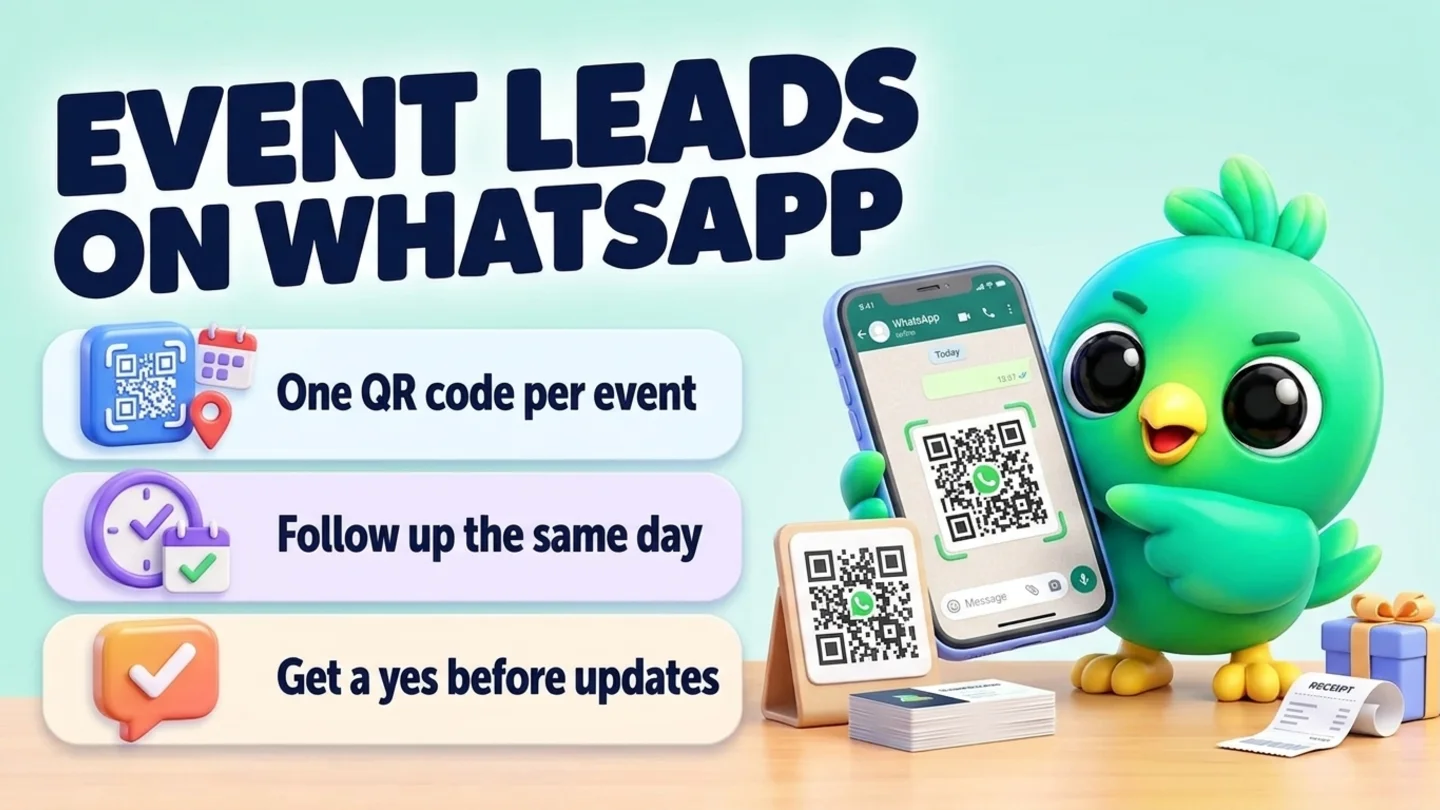
To follow up event leads on WhatsApp, let visitors message you first. Print a QR code for each event that opens a chat with a pre-filled line such as "Hi, we met at the Elm Street holiday market. Please send me your menu." Their number arrives correctly, and the first message tells you where you met. Before the day ends, write one line about each person (what they asked about and what you promised), sort them into hot, warm and cold, and send everyone what you promised that same day. Follow up once or twice over the next two weeks, then stop. News about your next event and offers need a separate yes, so ask "Want a message before our next market?" and keep the answer. You do not need the WhatsApp Business API, a badge scanner or a lead-capture app for any of this.
This post is part of our guide to WhatsApp CRM for small business. It covers the people you meet face to face at a booth, stall or table and want to turn into customers in the days after. For leads who write in from ads, your website or Instagram, see managing WhatsApp leads without the API. For the questions to ask once someone replies, see how to qualify leads on WhatsApp.
Last updated 19 October 2026. WhatsApp's Business Messaging Policy and WhatsApp Help Center pages on business QR codes, short links, click to chat, quick replies, labels and broadcast lists were checked on WhatsApp's own pages on that date. This is practical guidance, not legal advice.
Why event leads go cold
Event days are loud. You are serving people, taking payments and answering the same three questions, and contact details end up on business cards, a clipboard and your camera roll. By the time you sit down that night, you cannot remember who wanted the gift boxes and who was just being polite.
| What goes wrong | What it looks like a week later | The fix in this post |
|---|---|---|
| Numbers written down by hand | One digit is wrong and the message never arrives | Visitors message you from a QR code |
| No note on what they wanted | "Nice to meet you" sent to someone who asked for a quote | One line per visitor, written the same day |
| Everyone gets the same message | Ready buyers wait while you write to browsers | Sort into hot, warm and cold |
| Follow-up starts days later | They bought from the stall next to yours | Send what you promised the same day |
| Every visitor added to your offers | Blocks, reports and an unhappy list | Ask separately for updates |
Which events this fits
The routine is the same whether you sell to businesses or to shoppers. What changes is what people want next and what counts as a win.
| Event | Who you meet | What they usually want next | Your follow-up goal |
|---|---|---|---|
| Trade show or B2B expo | Shop owners, buyers, distributors | Price list, spec sheet, samples, a call | A call or a quote |
| Holiday market, craft fair, pop-up | Shoppers and gift buyers | Your menu or catalog, how to order, your next date | An order, a pre-order or a visit next time |
| Home, wedding or bridal show | People planning a project or a date | Availability, a quote, a consultation | A booked consultation |
| Workshop, demo or tasting | People who tried your product or service | A follow-up session, a starter kit, a reorder | A booking or a first order |
The event lead loop in six steps
- Before the event: one QR code and pre-filled message per event, saved replies, a paper backup.
- At the booth: they scan and send; you reply in one line and write a short note.
- That evening: sort into hot, warm and cold, and add anyone from the paper sheet.
- Same day: send each person what you promised.
- Next two weeks: one or two follow-ups, then close the loop.
- Afterwards: ask who wants updates, and review which event paid off.
Step 1: Give each event its own QR code
A QR code that opens a chat beats a pen and paper. The visitor sends the first message from their own phone, so the number is right, and you have a written, dated request in their words.
WhatsApp's click-to-chat feature does the work. A link in the form wa.me/<number>?text=<message> opens a chat with your number and puts the message in the typing box, and WhatsApp's help page says it works on phones and WhatsApp Web. Build the link with our WhatsApp link generator, then turn it into a printable code with the WhatsApp QR code generator.
Use a different pre-filled message for each event, and for each day of a multi-day show. Then the first line of every chat tells you where the lead came from, with no extra software. Write the message in the visitor's voice, because they are the one sending it:
- Holiday market: Hi, we met at the [market name] on [day]. Please send me your menu and how to order.
- Trade show: Hi, I visited your booth at [show name]. Please send me your price list.
- Bridal or home show: Hi, we talked at the [show name]. I would like to check your availability for [date or project].
If you use the WhatsApp Business app, it also has its own QR code under Tools, then Short link. WhatsApp's help page lists "event materials and trade show displays" as a good use for it. That code carries the one default message you set in Short link, which WhatsApp limits to 140 characters and which customers can edit before sending. So either change the default message before each event, or use a separate wa.me code per event as above.
Tip: WhatsApp's help page notes that the camera inside WhatsApp can only scan official WhatsApp QR codes. If you print a code from a generator, the sign should say "Scan with your phone camera". Test-scan the printed code with two different phones before the event.
Put one honest line next to the code that says what people will get:
Scan with your phone camera to get our menu on WhatsApp. One message, nothing else unless you ask.
Then keep that promise. It is the difference between a lead and a complaint.
Keep a paper backup. Some visitors will have no signal or will not want to scan. A clipboard sheet with four columns works: name, WhatsApp number with country code, what they want, and a tick box for "OK to message me about this". Add a second, separate tick box for "Message me before your next market" so you know who said yes to what.
Save your replies before the day. Write the booth reply and the same-day follow-ups below as saved replies, and have your menu, price list or spec sheet ready as a file or a link. WhatsApp's help page on quick replies says the Business app stores up to 50, and that media files are not supported in quick replies on WhatsApp Web or Desktop, so keep files where you can attach them quickly.
Step 2: At the booth, reply short and write one line
When a message comes in, reply in a line so the visitor sees it worked, then get back to the next person.
Booth reply (copy and edit)
Thanks, [name]! Got your message. I will send the [menu / price list] here this evening.
If you can send the file straight away from your phone, do. Either way, write a note while you still remember the conversation. One line is enough:
Elm St market, Sat. Wants 2 gift boxes for her office team, asked about delivery. Promised menu + delivery fee tonight. Hot.
| Record | Example | Why it matters |
|---|---|---|
| Event and day | Elm St market, Saturday | Tells you which event worked |
| What they asked about | Gift boxes for an office team | Your follow-up names it |
| What you promised | Menu and delivery fee tonight | Keep every promise you made |
| Temperature | Hot, warm or cold | Who you message first |
| Permission | Asked for the menu; said yes to next-market message | What you may send later |
| Next step and date | Nudge on Tuesday if no reply | Stops it slipping |
If you use the WhatsApp Business app, a list (WhatsApp now calls labels lists) per event, such as "Elm St market", is a quick marker on each chat; the help page says you can create up to 20. Lists cannot hold what each person asked for or what you promised, which is where a note or a simple CRM helps. WhatsApp labels vs a real CRM explains where lists stop being enough, and our free WhatsApp sales pipeline template is a sheet you can adapt.
Business cards and badge scans. A business card gives you a number, not permission. WhatsApp's Business Messaging Policy says you may only contact people who gave you their number and opted in to hear from you. At the booth, ask "Is it OK if I send you the spec sheet on WhatsApp?" and write down the yes.
Step 3: Sort hot, warm and cold that evening
Sorting takes a few minutes and decides who hears from you first.
| Temperature | Signs at the booth | First message | Follow-up |
|---|---|---|---|
| Hot | Asked about price or availability for a specific date, quantity or project; wants a quote or a call | That evening, with what they asked for and a clear next step | A short nudge or call the next working day if no reply |
| Warm | Interested, took a sample or a card, "maybe after the holidays" | That evening or next morning, with what you promised | One nudge after three to five days |
| Cold | Browsing, scanned for the menu | The promised item only | None, unless they reply |
Then add anyone from the paper sheet who ticked the box. Type their numbers carefully, and only message people who ticked "OK to message me". Everyone else on the sheet left a name, not permission.
Step 4: Send what you promised the same day
Every first follow-up should do three things: remind them where you met, deliver exactly what you promised, and offer one easy next step.
Hot lead (quote or call)
Hi [name], great to meet you at [event] today. Here is the [price list / spec sheet] for [what they asked about]. For [quantity or date] I can send an exact quote by [day]. Would a quick call on [day] at [time] or [time] help?
Warm lead
Hi [name], thanks for stopping by at [event]. As promised, here is our [menu / catalog]. To order, just reply here with what you would like and when you need it.
Cold lead (menu only)
Here is the [menu] you asked for at [event]. Message me here any time if you want to order.
Someone from the paper sheet (you write first)
Hi [name], this is [your name] from [business]. You left your number at our stall at [event] and asked for [item]. Here it is: [link or file]. If you would rather not hear from us, just say so and I will not message again.
When the conversation turns into an order, keep it in the same chat. Confirming orders on WhatsApp covers the written order summary, and if they are ordering a holiday batch that does not exist yet, taking pre-orders on WhatsApp covers caps, cut-offs and pickup slots. For a quote, see sending a quote on WhatsApp. Take payment by link. WhatsApp's policy says businesses must not ask people to share full payment card numbers in chat.
Step 5: Follow up once or twice, then stop
Most event leads need one reminder, not five. A simple timeline keeps you from either forgetting or pestering.
| When | Who | What to send |
|---|---|---|
| Day of the event | Everyone who asked for something | The promised item |
| Next working day | Hot leads with no reply | A short nudge or a call |
| Day 3 to 5 | Warm leads with no reply | One nudge with a reason: a question, availability, a sample |
| Around day 10 to 14 | Anyone still open | Close the loop and leave the door open |
| After that | No reply | Stop. They know where to find you |
These are starting points, not research figures. Stretch them for longer B2B buying cycles, and shorten them when a holiday deadline is close.
Nudge with a reason
Hi [name], did the [price list] from [event] come through OK? If you tell me the quantity and date, I will send an exact quote.
Close the loop
Hi [name], I will not keep messaging about [event]. If you want [item] later, reply here any time. Thanks again for stopping by.
For more wording after a quote, see our WhatsApp follow-up message templates. If someone surfaces months later, reactivating cold WhatsApp leads covers that conversation, and it only applies to people who agreed to hear from you.
Step 6: Ask before you add anyone to your updates
Asking for your menu is not the same as agreeing to hear about your next market, your new range or your sale. WhatsApp's help page on its business policies says that a person reaching out to a business does not count as opt-in, and they must still opt in to receive future proactive messages. So ask once, clearly, near the end of the first conversation:
One more thing: we are at [next event] on [date]. Want a message the day before? Reply YES and I will add you. Reply STOP any time.
| Message | Who you can send it to |
|---|---|
| A reply with what they asked for | Anyone who messaged you or asked at the booth |
| The follow-ups about that request | People you promised them to |
| "We are at the next market" or new product news | Only people who said yes to that |
| Discounts and promotions | Only people who said yes to offers |
When you send those updates, keep the list to people who said yes. WhatsApp's help page on broadcast lists says a broadcast only reaches customers who have your number saved in their phone's address book, and replies come back as normal chats. WhatsApp's policy also says people can block or report businesses and that its systems may limit how many messages a business can send based on that feedback. It also requires you to respect every request to stop, whether it comes on or off WhatsApp. WhatsApp opt-in without the API shows how to record each yes, WhatsApp broadcast limits covers how far a broadcast reaches, and if you plan a holiday sale for your new list, see running a Black Friday WhatsApp campaign.
Review which event paid off
A week or two after each event, write down a few numbers from your own records. You need nothing fancier than this:
| Event | Chats started | Replied to your follow-up | Ordered or booked | Revenue | Stall or booth cost | Go again? |
|---|---|---|---|---|---|---|
| [Event name] |
Because each event has its own pre-filled message, the counts come straight from your chats. Over a season this tells you which markets and shows are worth the fee and the Saturday. WhatsApp sales funnel metrics explains which counts matter and how to read them.
Simple stages for an event leads board
| Stage | Meaning | Your next move |
|---|---|---|
| New from event | Messaged you or signed up; note written | Send what you promised |
| Info sent | Promised item delivered | Wait; nudge on the timeline |
| Talking | Replied; questions, a quote or a call booked | Qualify, quote or book |
| Ordered or booked | Became a customer | Move to your normal order or booking routine |
| Not now | Said later, or no reply after you closed the loop | Do not chase; keep the note |
| Off the list | Said stop | Do not message again |
Home bakers, gift makers, skincare brands, wedding vendors, home-improvement firms and solar installers are among the businesses that lean on markets and shows; the industry pages for home bakers, custom gift businesses, cosmetics and skincare, wedding vendors, construction and interiors and solar companies show how those trades run the rest of the chat.
Where InboxCRM fits
InboxCRM is a WhatsApp CRM Chrome extension for WhatsApp Web. It is not a badge scanner or a lead-retrieval app, it does not read business cards, and it does not run on your phone. It helps when your event leads already arrive as WhatsApp chats and you want what each person asked for, what you promised and what happens next beside every conversation, without the WhatsApp Business API.
- An event leads board. Create a board with stages such as New from event, Info sent, Talking, Ordered and Not now. Add chats with right-click "Add to CRM stage…" or "Move to stage" in the chat tools panel, and for numbers from the paper sheet, click "+ Card", choose "Manual" and type the phone number. A stage chip shows next to each chat in your chat list. The CRM pipeline guide shows the setup, or try the interactive pipeline tutorial first (fictional data; nothing is sent).
- One line per visitor. Write the note in the Notes tab of the chat tools panel. InboxCRM's contact profiles also have fields for lead source and products of interest, and its Contacts list can add a person by number or import a CSV with id and name columns. See the chat tools panel guide and the contacts and notes tutorial.
- An instant reply at the booth. An Auto-attendance rule with a keyword from your pre-filled message (for example the market name) can reply with a short text and a Document step for your menu. Tick "Fire only once per chat" and "Skip if chat is in any CRM stage" so regulars and leads you already handle are left alone. It only replies while Chrome is running with WhatsApp Web open, on a laptop at the booth or a computer left on at home, and customers can edit the pre-filled text, so still check every chat. See the auto reply guide.
- Same-day replies with files. InboxCRM quick replies can hold text, images and documents, so the menu or price list goes out in a click. For text-only replies, "Insert into message box" lets you add the person's name and what they asked about before you press send. See the quick replies guide.
- A follow-up that stops itself. A Follow-up rule watching the Info sent stage can send one nudge after three days ("On funnel entry"), with "Stop if chat replied" and "Stop if chat changed stage" ticked. Each rule sends to a chat only once, and rules are checked about once a minute while Chrome is running with WhatsApp Web open. Follow-up rules are not paced by the campaign sending limits, so after a busy event move chats into that stage in small groups, or send nudges by hand. See the follow-up guide.
- Reminders for you, not the customer. Notifications can remind you to "call the hot leads from Saturday at 10 AM" with a Chrome notification, and they send nothing to customers. See the notifications guide.
- Next-event messages to people who said yes. Campaigns send one private message per person from your WhatsApp Web. You can pick people now, save them as a list named after the event, and send a test to your own number first. With "Protect my number" on, Campaigns pace messages, cap sending at 40 an hour and 250 a day, keep quiet hours from 21:00 to 08:00 and skip anyone messaged in the last 24 hours. Those limits reduce risk; they cannot remove it. See the campaigns guide.
- The event review on one screen. The sales funnel dashboard builds itself from a board and shows how many chats sit in each stage, plus revenue if you add deal values to contact profiles. "Export to Excel" downloads the counts as a CSV. Give a big event its own board if you want its numbers separately.
Honest limits: InboxCRM does not capture leads you never message with, cannot check whether someone opted in, and does not send anything from your phone. Auto replies, follow-up rules and campaigns only go out while Chrome is running with WhatsApp Web open. CRM records stay in Chrome on your device (chrome.storage.local), not on an InboxCRM server, and they do not appear in the WhatsApp mobile app. InboxCRM is a single-user extension, not a shared team inbox, so a booth team where several people collect leads on different phones needs a different setup. If that fits how you work, you can add InboxCRM to Chrome.
Mistakes that waste event leads
- One QR code for every event. You lose the only free way to tell which event worked.
- A sign that promises nothing, or too much. Say what they will get, then send only that.
- No note. "Hi, nice to meet you" to someone who asked for a quote reads like a mass message.
- Waiting until next week. Send what you promised the same day.
- Treating a scan as permission for everything. Ask separately before adding anyone to updates.
- Chasing forever. One or two follow-ups, then close the loop.
- Asking for card details in chat. Send a payment link instead.
Frequently asked questions
How do I collect leads at an event with WhatsApp?
Print a QR code that opens a chat with your number and a pre-filled message naming the event, and put a line next to it that says what people will get. When visitors scan and send, their number arrives correctly and the first message tells you where you met. Keep a paper sheet with a permission tick box as a backup.
How soon should I follow up after a trade show or market?
Send what you promised the same day, and contact hot leads again the next working day if they have not replied. Give warm leads one nudge a few days later, then close the loop within about two weeks. Adjust for longer business buying cycles.
Can I add everyone I met at a market to a WhatsApp broadcast?
Only the people who said yes to those messages. WhatsApp's Business Messaging Policy requires opt-in, and its help pages say a person messaging you first is not opt-in to future proactive messages. Ask "Want a message before our next market?" and keep the answer.
Do I need the WhatsApp Business API for event lead follow-up?
No. With the WhatsApp Business app or WhatsApp Web you can use QR codes, pre-filled messages, saved replies and notes, and send each follow-up one to one. Lead-capture apps and API tools make more sense for large booth teams and high volume.
Should I use the WhatsApp Business QR code or a wa.me link?
Either works. The Business app QR code carries the single default message you set under Short link, so change it before each event. A wa.me link with a different pre-filled message per event, turned into a QR code, lets you run several events at once and tell them apart.
Sources
- WhatsApp Business Messaging Policy (last updated 23 September 2026), WhatsApp, checked 19 October 2026
- How to comply with the WhatsApp Business Messaging and Commerce policies, WhatsApp Help Center, checked 19 October 2026
- About QR code for WhatsApp Business, WhatsApp Help Center, checked 19 October 2026
- How to share your WhatsApp Business QR code, WhatsApp Help Center, checked 19 October 2026
- How to edit your default message for WhatsApp Business QR code, WhatsApp Help Center, checked 19 October 2026
- How to create short links, WhatsApp Help Center, checked 19 October 2026
- How to use click to chat, WhatsApp Help Center, checked 19 October 2026
- How to use quick replies, WhatsApp Help Center, checked 19 October 2026
- How to use labels (labels are now lists), WhatsApp Help Center, checked 19 October 2026
- How to use broadcast lists on the WhatsApp Business app, WhatsApp Help Center, checked 19 October 2026
InboxCRM is a WhatsApp CRM for WhatsApp Web. Pipeline, notes, follow-ups and quick replies beside every chat, with your CRM data kept in your browser.
Add InboxCRM to Chrome