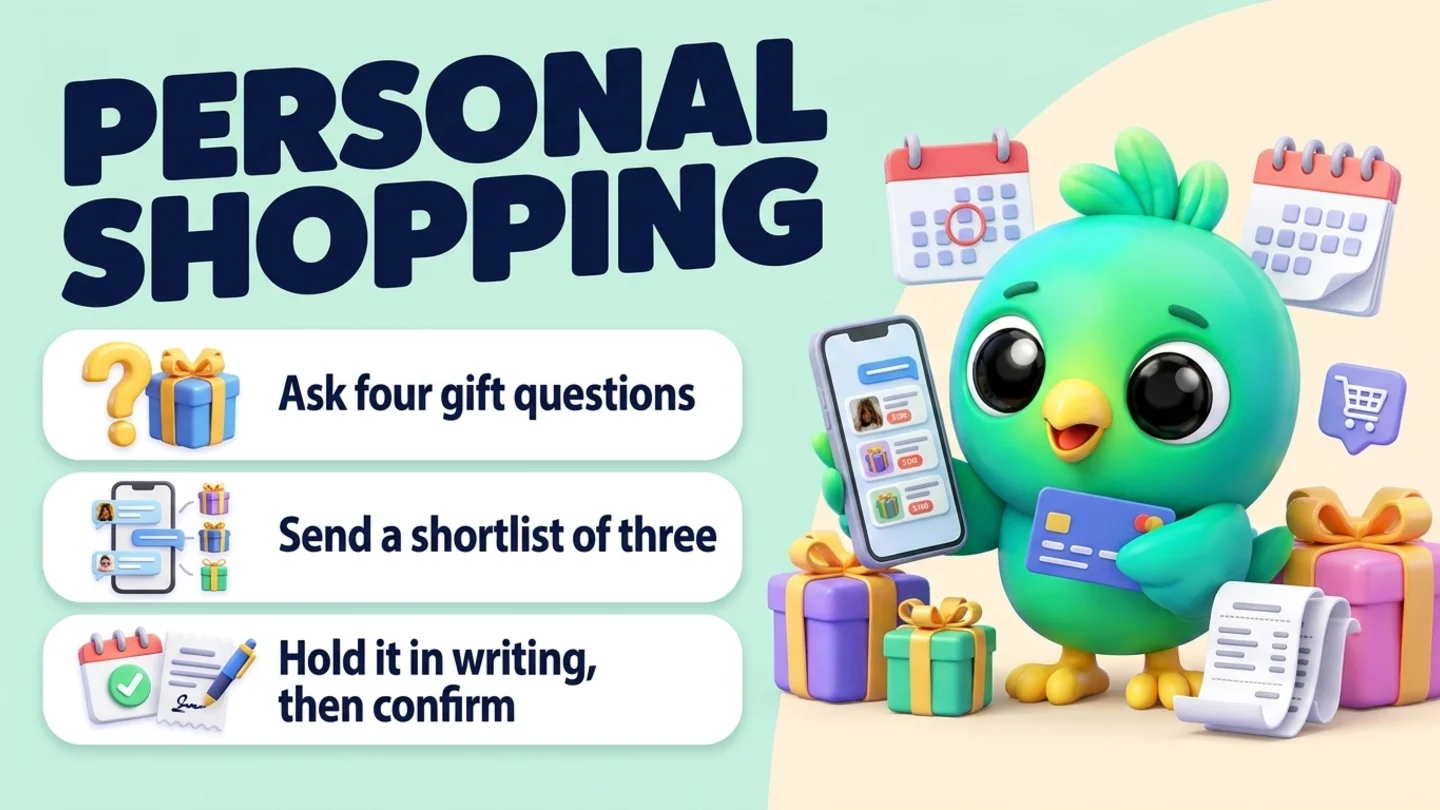
To offer personal shopping on WhatsApp as a small shop, treat each gift request as a short, structured chat: ask four questions (who it is for, budget, when and where it needs to arrive, and what they like), send a shortlist of three options with a photo, price and one-line reason each, hold the chosen item in writing for a set time, then confirm the order and the ship-by date before you take payment. Customers start the chat from a "Gift help" link or QR code, so you only ever message people who asked. You do not need the WhatsApp Business API, an AI agent or a booking system to do this well. You need a clear offer, a few saved replies and a way to see which gift requests are waiting on you.
This post is part of our guide to WhatsApp CRM for small business. It covers the part before a gift sale: helping an undecided customer choose. Adding gift wrap or a card to an order is covered in upselling on WhatsApp, writing up the final order is in confirming orders on WhatsApp, and gift returns after the holidays are in returns and exchanges on WhatsApp. If a company wants gifts for 40 clients rather than one for a sister, use the corporate gift orders process instead.
Last updated 26 October 2026. WhatsApp's Business Messaging Policy, WhatsApp Help Center pages on business messaging compliance, quick replies, sharing products and click to chat, WhatsApp's seasonal moments guide and busy season resource, USPS 2026 holiday shipping dates and the FTC's business guide to the Mail, Internet, or Telephone Order Merchandise Rule were checked on their own pages on that date. This is practical guidance, not legal advice.
What personal shopping on WhatsApp looks like for a small shop
Department stores sell personal shopping as an appointment with a stylist. For a small boutique, gift shop or online seller, it is simpler: a customer who does not know what to buy messages you, and you help them decide. WhatsApp's own October 2026 seasonal guide describes the same idea as being a shopper's "personalized gift guide", and suggests catalog collections such as "Gifts under $25" for seasonal best sellers. You can do the human version of that without any AI.
There are a few formats. Pick one or two you can actually staff.
| Format | How it works | Good for | Watch out for |
|---|---|---|---|
| Gift help by chat | Customer answers four questions, you reply with three options | Most small shops, online sellers | Replies pile up in December, so set a reply window |
| Booked video call | A short scheduled WhatsApp video call to show items live | Jewelry, fashion, home decor, higher-priced gifts | Takes your time; keep calls short and booked |
| Gift box builder | Customer picks a budget, you assemble a box from set options | Cosmetics, food, candles, stationery | Keep the menu small so stock stays simple |
| Catalog collection | A curated "gifts by budget" collection they browse themselves | Shops with a WhatsApp Business catalog | Collections still need someone to answer questions |
Tip: If you already get "what would you recommend for my mom?" messages, you are doing personal shopping already. The steps below make it faster and stop requests from getting lost.
Step 1: Decide the offer before you announce it
The most common problem in December is not a lack of gift requests. It is promising more than you can handle. Write down six things before you tell anyone about the service:
- Budget tiers. Three or four bands you can shop within, for example under $25, $25 to $50, $50 to $100 and over $100. Use whatever bands fit your products.
- Hours and reply time. "Gift help replies within one business day, 10am to 6pm" is better than an implied instant answer.
- Hold window. How long you will set an item aside before releasing it (24 or 48 hours is common for small shops).
- Delivery options. Shipping, local delivery, in-store pickup, or ship to the recipient directly.
- Payment. Which payment links or in-store options you accept. Never ask for card numbers in the chat (more on this in step 6).
- Your last gift-help date. The last day you can help someone choose and still ship in time. Work backward from your carrier's deadline, your packing time and the time it takes to answer.
For US shipping, USPS recommends sending by Thursday, December 17, 2026 for USPS Ground Advantage and First-Class Mail, Friday, December 18 for Priority Mail and Saturday, December 19 for Priority Mail Express, for expected delivery before December 25 in the lower 48 states. Hanukkah runs from December 4 to 12 this year, so gifts for it need earlier cut-offs. USPS also notes that actual delivery dates vary. Your gift-help cut-off should sit a few days before the carrier date, not on it.
Step 2: Invite gift requests from people who asked
Personal shopping only works when the customer starts the conversation. WhatsApp's Business Messaging Policy says you may only contact people who gave you their number and opted in to hear from you, and WhatsApp's help pages add that a customer messaging you first is not opt-in to future proactive messages. So make it easy for gift buyers to reach you, and do not message your whole contact list about it.
Ways to invite requests:
- A prefilled link. WhatsApp's click to chat format (
https://wa.me/1XXXXXXXXXX?text=...) opens a chat with a message already typed. Make a "Gift help" link with the free WhatsApp link generator, with prefilled text such as "Hi! I'd like gift help." Put it on your website, Instagram bio and order confirmation emails. - A QR code at the counter. A printed "Not sure what to get? Scan for gift help" card turns browsers into chats you can follow up on. Make one with the WhatsApp QR code generator.
- A line in messages people already opted in to. If someone agreed to hear about offers, one message mentioning gift help is fine. Run it like any other opted-in campaign (see Black Friday on WhatsApp and opt-in without the API).
Ask for permission to send product suggestions when someone first writes. WhatsApp's policy suggests getting opt-in that covers the categories of message you will send, such as order updates and product recommendations, and recording it keeps things clear later.
Step 3: Ask four gift questions
The goal is to get enough to choose well without making the customer fill out a form. Four questions cover most gifts:
| Question | Why it matters | Example answer |
|---|---|---|
| Who is it for? | Relationship and age narrow the field fast | "My sister, early 30s" |
| What is your budget? | Stops you sending options they will not buy | "Around $50" |
| When and where does it need to arrive? | Sets the delivery method and cut-off | "Ship to Denver by Dec 20" |
| What do they like (and any sizes or no-gos)? | Picks the actual items | "Loves candles and tea, no strong scents" |
Send all four in one message. Long back-and-forth question chains are where gift chats stall. If the answer to "what do they like" is "no idea", ask for two things they enjoy doing instead, or what they bought themselves recently.
For clothing and shoes, ask for the size and whether a gift receipt or exchange matters. For skincare and fragrance, ask about allergies and scent preferences, and do not make health claims about products. For anything personalised or engraved, move to your custom-order process (see custom gift businesses).
Tip: Save the four questions as one quick reply. On WhatsApp Business, quick replies hold up to 50 shortcuts, though WhatsApp's help notes that media is not supported in quick replies on Web or Desktop.
Step 4: Send a shortlist of three
Three options is enough for a real choice and few enough to decide quickly. For each one, send:
- A clear photo (from your catalog, or a fresh one if colours vary).
- The price, and the delivered total if shipping changes it.
- One line on why it fits what they told you ("She likes tea and soft scents, so this unscented gift set avoids the problem").
- Whether it is in stock and how many you have, if stock is low.
You can share catalog items directly in the chat: WhatsApp's help center explains how to send one or several products from your catalog in an individual chat. If you do not use a catalog, a photo plus a short caption does the job.
Rules for the shortlist:
- Stay inside the budget. One option slightly above is fine if you say so; three above is pushy.
- Do not offer what you cannot ship in time. If an item is on back order, leave it out or say so plainly.
- Ask a simple question at the end. "Which one feels right, 1, 2 or 3? Or I can find something different."
If none fit, ask what put them off and try again once. After two rounds, suggest a gift card if you sell them, or invite them into the shop.
Step 5: Hold the choice in writing
When they pick, confirm the hold in one message: the item, the price, how long you will hold it and what happens after. For example: "Great choice. I'm holding the blue ceramic mug set ($42) for you until 6pm tomorrow. After that I'll release it, so just reply here if you need longer."
Holds stop two problems at once: the customer is not rushed into paying on the spot, and you do not keep stock tied up for someone who has gone quiet. If the hold time passes, send one short release message and move on. Do not chase a gift buyer three times; they may have bought elsewhere, and that is fine.
If an item sells out during the hold window, tell the customer straight away and offer the closest alternative. Do not swap it without asking: the FTC's business guide to the Mail, Internet, or Telephone Order Merchandise Rule says that for a backordered item you cannot substitute something materially different (including a different design, style or colour) unless the customer agrees first.
Step 6: Confirm the order, the extras and the ship-by date
Once they say yes, write up the order in the chat before payment:
- Item, quantity and price.
- Any gift extras they chose (gift wrap, a card message, a gift receipt). If you offer extras, mention them once at this point and keep the offer simple, as in upselling on WhatsApp.
- Delivery method, recipient name and address, and the date you will ship.
- The total and how to pay.
Two rules matter here:
- Only promise shipping dates you can meet. The FTC's Mail, Internet, or Telephone Order Merchandise Rule applies to orders taken by internet or phone, regardless of how they are paid. It says you must have a reasonable basis for any shipping time you state, and the business guide notes that a shipment time you give a customer while taking the order replaces what your ads said. If something changes and you cannot ship on time, you need to tell the customer promptly and give them the choice to accept the delay or cancel for a full refund. "Ships by Dec 15" is fine; "guaranteed for Christmas" is risky unless you control delivery.
- Never ask for card numbers in the chat. WhatsApp's Business Messaging Policy says businesses must not share or ask people to share full-length payment card numbers, financial account numbers or other sensitive identifiers. Send a payment link, take payment in store, or use your usual checkout. For overdue payments, see payment reminders on WhatsApp.
After payment, send the confirmation and, once shipped, the tracking link. Keep your returns and exchange policy for gifts in the same chat thread so the recipient's questions in January have an answer (see returns and exchanges).
Step 7: Remember for next year, with permission
A gift customer who was happy this December is one of the easiest sales next year. Note a few things about the request, such as "Gift for sister, likes candles and tea, budget about $50, bought Dec 2026." Keep it minimal: you do not need the recipient's birthday, address or personal details unless the customer offers them for a reason.
Before you plan any reminder ("Her birthday is in March, want gift ideas then?"), ask. If they agree, record the agreement next to the note and send one message at the right time. If they do not, the note still helps you serve them faster when they come back. More on this in customer birthday messages and repeat customers on WhatsApp.
Track gift requests on a simple board
In December, a gift request that sits unanswered for a day is often a lost sale. A simple board makes the queue visible:
| Stage | What it means | Next action |
|---|---|---|
| Gift request | Customer asked for help | Send the four questions |
| Questions sent | Waiting for their answers | Nudge once if quiet after a day |
| Options sent | Shortlist sent | Wait for a pick; answer questions |
| On hold | Item set aside until a time | Release or confirm by the deadline |
| Paid | Order confirmed and paid | Pack and ship by the date promised |
| Shipped or picked up | On its way or collected | Send tracking; note what they bought |
| Done | Closed | Ask permission for next-year reminders |
Look at "Options sent" and "On hold" first every morning. Those are the chats closest to a sale and the easiest to lose. For more on boards like this, see the WhatsApp sales pipeline template.
Gift help messages to copy
Replace the brackets before sending. Keep each one to a single message.
1. Reply to "can you help me pick a gift?"
Happy to help! Four quick questions so I can pick well: 1) Who is it for? 2) Your budget? 3) When and where does it need to arrive? 4) What do they like (and any sizes or things to avoid)?
2. Ask permission for suggestions
Is it OK if I send you a few gift ideas in this chat? I'll only message about this order unless you tell me otherwise.
3. The shortlist
Here are three ideas around [budget]: 1) [item], [price]: [one-line reason]. 2) [item], [price]: [reason]. 3) [item], [price]: [reason]. Which feels right? Or I can look for something different.
4. Confirm a hold
Lovely choice. I'm holding [item] ([price]) for you until [time, day]. After that I'll release it, so just reply if you need more time.
5. Release a hold
Just letting you know I've released [item] so others can buy it. If you'd still like it, reply here and I'll check if it's available.
6. Item sold out during a hold
Sorry, [item] just sold out. The closest match is [alternative] at [price] ([photo]). Would you like that instead, or should I look for something else?
7. Order summary before payment
Here's your order: [item] x[qty], [price]. Extras: [gift wrap / card message / gift receipt]. Ship to: [name, city]. Ships by: [date] via [method]. Total: [total]. Pay here: [payment link]. Reply with any changes before you pay.
8. Last gift-help date
Heads up: [date] is the last day we can help pick and still ship by [carrier date] for delivery before the holidays. After that, in-store pickup is still available until [date].
9. After the holidays (only if they agreed)
Hope [recipient] liked the [item]! You said you'd like ideas for her birthday in [month]. Want me to send a few then?
For more message structure, see follow-up message templates and the free WhatsApp message templates tool.
Where InboxCRM fits
InboxCRM is a WhatsApp CRM Chrome extension for WhatsApp Web. It does not pick gifts, browse your catalog for you, take payments or check whether someone opted in. It helps when gift requests already arrive as WhatsApp chats and you want the questions, the shortlist, the hold and the order beside each conversation, without the WhatsApp Business API.
- A gift-request board. Pipeline boards with your own stages (for example the seven above) show every open gift chat as a card. Use the "Move to stage" chip in the chat or "+ Card" on the board. See the CRM pipeline guide.
- The questions and shortlist in a click. Quick replies can hold text, images, video, audio and documents, so the four questions or a photo of a gift set go out in one click. "Insert into message box" drops text into WhatsApp so you can edit names and prices first. See the quick replies guide.
- What they told you, beside the chat. Notes, tags and custom fields keep "sister, candles, $50, by Dec 20" next to the conversation. See the chat tools panel guide and contacts and notes tutorial.
- Hold deadlines that remind you. Notifications can remind you to "release the mug set hold at 6pm" with a Chrome notification. They send nothing to the customer. See the notifications guide.
- The order with gift extras. The Orders tab can "Create order from this chat", "Add line" for gift wrap or a card message, "Save as draft" while an item is on hold and "Confirm order" when they pay, with unpaid, partly paid or paid status. "Send summary" sends the order to the chat only when you press it. Try the Order manager tutorial (fictional data; nothing is sent).
- One nudge that stops itself. A Follow-up rule on "Questions sent" can send one reminder after a delay ("On funnel entry"), with "Stop if chat replied" ticked, once per chat. Rules only run while Chrome is open with WhatsApp Web. See the follow-up guide.
Honest limits: InboxCRM cannot recommend products, does not process payments and does not know your stock unless you use its Stock manager. Follow-up rules and scheduled messages only go out while Chrome is running with WhatsApp Web open. CRM records stay in Chrome on your device (chrome.storage.local), not on an InboxCRM server, and do not appear in the WhatsApp mobile app. It is a single-user, desktop Chrome extension, not a shared team inbox. If that fits how you sell, you can add InboxCRM to Chrome.
Mistakes that make gift help harder than it needs to be
- No budget question. You will send options they cannot afford and lose the chat.
- Too many options. Ten photos feels like browsing a store, not getting help. Send three.
- Open-ended holds. "I'll keep it for you" with no time ties up stock for weeks.
- Promising Christmas delivery without checking. Work from carrier dates and your own packing time.
- Swapping a sold-out item without asking. Offer the alternative and wait for a yes.
- Asking for card numbers in the chat. Use a payment link or in-store payment.
- Messaging old customers about gift help without opt-in. Promote the link where people already find you instead.
- Keeping too much about the recipient. A short note about tastes and budget is enough.
Frequently asked questions
How do I offer personal shopping on WhatsApp as a small business?
Give customers a "Gift help" link or QR code that opens a WhatsApp chat, then ask four questions: who the gift is for, the budget, when and where it needs to arrive, and what they like. Send three options with photos, prices and a one-line reason each, hold the chosen item for a set time, and confirm the order and ship-by date in writing before payment.
How many gift options should I send a customer on WhatsApp?
Three is a good default. It gives a real choice without overwhelming someone who is already undecided. If none fit, ask what put them off and send one more round before suggesting a gift card or a visit to the shop.
Can I message past customers to offer holiday gift help?
Only those who opted in to that kind of message. WhatsApp's Business Messaging Policy requires opt-in before you contact people, and its help pages say a customer messaging you first does not count as opt-in to future proactive messages. For everyone else, promote your gift help link on your website, social profiles and in store.
What should I do if a held gift sells out?
Tell the customer right away and offer the closest alternative with a photo and price, then wait for their answer. The FTC's business guide to the Mail, Internet, or Telephone Order Merchandise Rule says sellers cannot substitute materially different merchandise for a backordered item without the customer's agreement.
Do I need the WhatsApp Business API or an AI agent for personal shopping on WhatsApp?
No. A small shop can run gift help one chat at a time using the WhatsApp Business app or WhatsApp Web, saved replies and a written order summary. API tools and AI agents make more sense when you handle a high volume of requests and want automated product suggestions, and they still need proper opt-in.
Sources
- WhatsApp Business Messaging Policy (last updated 23 September 2026), WhatsApp, checked 26 October 2026
- How to comply with the WhatsApp Business Messaging and Commerce policies, WhatsApp Help Center, checked 26 October 2026
- How to use quick replies, WhatsApp Help Center, checked 26 October 2026
- How to share products or services with customers, WhatsApp Help Center, checked 26 October 2026
- How to use click to chat, WhatsApp Help Center, checked 26 October 2026
- Meta Business Agent on WhatsApp seasonal moments guide (PDF, October 2026), WhatsApp Business, checked 26 October 2026
- Preparing your small business for the busiest messaging season, WhatsApp Business, checked 26 October 2026
- 2026 Holiday Shipping Deadlines, USPS, checked 26 October 2026
- Business Guide to the FTC's Mail, Internet, or Telephone Order Merchandise Rule, Federal Trade Commission, checked 26 October 2026
InboxCRM is a WhatsApp CRM for WhatsApp Web. Pipeline, notes, follow-ups and quick replies beside every chat, with your CRM data kept in your browser.
Add InboxCRM to Chrome