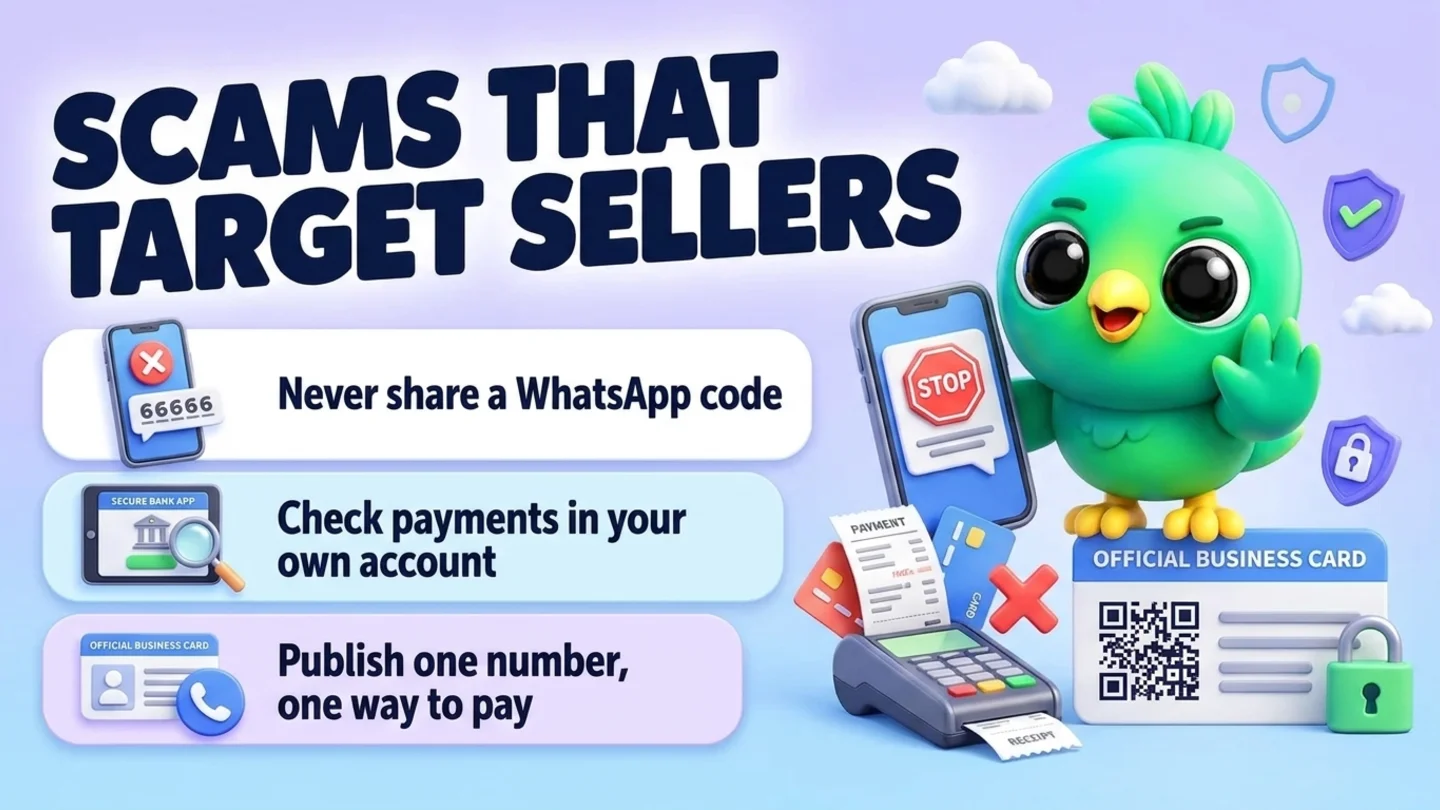
The WhatsApp scams that hit small businesses hardest are the ones aimed at the seller, not the shopper: someone asking for the 6-digit code WhatsApp just texted you, a request to scan a QR code that links their device to your account, a fake payment screenshot or an "I paid twice, please refund" message, a check for more than the price, a fake "WhatsApp support" warning that your account will be banned, a copy of your business on another number taking deposits from your customers, and an "order list" file that is really malware. Each one has a tell. The fixes are simple: never share a code, turn on two-step verification, check payments in your own bank or payment app, publish one official number and one way to pay, and report and warn quickly when something slips through.
This post is part of our guide to whether WhatsApp Web extensions are safe, which covers account risk and privacy. Bans are covered in what to do when a WhatsApp Business account is banned. This post is about people who try to steal your account, your money or your name.
Last updated 25 October 2026. WhatsApp Help Center pages on scams, impersonation, verification codes, account recovery, linked devices and two-step verification, WhatsApp's business security guide, Meta's March 2026 anti-scam announcement, the FTC's consumer and business guidance and the FTC Impersonation Rule were checked on their own pages on that date. This is practical guidance, not legal advice.
Why sellers are a target
A small business on WhatsApp is easy to find and hard to fake-proof. Your number is on your website, your Instagram bio, your flyers and your delivery bags. You answer strangers all day, because strangers are your customers. You move fast in busy weeks, and you take payments over apps where a screenshot looks like proof.
Scammers use exactly that. WhatsApp's page about suspicious messages and scams lists the signs: an unknown number, a request to tap a link or download an app, a request for passwords or bank details, a request for money, someone pretending to be a person or a well-known business you know. Its page on how to protect yourself boils the response down to four steps: pause and think, stop the conversation, block and report, then tighten your privacy and security settings.
The difference for a business is that the cost lands twice. You can lose your account, your money or your stock, and your customers can lose money to someone using your name. The rest of this guide is organised around the seven tricks that come up most for sellers.
The seven scams at a glance
| Scam | What it looks like | The tell | What to do |
|---|---|---|---|
| 1. Code theft | "I sent my code to your number by mistake, can you forward it?" | Anyone asking for a code WhatsApp sent you | Never share it. Turn on two-step verification |
| 2. Device-linking trick | "Scan this QR to verify your shop" or "enter this linking code" | A request to scan or enter something that links a device | Do not scan. Check linked devices |
| 3. Fake payment or double-payment refund | A payment screenshot, or "I paid twice, please refund one" | Proof that arrives in the chat, not in your account | Check your own bank or payment app first |
| 4. Overpayment by check | A check for more than the price, "send back the difference" | Any overpayment with a refund request | Do not accept it. Refund nothing |
| 5. Fake WhatsApp support | "Your business account will be banned unless you verify" | WhatsApp asking for money, a code or a link click | Ignore, block and report |
| 6. Someone pretending to be your business | Your logo and name on another number, taking deposits | Customers sending you screenshots of chats you never had | Report, warn customers, publish your real number |
| 7. Malicious files and links | "Here is my order list" as a ZIP, an app or a strange link | A file type or link that does not match the request | Do not open it. Ask for the order as text |
Scam 1: Someone asks for the code WhatsApp sent you
How it works. A scammer types your phone number into WhatsApp on their own phone. WhatsApp texts you a 6-digit registration code. At the same moment, a message arrives from an unknown number, or from a contact whose account was already stolen: "Sorry, I sent my code to you by mistake, can you send it back?" If you forward the code, they register your number on their phone and you are logged out of your business account.
WhatsApp's page on receiving a verification code you did not request says this exact thing: someone trying to take over your account needs the SMS code sent to your number, and you should never share it with others. The FTC describes a related trick aimed at online sellers, where a fake buyer asks for a Google Voice verification code to "prove you are real", and its advice in Selling stuff online? Here is how to avoid a scam is not to share that code, or any verification code, with someone you do not know.
The tell. Anyone, for any reason, asking for a code you just received.
Your reply.
Sorry, I never share codes that arrive on this phone. If you need help with an order, tell me what you are looking for and I will help from here.
Then block and report the sender. If the request came from a contact you know, call them on a normal phone call. Their account may be the one that was stolen.
Scam 2: Scan this QR code or enter this linking code
How it works. This one targets the same thing by a different door. Instead of re-registering your number, the scammer tries to link their own computer to your account, the same way WhatsApp Web is linked. Meta's March 2026 anti-scam announcement describes scammers urging people to share their phone number and then a device linking code, or to scan a QR code "under false pretenses", which links the scammer's device to the victim's account. The same announcement says WhatsApp now warns you when signals suggest a linking request might be suspicious, and shows where the request comes from.
For a seller, the pretext is usually business-flavoured: "scan this to verify your shop for our marketplace", "scan to receive the payment", "scan to join our supplier portal".
The tell. Anyone asking you to scan a QR code with WhatsApp, or to type a code into WhatsApp, for something that is not you logging in to WhatsApp Web on your own computer.
What to do. Do not scan it. Then open Linked devices on your phone and log out of any device you do not recognise. WhatsApp's page on checking linked devices says to check them regularly and that you can log out of all WhatsApp Web sessions from your phone. On a shared shop computer, untick Stay logged in on this browser before you scan, so the session ends when the tab or browser closes.
Note: A WhatsApp Web extension works inside the WhatsApp Web tab you already linked yourself. It has no reason to ask you for a WhatsApp code or a new QR scan. Treat any extension, tool or "support agent" that asks for one as a red flag, and see our 10-point checklist before you install a WhatsApp Web extension.
Scam 3: The fake payment or the double-payment refund
How it works. A buyer you have never dealt with is in a hurry. They "pay" and send a screenshot or a forwarded notification. Or they pay once and then say they accidentally paid twice and ask you to refund one. The FTC's guide for people selling online describes both: a fake payment notification sent in the hope that you ship before you notice, and the "issue with the payment" story that ends with you refunding money you never received.
The tell. The proof of payment lives in the chat, not in your account. Pressure to ship today, an address that does not match the name, or a payment method the buyer insists on are extra warnings.
What to do. Make one rule and follow it every time: an order is paid when the money shows in your own bank or payment app, opened by you, not when a screenshot arrives. Do not tap links in the message to "check". If someone says they overpaid, look at your account. If there is no second payment, there is nothing to refund. If a refund really is due, send it back the same way it came, to the same account.
Thanks! I check every payment in my own account before I pack, so I will confirm here as soon as it shows. Usually that is within [time].
That message is polite to real customers and useless to scammers. Real customers wait. Scammers argue.
Tip: Put the rule in writing before anyone pays. A line in your order confirmation such as "Orders are packed once payment shows in our account" stops the "but I sent you a screenshot" argument before it starts. Our guide to confirming orders on WhatsApp has the rest of that message.
Scam 4: The check for more than the price
How it works. A buyer, often for a bulk or corporate order, offers to pay by check, and the check is for more than the total. They ask you to deposit it and send back the difference, or pay "their shipper". The FTC's page on fake check scams explains why this works: banks must make deposited funds available quickly, so the money appears in your balance, but it can take weeks for the bank to discover the check was fake. By then the scammer has your refund and your goods, and the bank takes the money back from you.
The tell. Any overpayment that comes with a request to send money somewhere.
What to do. The FTC's advice is short: do not accept a check for more than the selling price, and never use money from a check to send gift cards, money orders, cryptocurrency or wire transfers to anyone who asks. For a real large order, take payment the way you normally do, for the exact amount, before you ship. Our guide to corporate gift orders on WhatsApp covers deposits and invoices for genuine bulk buyers.
I can only accept payment for the exact order total, through [your usual method]. If that works for you, I will send the details.
Scam 5: Fake WhatsApp or Meta support
How it works. A message arrives from an account with a WhatsApp-style name and logo. Your business account "violates policy" or "will be banned in 24 hours". To keep it, you must verify by tapping a link, sending a code or paying a fee. A variation targets sellers whose account really was restricted, with an offer to "unban" it for a price.
The tell. WhatsApp asking for money, a code or a link click inside a normal chat. WhatsApp's page about suspicious messages and scams says WhatsApp is free, and that if someone requests payment for using WhatsApp or offers to unban your account in exchange for payment, they are likely after your financial or personal information. Real ban notices appear in the app itself, with a Request review option, as explained in our post on what to do when a WhatsApp Business account is banned.
What to do. Do not reply, do not tap anything, block and report. If you are worried about your account, open WhatsApp's settings and Help Center yourself, from the app, not from a link in the message.
Scam 6: Someone pretends to be your business
How it works. A scammer copies your name, logo, product photos and even your Status posts onto a different number. They message your followers or answer people who searched for you, take "deposits" or "pre-order payments" to their own account, and disappear. You find out when a customer sends you a screenshot and asks, "Is this you?" Holiday weeks, sales and pre-order windows are the obvious moments for this, because customers expect to pay ahead.
What WhatsApp offers. WhatsApp's page on what to do if someone is pretending to be you says to report the user and any suspicious messages. When you report a user in an individual chat, WhatsApp receives up to five of the last messages they sent you, and it may ban accounts that break its Terms of Service. Blocking stops that number from contacting you again. If you subscribe to Meta Verified for Business, WhatsApp's page on impersonation protection says that on the Business Standard, Plus, Premium and Max plans WhatsApp proactively monitors other accounts for impersonation and removes accounts it decides are impersonating you.
What the FTC says. In the US, the FTC's Impersonation Rule makes it an unfair or deceptive practice to materially and falsely pose as a business, or to misrepresent affiliation with one. The FTC's small-business post on stopping a would-be business impersonator says to warn your customers as soon as possible, remind them not to share personal information, and report the scam to local law enforcement, the FTC at ReportFraud.ftc.gov and the FBI's Internet Crime Complaint Center at IC3.gov. It also suggests sending emailed warnings without links, so they do not look like phishing themselves.
Your response plan, in order:
- Collect evidence. Ask the customer for screenshots that show the fake number, profile and any payment request. Save them with the date.
- Report and block the fake number from a chat with it, and ask every customer who was contacted to report it too.
- Warn people where they already look for you. Post a Status update, pin a note on your website and social profiles, and message customers with open orders or deposits directly.
- Tell anyone who paid to contact their bank or payment app right away, and to report it at ReportFraud.ftc.gov and IC3.gov if they are in the US.
- Check your own account for unknown linked devices, in case the copy started with access to your real chats.
- Write down what happened and what you sent, with dates.
A warning message you can adapt:
Heads-up from [business name]: someone is using our name and photos on WhatsApp from another number. Our only WhatsApp number is [your number], and it is the one you are reading this from. We only take payment by [your method] and we never ask you to pay a new account by message. If anything looks odd, call us on [phone] before you pay.
Tip: The best time to publish your official number and your one way to pay is before anyone copies you. Put both on your website, your social bios and your order confirmations. A wa.me link from our free WhatsApp link generator or a code from the WhatsApp QR code generator on your counter makes the real number easy to reach.
Scam 7: The order list that is not an order list
How it works. A "buyer" sends a file: an order sheet, a price list, a "photo of the item I want", a quotation request. It is a ZIP file, an installer or a link to an odd domain. Opening it on the computer where WhatsApp Web, your email and your bank are open is exactly what the sender wants.
The tell. WhatsApp's scam signs include a request to tap a link or download an app, and the page advises looking closely at any link or file before opening it, because both can look legitimate at a glance. For a seller, the clearest tell is a mismatch: a customer who could type "two blue mugs" instead sends an archive.
What to do. Ask for the order as text in the chat. Do not open archives or installers from strangers, and do not install "viewer" apps to read a customer's file.
Thanks! I cannot open files from new chats, so could you type the items and quantities here? I will send the total right after.
Lock it down in 20 minutes
Most of the damage above depends on one of three gaps: an account without two-step verification, a payment rule that is not written down, or customers who do not know your real number. Close all three in one sitting.
| Check | Where | Why |
|---|---|---|
| Turn on two-step verification and add an email | WhatsApp Settings > Account > Two-step verification | WhatsApp's business security guide calls it the single most effective way to stop a takeover |
| Review linked devices | Settings > Linked devices on your phone | Removes any computer you do not recognise |
| Untick "Stay logged in" on shared computers | The WhatsApp Web QR screen | Ends the session when the tab or browser closes |
| Write your payment rule | Order confirmation template | "Packed once payment shows in our account" |
| Publish one number and one way to pay | Website, social bios, receipts | Makes a copy easier to spot |
| Decide who can see your profile photo | Settings > Privacy | Makes a copy of your profile a little harder |
| Save the replies in this post | Quick replies | You answer a scam calmly, in seconds |
| Agree a rule with anyone who helps you | A note on the wall | "No codes, no refunds without checking, no strange files" |
WhatsApp's page on account security tips lists the other layers you can add, such as an email address for recovery, passkeys and app lock, and its page on managing two-step verification notes that WhatsApp is upgrading the 6-digit two-step PIN to a password. Both protect an account you still control. They cannot remove someone who has already taken it over.
Warning: If someone helped you manage the account and has left, change your two-step verification PIN or password and review linked devices the same day. WhatsApp's business security guide says to update the PIN right away when someone leaves your team.
If someone has already taken over your number
Move fast, but in the right order. WhatsApp's page on how to recover a compromised account sets out the steps:
- Log back in on your own phone with your number and the 6-digit code sent to you by SMS or phone call. When you re-register, every device logged in to your account is logged out.
- If you are asked for a two-step PIN you never set, the person in your account may have set it. WhatsApp says to wait 7 days and try again if you do not have the PIN. Whether you know the PIN or not, the other person is logged out once you enter the 6-digit SMS code.
- Do not report your own number while you are recovering it. WhatsApp says that if you report the compromised account you are trying to recover, it might ban it and you could lose access. Recover first.
- Warn your contacts. WhatsApp says to notify family and friends, because the person could impersonate you in chats and groups. For a business, that means customers too, using the warning message above.
- Turn on security features and review linked devices once you are back in.
Changing a password does not throw someone out. Only re-registering with the code does.
Where to report
| What happened | Report to |
|---|---|
| A scam message, fake support or a copy of your business on WhatsApp | In the chat: report and block. Ask affected customers to do the same |
| Money lost, or a business impersonation, in the US | ReportFraud.ftc.gov and the FBI's IC3.gov, plus local police |
| A payment sent to a scammer | Your bank or the payment app, right away |
| A fake check deposited | Your bank, before you send any money anywhere |
Mistakes that make it worse
- Forwarding a code "just this once". There is no safe reason for anyone to need it.
- Shipping on a screenshot because the buyer is in a hurry. Urgency is part of the script.
- Refunding an overpayment before the original payment has truly settled, or at all when the payment came by check.
- Arguing with a scammer. Every reply tells them the number is active and someone is reading.
- Warning customers with a link. A warning that asks people to tap a link teaches them to tap links. Say your number and your payment method in plain text.
- Keeping it quiet. Customers who hear about a copy from you trust you more. Customers who lose money to a copy you knew about do not.
- Installing tools you have not checked. Browser extensions on WhatsApp Web can read the page. Our analysis of 131 spam extensions in the Chrome Web Store shows why the checklist matters.
Where InboxCRM fits
InboxCRM is a Chrome extension that adds CRM tools to WhatsApp Web. It cannot detect scams, verify a payment, block or report accounts for you, or remove a copy of your business, and it is not affiliated with WhatsApp or Meta. What it can do is make the habits in this guide easier to keep on a busy day.
- Payments you record, not payments you are told about. In the Order manager, an order's payment state follows the amount you record as received: unpaid, partly paid or paid. Record the money after you have seen it in your own account, and the "Awaiting payment" count shows which orders are still waiting. Try it in the order manager tutorial, which runs in your browser with fictional data.
- Saved replies for awkward moments. Keep the "I never share codes", "I check payments in my own account", "please type your order" and warning messages from this post as quick replies, so you answer calmly instead of improvising. See the quick replies guide.
- Flag the chat, keep the evidence. Tag a chat as a scam attempt or "contacted by impersonator" and write what happened, with dates, in the Notes tab next to the chat. See the chat tools panel guide or the contacts and notes tutorial.
- A warning Status on a timer. The Scheduled statuses page can post your "our only number is..." update at a time you choose. See the scheduling guide.
- A reminder to check. A Notifications reminder such as "review linked devices" on the first of the month shows as a Chrome notification and sends nothing to anyone. See the notifications guide.
- Privacy on your own screen. If you share your screen or work at a counter, a one-click privacy blur hides names, photos and messages from people nearby.
Honest limits: InboxCRM only works in WhatsApp Web on desktop Chrome, not in the mobile app, so codes, two-step verification and linked devices are still managed in WhatsApp on your phone. CRM records stay in Chrome on your device (chrome.storage.local), not on an InboxCRM server, which also means you should keep your own backups; see where WhatsApp CRMs store customer data and the chat backup guide. It is a single-user extension, not a shared team inbox. If that fits how you work, you can add InboxCRM to Chrome.
The same rule that keeps scammers out keeps your number healthy: message people who expect to hear from you, and nobody else. Our guides to collecting WhatsApp opt-in without the API and whether a WhatsApp extension can get your number banned pick up from there, and taking a deposit on WhatsApp and WhatsApp payment reminders cover the honest side of asking for money.
Frequently asked questions
What are the most common WhatsApp scams aimed at businesses?
For small sellers, the common ones are requests for the 6-digit code WhatsApp texted you, tricks to link a scammer's device by QR code or linking code, fake payment screenshots and "I paid twice" refund requests, checks for more than the price, fake WhatsApp support messages, copies of your business on another number, and malicious files sent as order lists.
Can someone take over my WhatsApp Business account with just my phone number?
Not on its own. They also need the registration code WhatsApp sends to your phone, which is why they ask you for it. WhatsApp says never to share that code. Turning on two-step verification adds another layer, so a code alone is not enough on a new device.
How do I know if a WhatsApp payment screenshot is fake?
You do not need to judge the screenshot. Open your own bank or payment app yourself, without using any link from the chat, and check whether the money is there. If it is not in your account, the order is unpaid, however real the image looks.
Someone is using my business name on WhatsApp. What should I do?
Collect screenshots, report and block the number, and ask every customer who was contacted to report it too. Warn customers on your Status, website and social profiles with your real number and your only payment method, and tell anyone who paid to contact their bank. In the US, report it at ReportFraud.ftc.gov and IC3.gov.
How can I tell if a WhatsApp support message is fake?
Be suspicious of any chat that asks for money, a code or a link click to keep your account. WhatsApp says it is a free app, and that anyone asking you to pay to use it or offering to unban an account for payment is likely after your financial or personal information. Real ban notices appear inside the app with a Request review option. Do not tap links or share codes from a chat that claims to be WhatsApp.
Sources
- About suspicious messages and scams, WhatsApp Help Center, checked 25 October 2026
- How to protect yourself from suspicious messages and scams, WhatsApp Help Center, checked 25 October 2026
- Received verification code without requesting it, WhatsApp Help Center, checked 25 October 2026
- How to check devices linked to your account and unlink a device you don't recognize, WhatsApp Help Center, checked 25 October 2026
- What to do if someone is pretending to be you on WhatsApp, WhatsApp Help Center, checked 25 October 2026
- About impersonation protection for Meta Verified for Business on WhatsApp, WhatsApp Help Center, checked 25 October 2026
- How to recover a compromised account, WhatsApp Help Center, checked 25 October 2026
- Account security tips, WhatsApp Help Center, checked 25 October 2026
- How to manage two-step verification settings, WhatsApp Help Center, checked 25 October 2026
- Protecting your business on WhatsApp: Security best practices, WhatsApp for Business, checked 25 October 2026
- Meta Launches New Anti-Scam Tools, Meta Newsroom (11 March 2026), checked 25 October 2026
- Selling stuff online? Here's how to avoid a scam, Federal Trade Commission, checked 25 October 2026
- How To Spot, Avoid, and Report Fake Check Scams, Federal Trade Commission, checked 25 October 2026
- Small business? Know how to stop a would-be business impersonator, Federal Trade Commission (29 September 2025), checked 25 October 2026
- 16 CFR Part 461: Rule on Impersonation of Government and Businesses, eCFR, checked 25 October 2026
- ReportFraud.ftc.gov, Federal Trade Commission, checked 25 October 2026
- Internet Crime Complaint Center (IC3), FBI, checked 25 October 2026
InboxCRM is a WhatsApp CRM for WhatsApp Web. Pipeline, notes, follow-ups and quick replies beside every chat, with your CRM data kept in your browser.
Add InboxCRM to Chrome