
Skip to content

The short answer

How to answer the same WhatsApp questions without retyping them

Save each answer once and insert it instead of typing it. In the WhatsApp Business app, quick replies do this with a shortcut you type after a slash. On WhatsApp Web, InboxCRM adds saved replies that can also hold a photo, a video, audio or a document, so your price list goes out in one click. Edit the customer's name before you send, so it still reads like you wrote it.

Not ready to install? Try quick replies on a practice screen.

Why InboxCRM fits this

InboxCRM saves text and files as one reply and puts it into the open chat with one click.

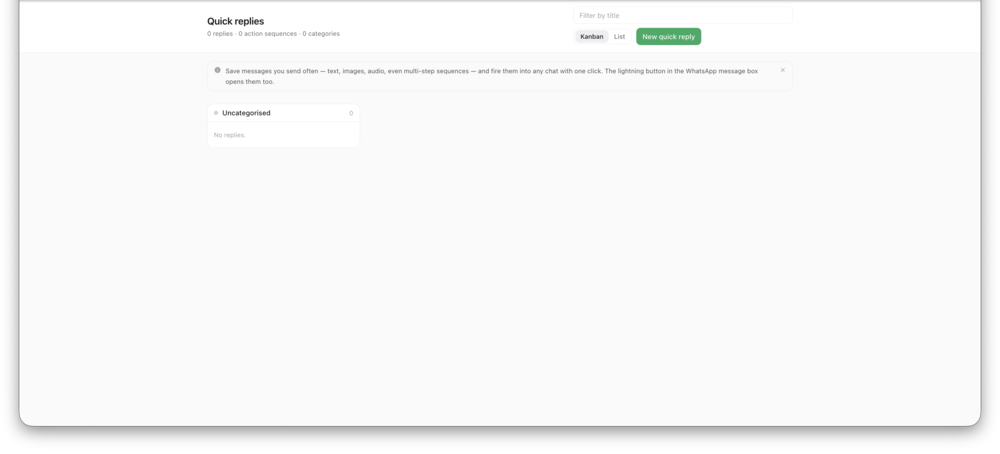
The quick replies page in InboxCRM, with saved replies listedView full size
The quick replies page in InboxCRM, with saved replies listed.

Step by step

How to answer the same questions without retyping them

Two ways to do it. The first needs no extra software.

With WhatsApp alone

  1. 1List the five questions you answer most: price, opening hours, delivery, location, payment.
  2. 2Write one good answer for each. Keep a blank for the customer's name.
  3. 3In the WhatsApp Business app, save each one as a quick reply with a short shortcut.
  4. 4In a chat, type the slash and the shortcut, then fill in the name and send.

With InboxCRM

  1. 1Open Quick replies from the InboxCRM sidebar and add a reply.
  2. 2Add text, and attach the photo or document that goes with it.
  3. 3In any chat, open the quick replies button and pick the reply.
  4. 4For short answers, set a text macro such as /price that expands as you type.
Add InboxCRM to Chrome

What this does not do

  • A saved reply is not sent by itself. You choose it and press send.
  • InboxCRM runs in desktop Chrome on WhatsApp Web. It does not work in the WhatsApp mobile app.

InboxCRM is an independent product and is not affiliated with, authorized by, endorsed by, or sponsored by WhatsApp or Meta Platforms, Inc. WhatsApp is a trademark of Meta Platforms, Inc.

Common questions

Will customers see that I used a saved reply?

No. They see an ordinary WhatsApp message from your number. Change the name and one detail so it fits the person.

Can a saved reply include my price list as a file?

Yes. An InboxCRM quick reply can hold text, an image, a video, audio or a document, and you can reuse the same file from the media library in several replies.

What is a text macro?

A shortcut such as /price that turns into the full message while you type in the WhatsApp Web message box.

Related how-tos

Turn your WhatsApp inbox into an organised sales workspace

Add the extension, open WhatsApp Web and start organising the chats you already have. No separate CRM to keep in sync.

  • Works with your existing WhatsApp Web account
  • CRM records stay on your device
  • AI optional, your own key